
 Share
Share
 Print
Print
|
|
|
|
|


P/N Costing Method, via P/N Category
The P/N Costing Method radio buttons tell the system how to track and/ or distribute the expense of the actual part number (GRN) at issue.
Once a part has been brought into Inventory using the System Code created, the P/N Costing Method cannot be changed via the Transaction Code.
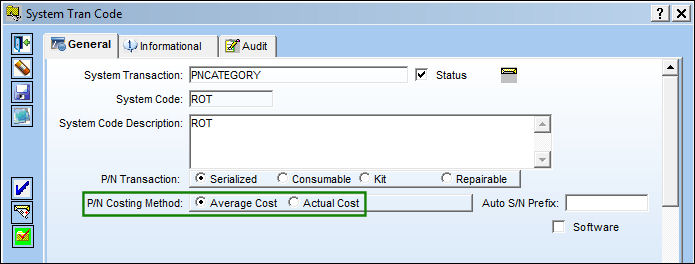
The following information/options are available in this window:
_____________________________________________________________________________________
Average Cost
When issued to a Work Order, non-serialized parts will be expensed at the total average cost for that part number and all both-way interchangeable, as shown below, via the Order Print window.
Actual Cost
Expenses the serialized/repairable part at the actual cost of the part (based on its GRN at issue).
_____________________________________________________________________________________
The following part was placed on a Purchase Order.
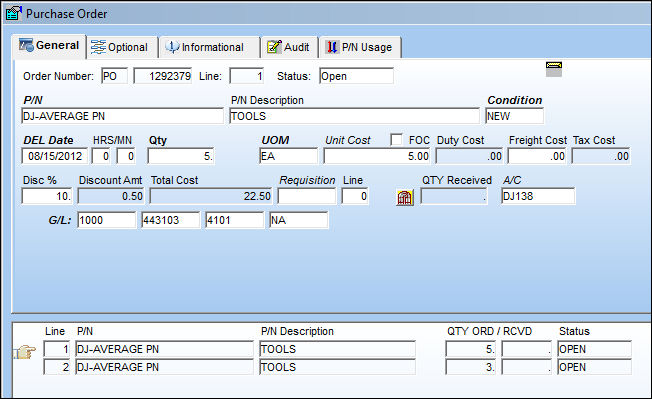
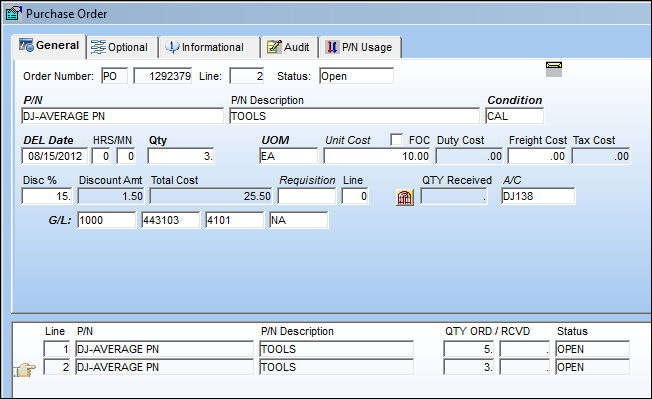
The same part was ordered again, for the purposed of this example.
The Order Print displays correctly the two different Unit Costs for this order.
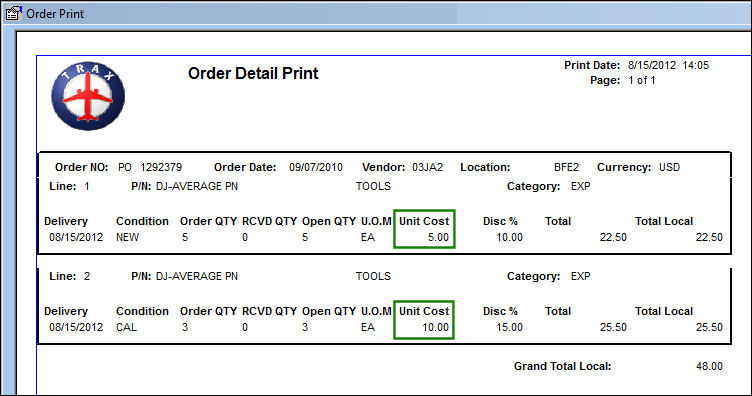
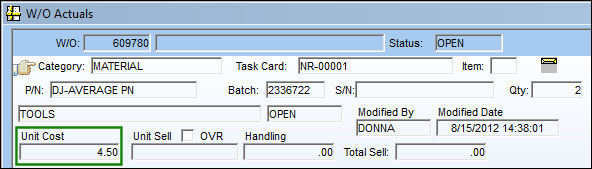
Once issued, the Work Order will be charged the average cost of the part number.
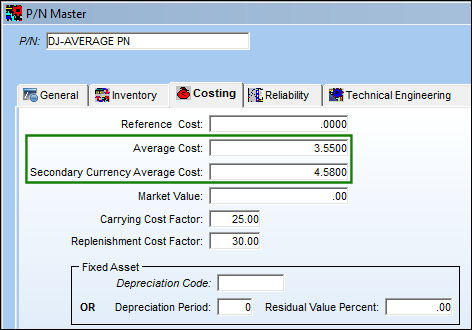
The average cost of all part numbers is readily available in the P/N Master, Costing tab, via the P/N Master.
For information regarding the fields in the below window, refer to the P/N Master Costing Tab, via the P/N Master of the Settings Training Manual.
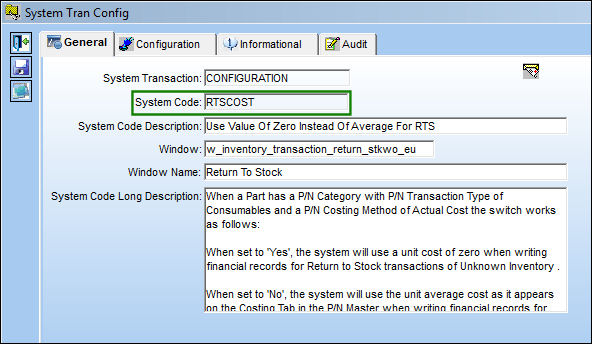
The Transactions which will impact average cost movement are the PO/ Receiving, Invoicing & RTS Unknown Inventory. All average cost movements may be viewed on the P/N Average Cost Movement Print via P/N Master/ Update, P/N Master Print.
For RTS Unknown Inventory, the P/N Average Cost will be affected by Switch  RTSCOST.
Default Month Depreciation & Residual Value % ( ) is the rate of straight line depreciation in which a P/N Category of this Depreciation Default would be given when the P/N Category of P/N Transaction Serialize is received thereby generating a fixed asset record, as seen below (via G/L Interface/ Query/ FA Registry).
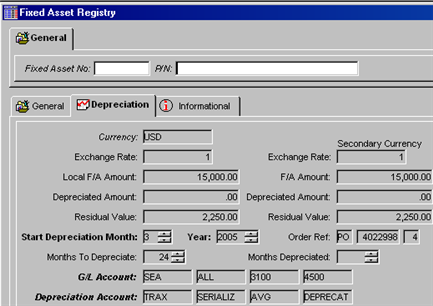
So, when P/N Category with to the Default Month Depreciation ( ) of 24 and default Residual Value % (
 ) 15, is purchased at a local currency of $15,000 the following calculations are made.
(Local Currency Purchase Price-Residual Value%) / Number of Months of Deprecation
Using the above example, the following calculation is reached:
$15,000 – 2250 / 24 = 531.25
So, $531.25 for each month of depreciation starting of 3/2005
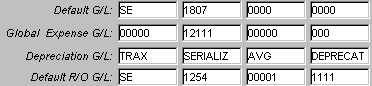
G/L Accounts:
Share
Print
|
©1997-2026 Trax USA Corp. All rights reserved. This manual may not be copied, photocopied, reproduced, translated, or converted to any electronic or machine-readable form, in whole or in part, without prior written approval from Trax USA Corp. |
 |