
 Share
Share
 Print
Print
|
|
|
|
|


Buttons/Icons in Windows Application
Buttons/Icons Classic |
Description |
Buttons/Icons TRAX Version X or Later |
|---|---|---|
|
Clear |
|
|
Continue |
|
|
Copy |
|
|
Explorer |
|
|
Filter |
|
|
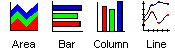
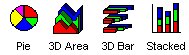
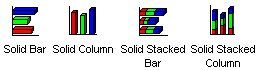
Graph Gallery - different graph types to select for viewing |
|
|
Hand Selection |
|
|
Image – decrease its size |
|
|
Image – increase size |
|
|
My Desktop |
|
|
My Network |
|
|
Note not attached to record |
|
|
Notes - Critical |
|
|
Notes Normal |
|
|
Notes Received |
|
|
Notes - Recycle |
|
|
Notes Template |
|
|
Notes Urgent |
|
|
Override |
|
|
Page - First |
|
|
Page - Last |
|
|
Page - Next |
|
|
Page - Previous |
|
|
Query |
|
|
Run Trax Application |
|
|
Scan Image |
|
|
Schedule/Calendar |
|
|
Sort |
|
|
Spell Check |
|
|
STOP – warning message |
|
|
Trax Desktop Icon |
|
|
Trax Key |
|
|
Update |
|
|
Window–Run application |
|
|
Word Editor |
|




 Share
Print
Share
Print
|
©1997-2026 Trax USA Corp. All rights reserved. This manual may not be copied, photocopied, reproduced, translated, or converted to any electronic or machine-readable form, in whole or in part, without prior written approval from Trax USA Corp. |
 |