
 Share
Share
 Print
Print
|
|
|
|
|


The layout of the assembly NLAs can be reorganized from the P/N NLA Explorer window by selecting the Enable Drag Drop  button.
First, select the NLA Explorer  button from the P/N Master or from the P/N Next Lower Assembly window. Then select the Enable Drag Drop button to rearrange the relationships of the assembly components.
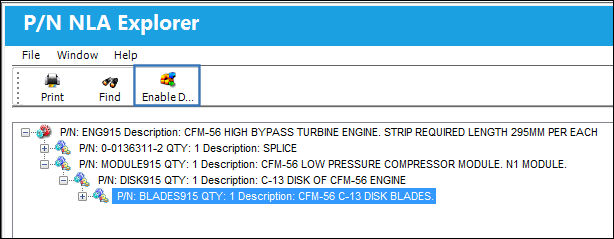
For example, click and hold the NLA that needs to be rearranged. Then, drag and drop that NLA to the component it must fall under. The new relationship will then be established, and the NLA will be categorized under the parent that it was dragged to.
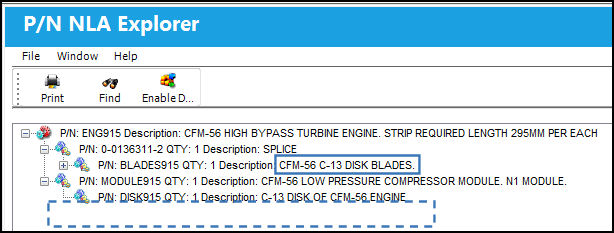
This rearrangement does not affect the assembly in the P/N Inventory Detail and therefore has no effect in Inventory.
Share
Print
|
©1997-2026 Trax USA Corp. All rights reserved. This manual may not be copied, photocopied, reproduced, translated, or converted to any electronic or machine-readable form, in whole or in part, without prior written approval from Trax USA Corp. |
 |