
 Share
Share
 Print
Print
|
|
|
|
|



From the P/N Shop Control window, select the Audit tab.
The Audit tab allows the user to view changes made to a P/N Shop Control record. This includes the Date the change was made, by whom the change was made and what the changes are. The tree-like view allows the user to expand and collapse each record per transaction.
From this window, the user may print and email the audit.
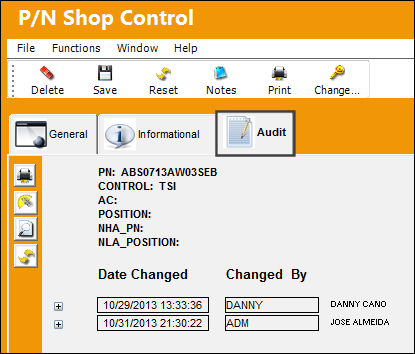
The following fields are displayed when the expand  button is selected:
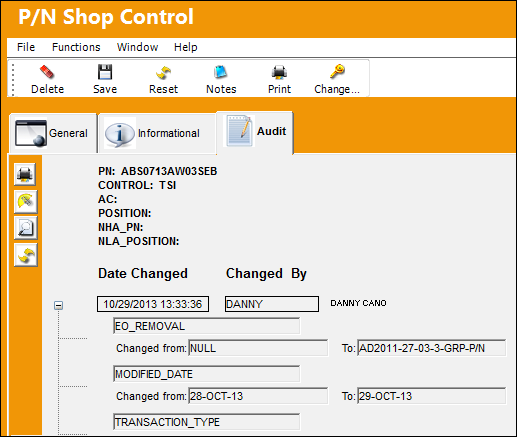
The following information/options are available in this window:
_____________________________________________________________________________________
Date Changed
The date and time the P/N Shop Control information was changed.
Changed By
The user who modified the P/N Shop Control information.
Changed From 
The previous entry prior to the record being modified.
To
The latest change made on the record.
_____________________________________________________________________________________
Share
Print
|
©1997-2026 Trax USA Corp. All rights reserved. This manual may not be copied, photocopied, reproduced, translated, or converted to any electronic or machine-readable form, in whole or in part, without prior written approval from Trax USA Corp. |
 |