
 Share
Share
 Print
Print
|
|
|
|
|



The Skill Multi Currency  button allows users to select and populate different currency costs for the specific Skill.
From the Skill Master, Cost/Sell tab, select a Skill then click the Skill Currency Select button.
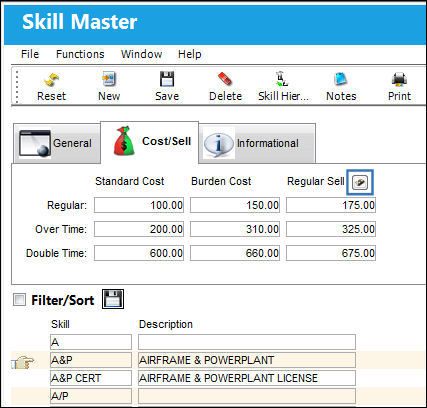
Once selected, the Skill Currency Selection windows comes up. Each Currency can be set up with its own Regular Sell, O/T (Overtime) Sell, and D/T (Double Time) Sell.
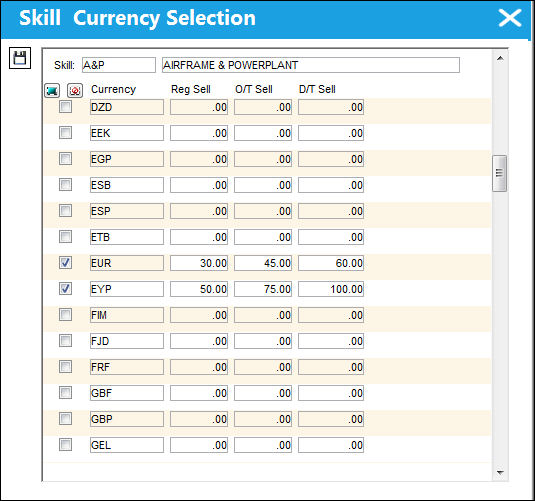
When this labor Skill is charged against a contract, the selected Currency Rates will be applied to the second currency selected via Switch  CURRENC2. For more information refer to the G/L Interface Switch Manual.
Share
Print
|
©1997-2026 Trax USA Corp. All rights reserved. This manual may not be copied, photocopied, reproduced, translated, or converted to any electronic or machine-readable form, in whole or in part, without prior written approval from Trax USA Corp. |
 |