
 Share
Share
 Print
Print
|
|
|
|
|


TRAX Quick Print
The TRAX Quick Print Program allows users to create customized reports from the information in the TRAX Database.
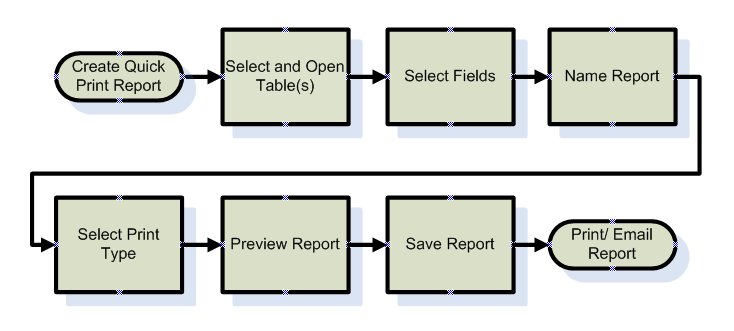
The Quick Print Creation program is used to create the customized prints. Security is assigned to each print to determine which TRAX users can view them. Other TRAX users (who have security) can view the prints but cannot modify them. The print can be saved as a query (.qry) file and shared with other users who wish to create a new print by modifying an existing print from any module in TRAX and use that query to create a new TRAX Quick Print.
The TRAX Quick Print Program is used to view the prints. The TRAX Quick Print program also contains prints created by other TRAX Users to which the current user has security permission to view.
Share
Print
|
©1997-2026 Trax USA Corp. All rights reserved. This manual may not be copied, photocopied, reproduced, translated, or converted to any electronic or machine-readable form, in whole or in part, without prior written approval from Trax USA Corp. |
 |