
 Share
Share
 Print
Print
|
|
|
|
|



The Multi Status Update  button allows the user to update the Shipped Via, Flight and Status information for multiple Packing and Shipping records at one time. This button allows the user to filter for records via Shipped Via, AWB and Flight information.
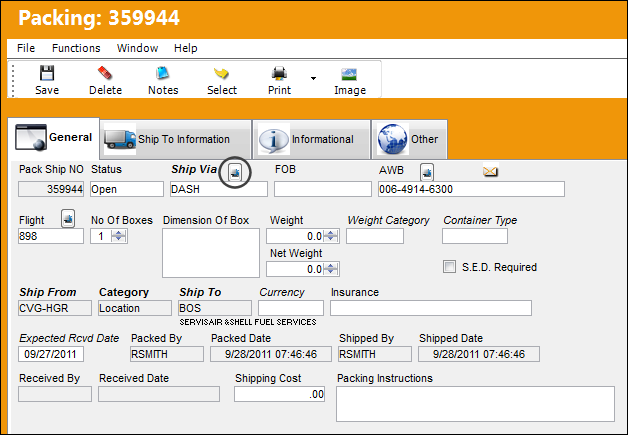
The following example illustrates the functionality of the Multi Status Update button via the Ship Via field. This button functions the same way when selected via the AWB and Flight field. The only difference is that if the Multi Status Update button is selected via the AWB field, only Packing and Shipping records with that specified AWB reference will be available for update.
From the Packing and Shipping Detail, General Tab, select the Multi Status Update button.
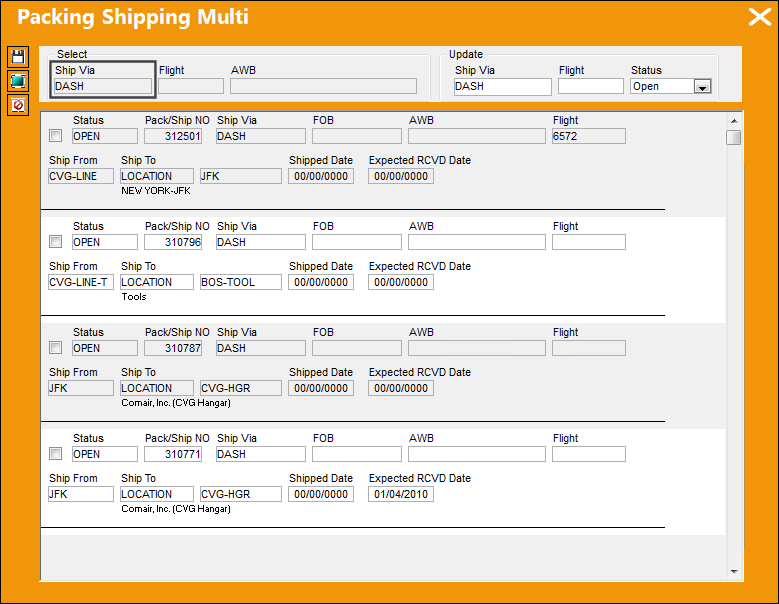
The Packing Shipping Multi window appears. Notice that all the the Packing and Shipping records are filtered by Ship Via DASH.
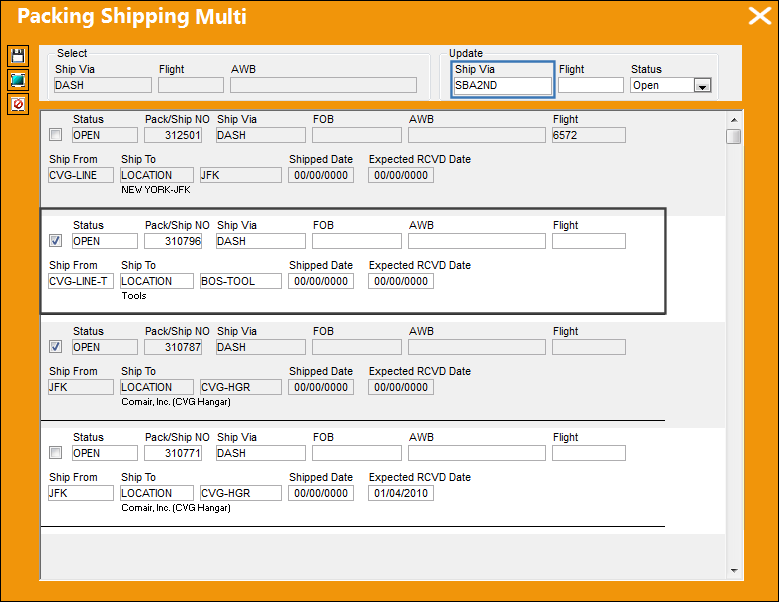
Select all of the records to be updated.
The following record has been selected and the Ship Via has been updated from DASH to SBA2ND. Save the change.
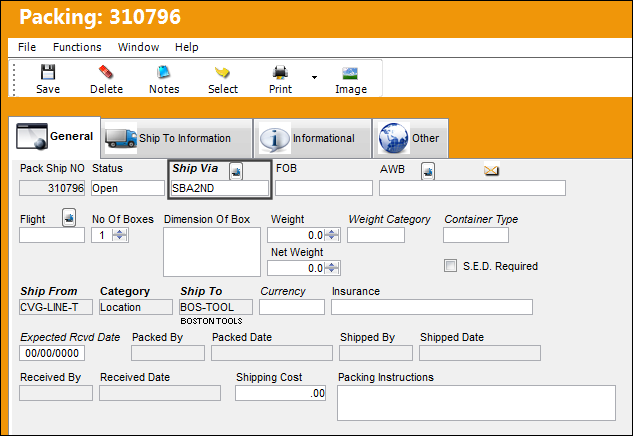
The Ship Via for Packing and Shipping record 310796 has been updated to SBA2ND.
Share
Print
|
©1997-2026 Trax USA Corp. All rights reserved. This manual may not be copied, photocopied, reproduced, translated, or converted to any electronic or machine-readable form, in whole or in part, without prior written approval from Trax USA Corp. |
 |