
 Share
Share
 Print
Print
|
|
|
|
|


Type/Series Release Button, via MEL Authorization Management
The Type/Series Release  button is available from the MEL Authorization Management window to send all MELs for the selected A/C fleet (as opposed to individual MELs) to the MEL Authorization Explorer.
For more information on the MEL Authorization process refer to the MEL Authorization Management and the Authorization Process.
Example:
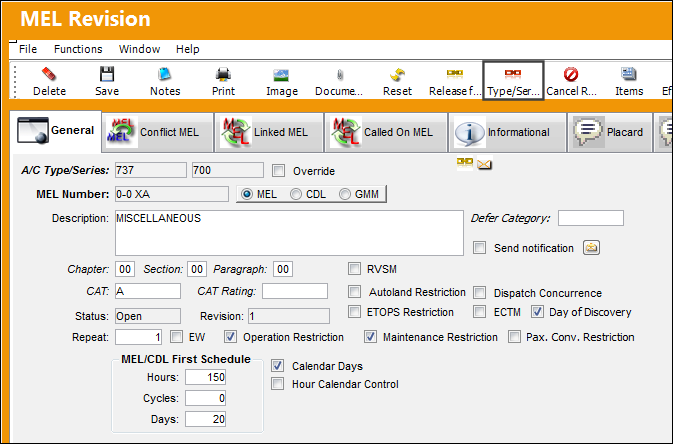
For example, notice that this A/C Type/Series has had an MEL revised via the MEL Master.
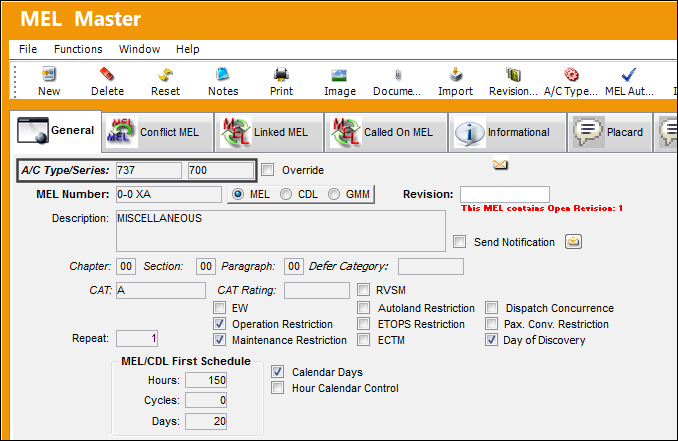
Then the A/C Type/Series is found in the MEL Authorization Management window. Click on the Select  button.
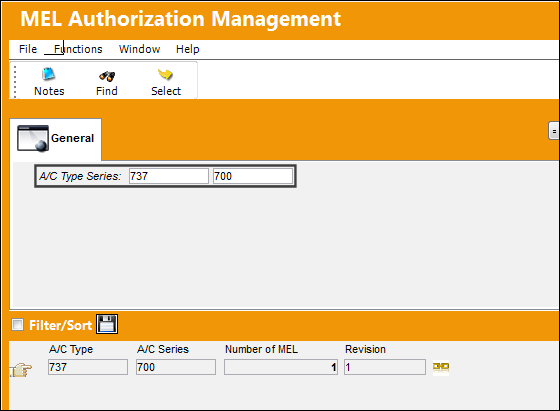
When the MEL Revision window appears, select the Type/Series Release button. This button will send all MELs for the selected Type/Series to the MEL Authorization Explorer.
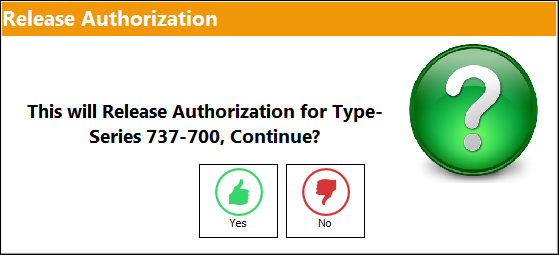
When selected, the following prompt comes up informing the user that all MELs for the Type/Series will be released for authorization.
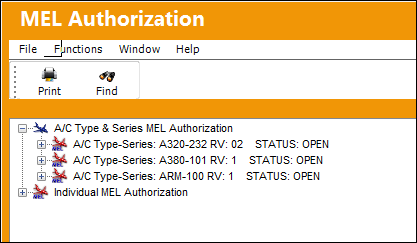
From the MEL Authorization Explorer, notice that the Type/Series is listed in the A/C Type & Series MEL Authorization section. Notice that the MEL(s) are not listed but the Type/Series is.
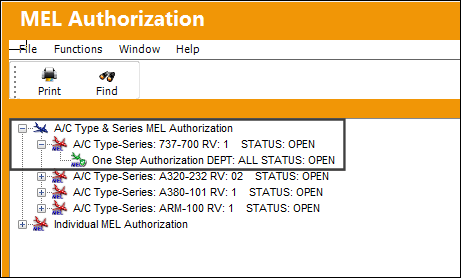
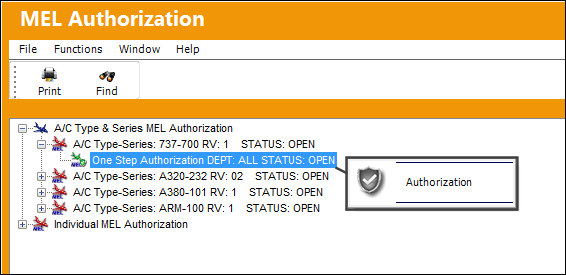
Right-click on the required step(s) and click 'Authorization.'
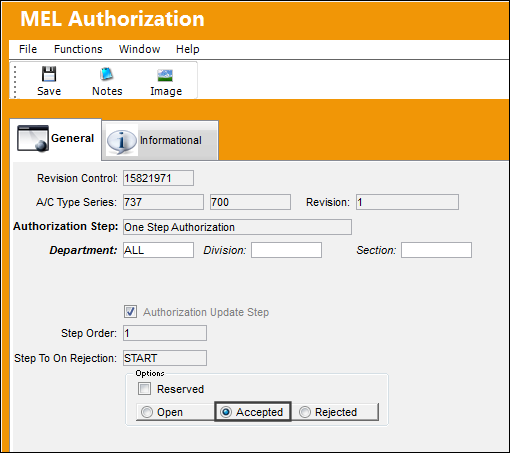
The Type/Series MELs are then Accepted and saved.
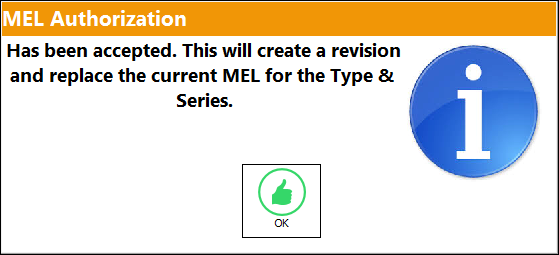
Once the final step is authorized, the following prompt will appear stating that the new revision(s) for the MEL(s) for the Type/Series is replacing the current MEL(s).
Once authorized, notice the fleet is no longer listed in the explorer window.
Share
Print
|
©1997-2026 Trax USA Corp. All rights reserved. This manual may not be copied, photocopied, reproduced, translated, or converted to any electronic or machine-readable form, in whole or in part, without prior written approval from Trax USA Corp. |
 |