
 Share
 Print
|
|
|
|
|


The Individual A/C Selection  button allows the selection and creation of multiple individual range records using cross reference information for every serialized A/C of an aircraft type/series.
Note: The Individual A/C Selection button will not be visible in the Task Card Range window if Switch  RANGEHELPER is set to No.
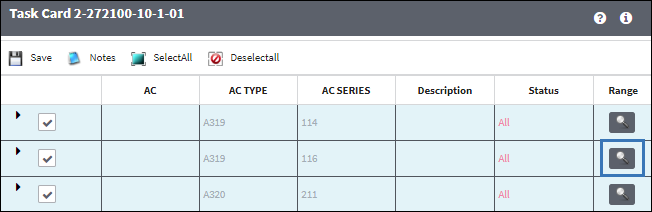
From the Task Card effectivity window, select the Task Card Range  button.
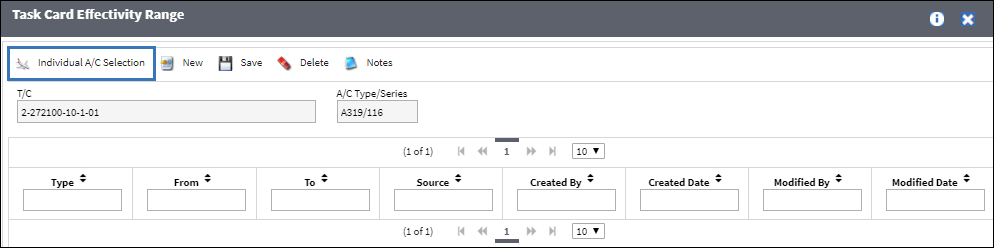
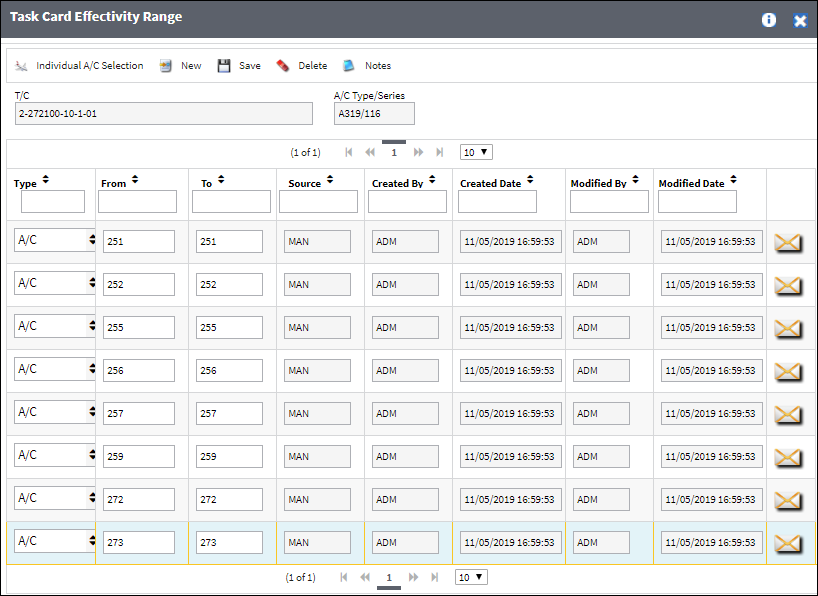
The system displays the Task Card Effectivity Range window, select the Individual A/C Selection  button.
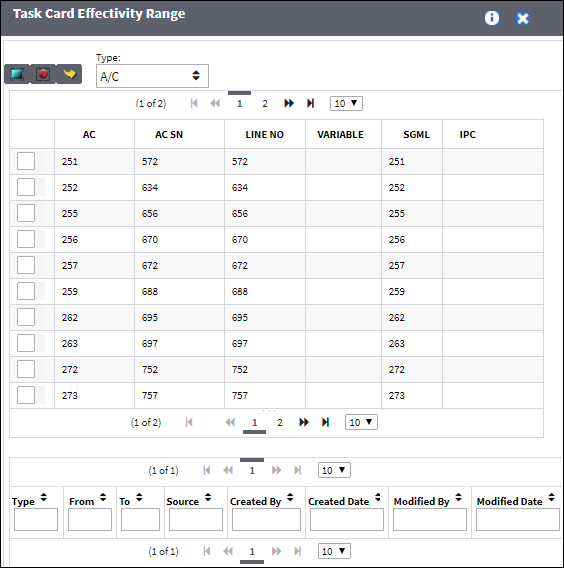
The following columns display referencing A/C Master information for the aircraft type/series.
Select multiple aircraft and click on the Select  button.
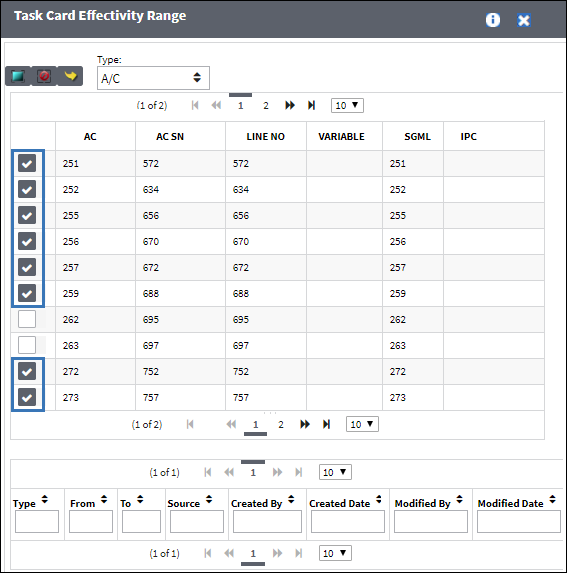
Individual A/C range records are created for the specified aircraft, select the Save  button.
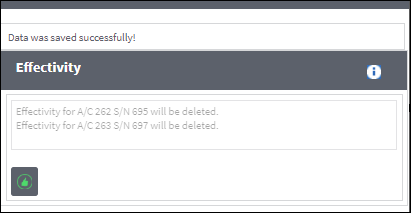
An Effectivity pop-up window will appear. If effectivity to the Task Card previously existed, the window will inform the user which aircraft effectivity was removed from. If Task Card effectivity did not previously exist, the window will inform the user which aircraft effectivity was added to. Select the Yes  button to continue.
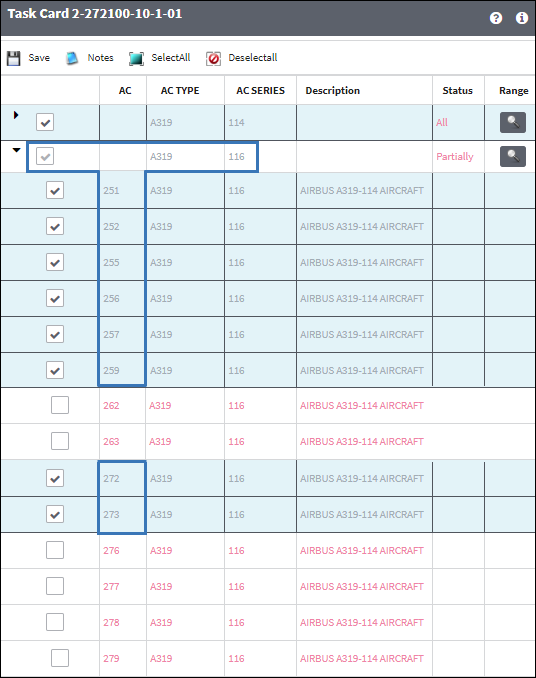
From the Task Card effectivity window, effectivity has been set up for the aircraft type/series.
Share
Print
|
©1997-2026 Trax USA Corp. All rights reserved. This manual may not be copied, photocopied, reproduced, translated, or converted to any electronic or machine-readable form, in whole or in part, without prior written approval from Trax USA Corp. |
 |