
 Share
 Print
|
|
|
|
|


From the Inventory Supervisor Detail window, select the Merge  button.
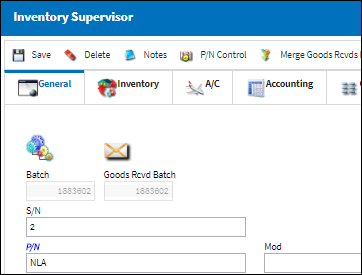
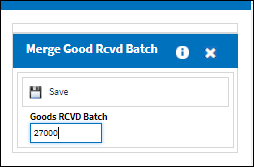
The following pop-up will appear. Enter a batch number in the Goods RCVD batch field and select the Save  button.
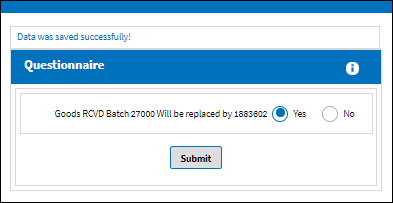
The following soft warning will appear, informing the user that the Goods RCVD Batch in the above pop-up will be replaced by the original Goods RCVD Batch number (1883602). Upon selecting the Save button, the two Goods RCVD Batch numbers will be merged.
Select 'OK' to merge the Batches or 'Cancel' to cancel the merge process.
Share
Print
|
©1997-2026 Trax USA Corp. All rights reserved. This manual may not be copied, photocopied, reproduced, translated, or converted to any electronic or machine-readable form, in whole or in part, without prior written approval from Trax USA Corp. |
 |