
 Share
 Print
|
|
|
|
|


The Multi Status Update  button allows the user to update the Shipped Via, Flight and Status information for multiple Packing and Shipping records at one time. This button allows the user to filter for records via Shipped Via, AWB and Flight information.
Note: The following example illustrates the functionality of the Multi Status Update button via the Ship Via field. This button functions the same way when selected via the AWB and Flight field. The only difference is that if the Multi Status Update button is selected via the AWB field, only Packing and Shipping records with that specified AWB reference will be available for update.
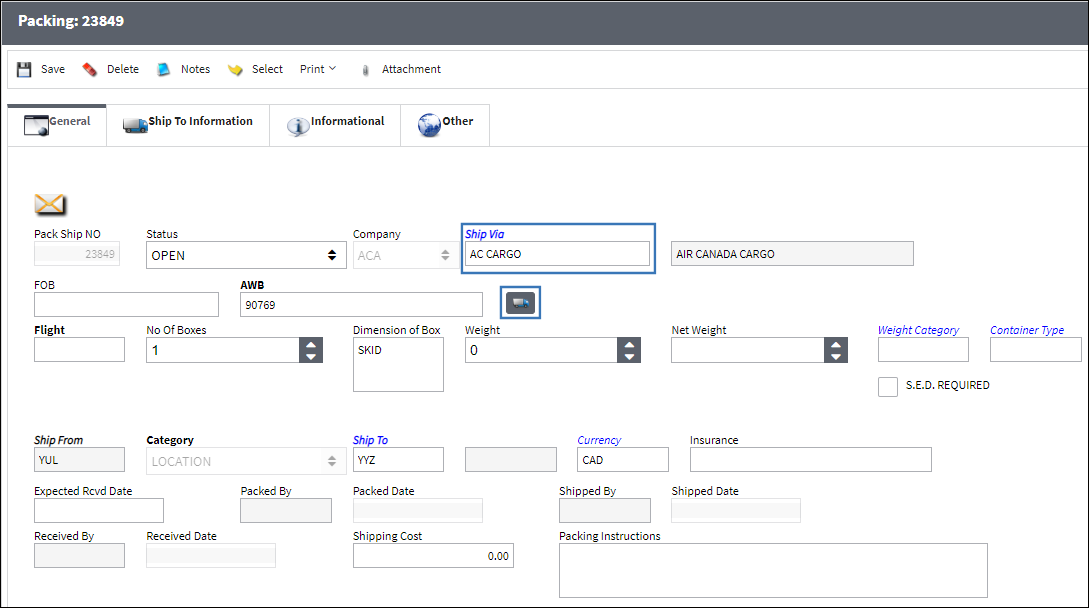
From the Packing and Shipping Detail, General Tab, select the Multi Status Update button. Note this record's Ship Via value.
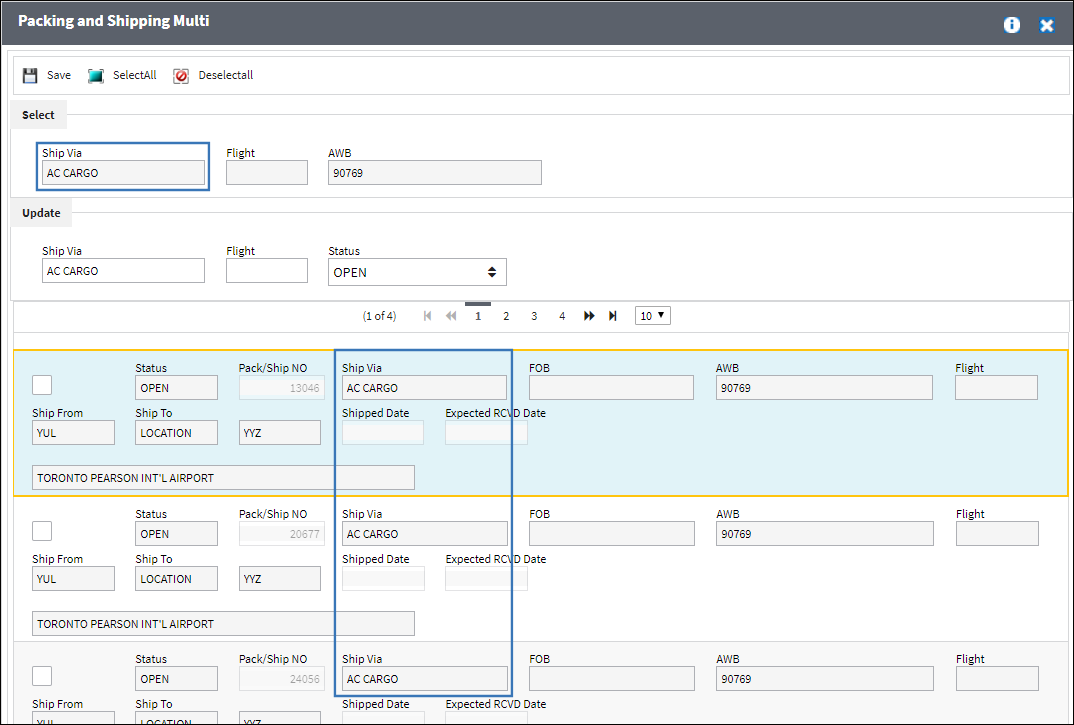
The Packing Shipping Multi window appears. Notice that all the the Packing and Shipping records are filtered by the same Ship Via value.
To update records in the list, select the relevant records using the checkboxes. Then, enter the appropriate information in the Update fields. In this example, the Ship Via value will be updated for the following record.
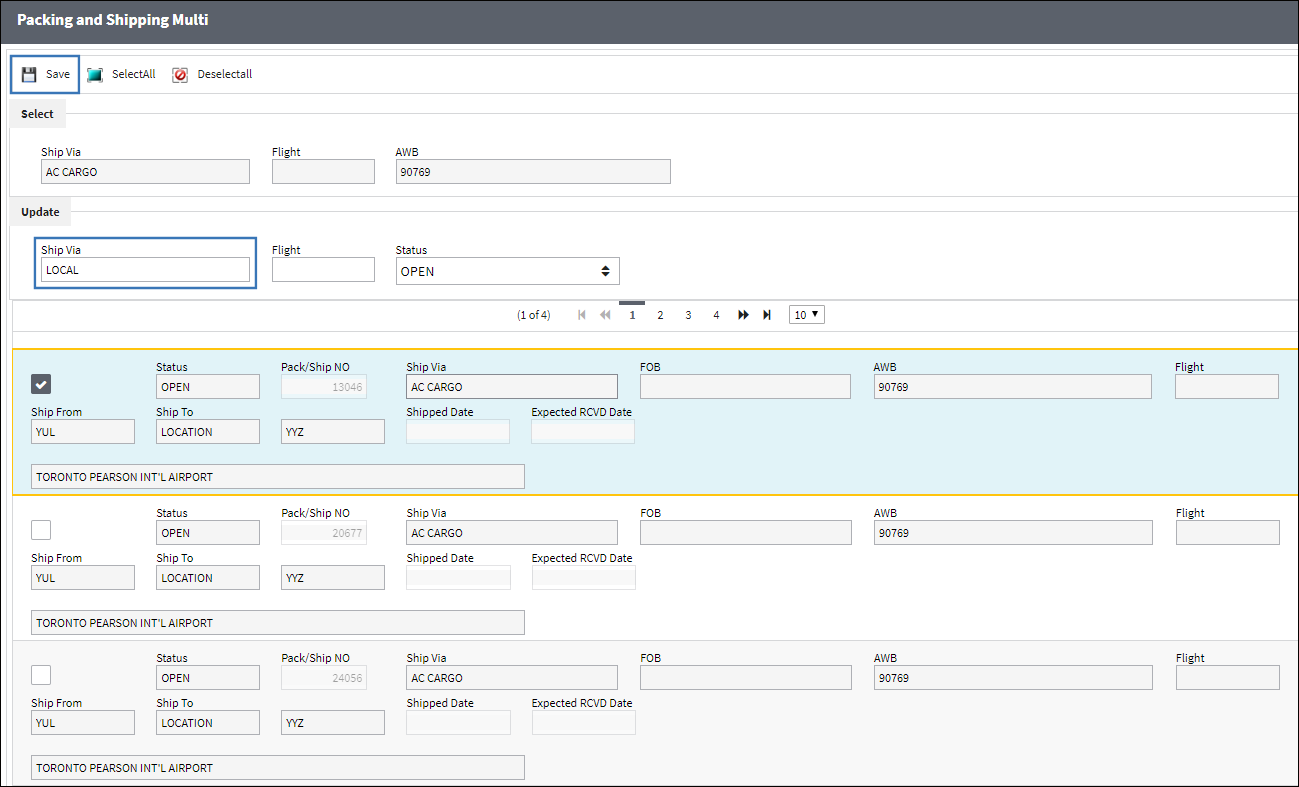
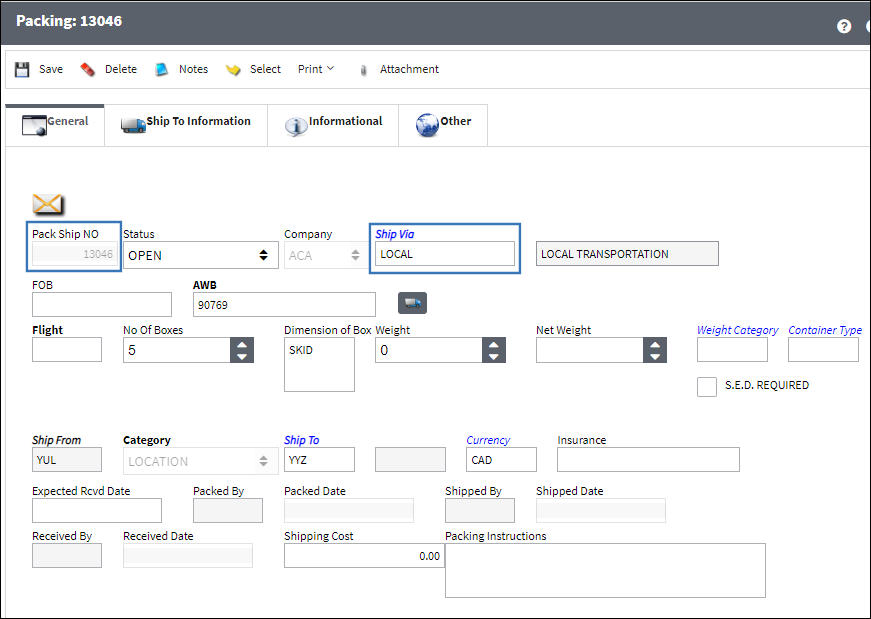
The change is applied once the user selects the Save button.
Share
Print
|
©1997-2026 Trax USA Corp. All rights reserved. This manual may not be copied, photocopied, reproduced, translated, or converted to any electronic or machine-readable form, in whole or in part, without prior written approval from Trax USA Corp. |
 |