
 Share
 Print
|
|
|
|
|


Each Recurrent P/N Item lists all unscheduled part removal transactions that triggered the recurrent alert.
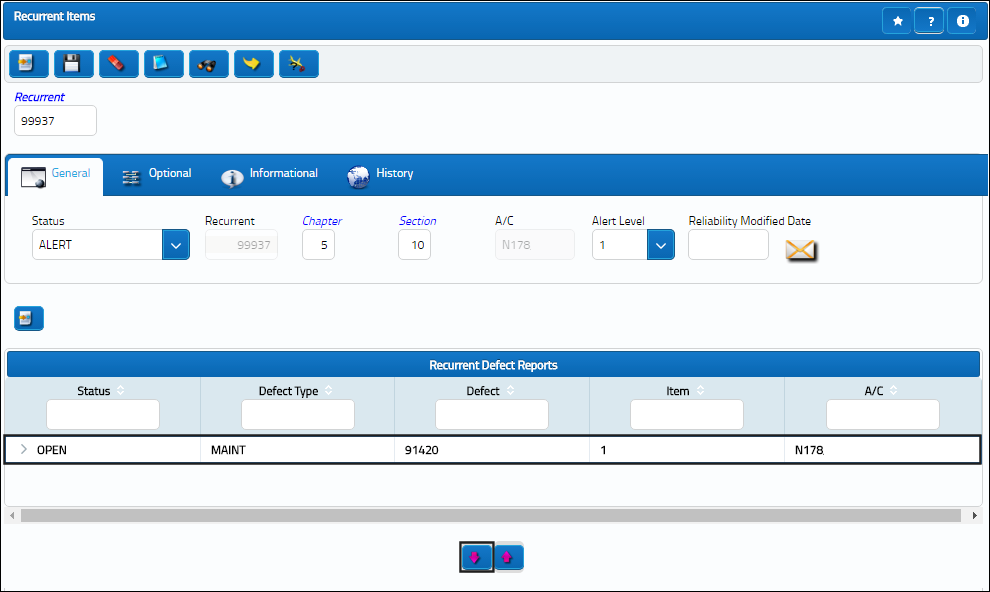
All of these removals, by default, are listed in the Recurrent Removal section of the window. Once inspected, specific removal transaction can be removed from the Recurrent Defect Reports section by highlighting the item and selecting the Move Down  button. The item will be placed in the Dropped Removal section.
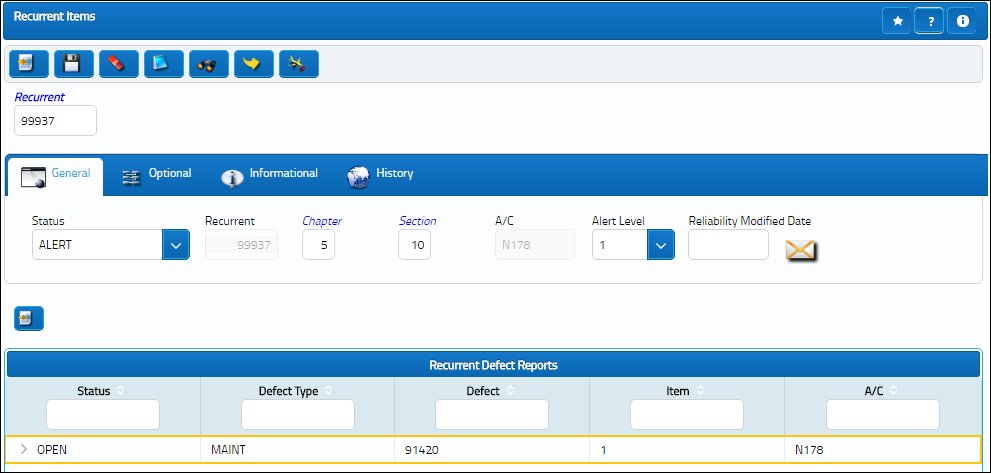
To inspect each removal transaction in more detail, users can select a removal record then click the Select  button. The A/C P/N Transaction History window will appear as follows.
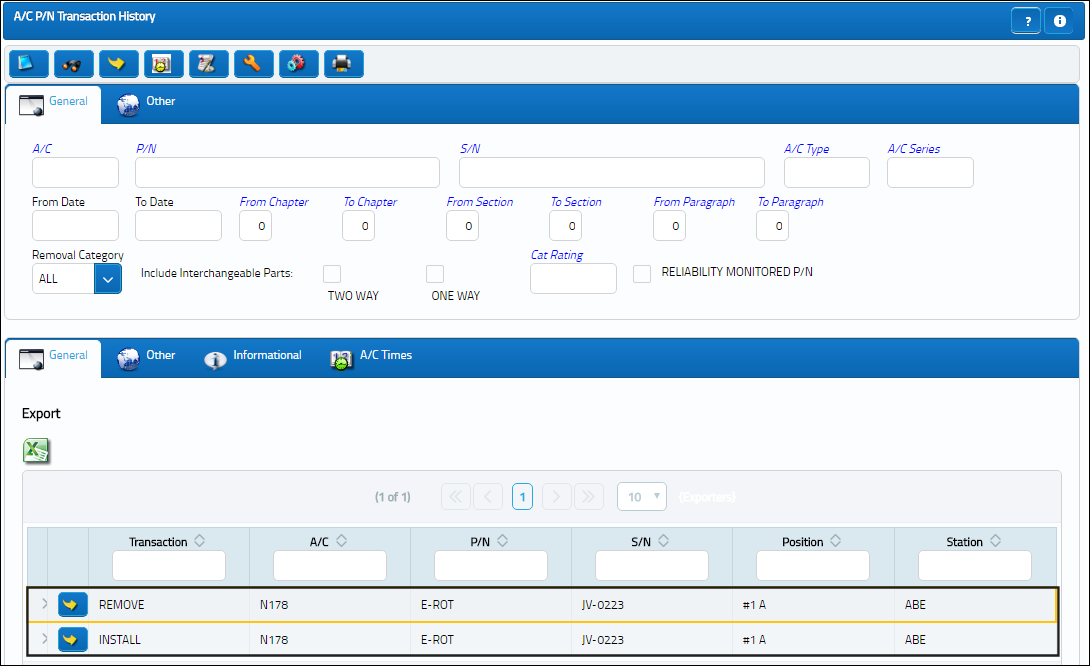
Note: For more information on the information provided in the above window, refer to the P/N Install/Removal Query Button, via Defect Report Detail Buttons in the Technical Records Training Manual.
Once inspected, removal transactions can be disassociated from the Recurrent P/N Item by selecting the Move Down button.
The transaction is no longer in the Recurrent Removal section.
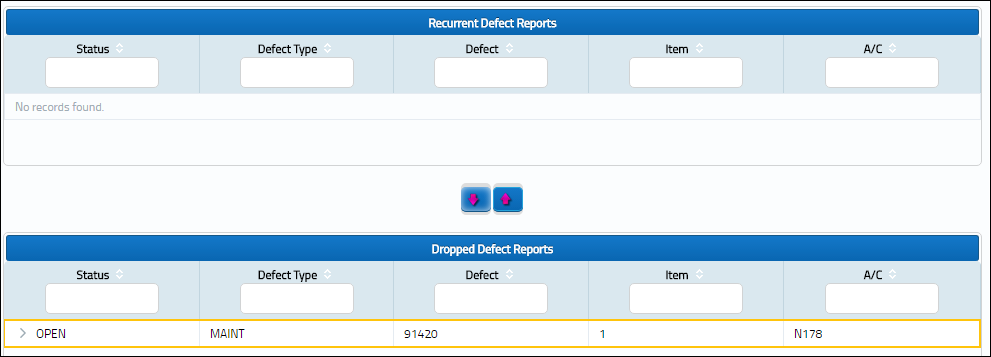
This step can be reversed by selecting the Move Up  button. The transaction from the Dropped Removal section can be moved back to the Recurrent Removal section. However, once this window is exited or saved, removals that were placed in the Dropped Removal section will be permanently removed from the Item.
Share
Print
|
©1997-2026 Trax USA Corp. All rights reserved. This manual may not be copied, photocopied, reproduced, translated, or converted to any electronic or machine-readable form, in whole or in part, without prior written approval from Trax USA Corp. |
 |