
 Share
 Print
|
|
|
|
|


From a Non-Routine Task Card, select the Create New Defect  button. Populate all mandatory fields and save.
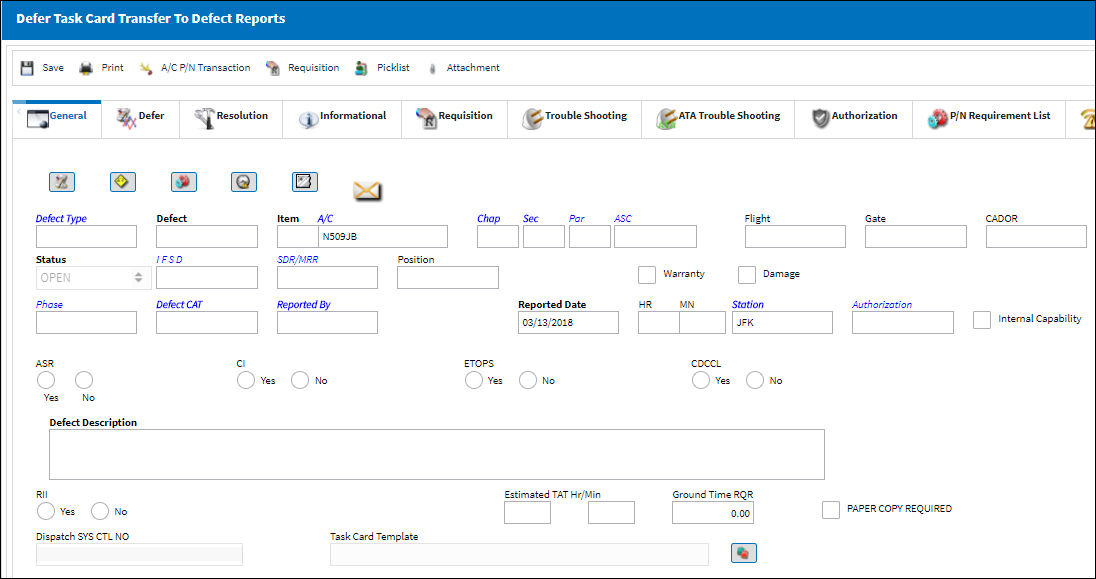
The defect report has been added to the Non-Routine Task Card. Select the Defect button to open up the Defect Report. For more information, refer to the Defect Report, via the Technical Records Training Manual.
Note: When switch  NRTCDEF is set to Yes, when a Defect Report is created via Production/ Update/ Work Order Task Card Work In Progress, the Defect Description will automatically populate the associated Non-Routine Task Card description. The number of characters that will be copied is defined in the Config Number field. When set to No, the Description field of the Work Order Non-Routine Task Card will not be automatically populated with the Defect Description field content.
Share
Print
|
©1997-2026 Trax USA Corp. All rights reserved. This manual may not be copied, photocopied, reproduced, translated, or converted to any electronic or machine-readable form, in whole or in part, without prior written approval from Trax USA Corp. |
 |