
 Share
 Print
|
|
|
|
|


Change Archive To Hold Button, via A/C Registration Change/Hold/Release
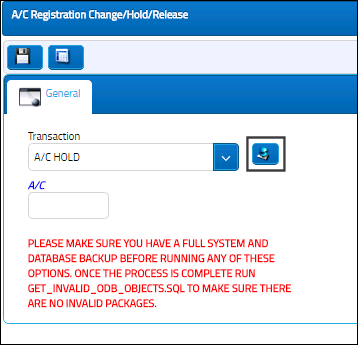
Select the Change Archive To Hold  button to change the status of an aircraft from archived to hold.
From the A/C Registration Change/Hold/Release window, select the 'A/C Hold' transaction. Select the Change Archive To Hold button.
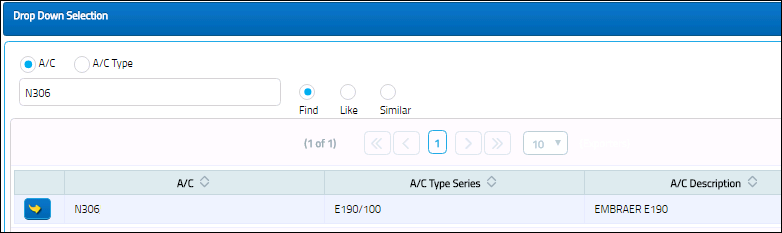
A pop-up window will appear with all 'archived' aircraft. Select an aircraft to change it from 'archived' to 'on-hold' status.
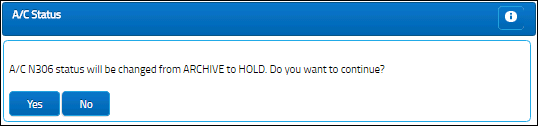
The A/C Status pop-up appears. Select 'Yes' to change the status of the aircraft from 'Archive' to 'Hold.'
The A/C Status Change information box appears informing the user that the status of the Aircraft has been changed. The Aircraft will no longer be available in the 'archived' pop-up window.
Share
Print
|
©1997-2026 Trax USA Corp. All rights reserved. This manual may not be copied, photocopied, reproduced, translated, or converted to any electronic or machine-readable form, in whole or in part, without prior written approval from Trax USA Corp. |
 |