
 Share
 Print
|
|
|
|
|


If more than one revision exists for a document, the Manual revision button populates the Manual Revision page list with additional Revision Control references.
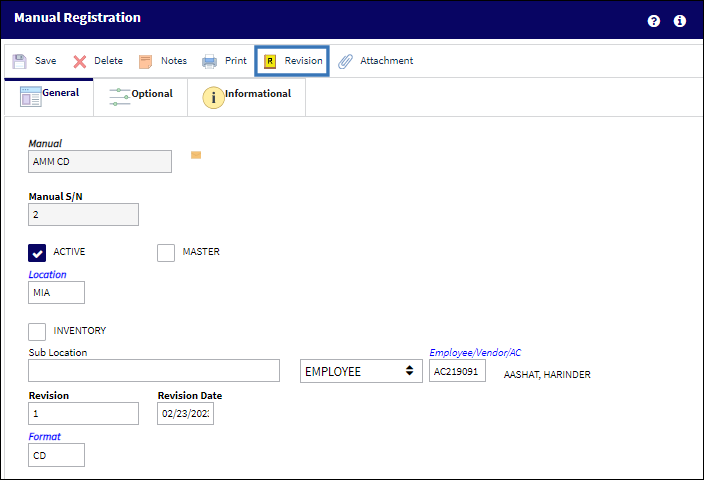
The system displays the Manual Revision Window.
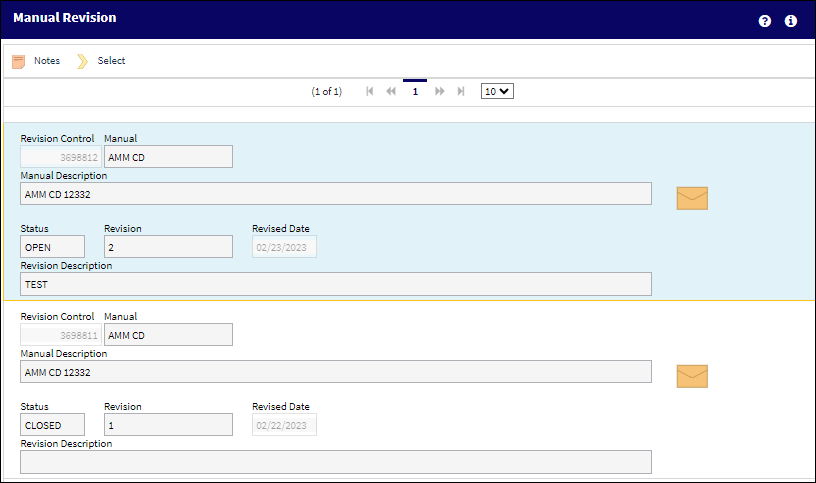
The following information/options are available in this window:
_____________________________________________________________________________________
Revision Control
Manual Revision Control reference: Unique record identification for the revision record.
Manual
The title of the manual.
Manual Description
Expanded description of the Manual/document.
Status
Document status; "Open" is the active and authorized document reference. "Closed" indicates the document has been superseded by a more current reference document.
Revision
Revision reference.
Revised Date
Date of the document revision.
Revision Description
Expanded description for the revision.
_____________________________________________________________________________________
Share
Print
|
©1997-2026 Trax USA Corp. All rights reserved. This manual may not be copied, photocopied, reproduced, translated, or converted to any electronic or machine-readable form, in whole or in part, without prior written approval from Trax USA Corp. |
 |