
 Share
 Print
|
|
|
|
|



Select the A/C Modification Plan  button to link A/C Modification Plans to the Task Card. Plans previously linked to the Task Card can also be viewed, or removed, via this button. For more information about A/C Modification Plans, refer to A/C Modification Plans via the Engineering Training Manual.
 This button is security controlled via Security Explorer/ Engineering/ Update/ Task Card Selection/ Task Card A/C Modification Plan. For additional information, refer the the Security Explorer, via the System Administration Training Manual.
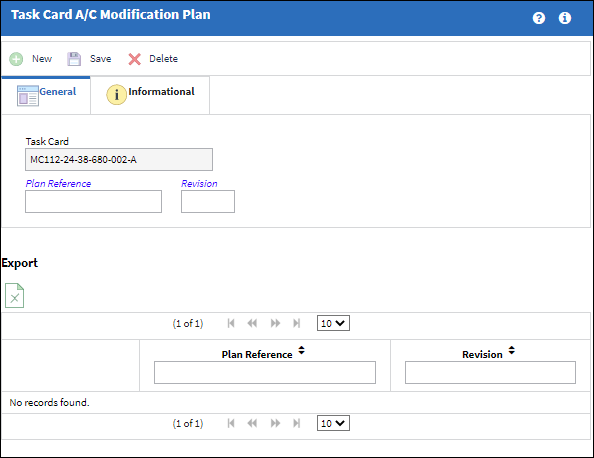
From the Task Card A/C Modification Plan window, select the New  button to link a new Plan to the Task Card and then use the Plan Reference or Revision hyperlink to select a Plan. Select the Save
 button to save the record.
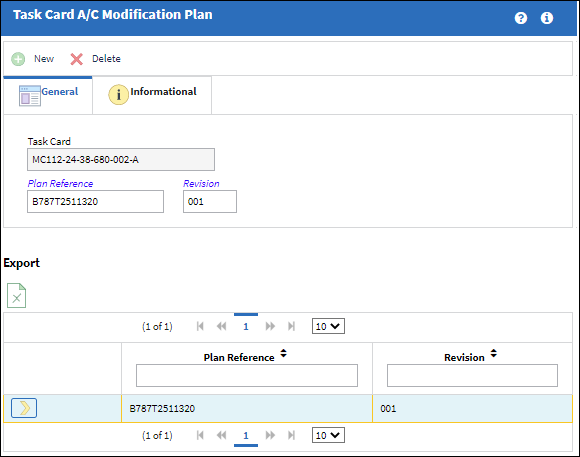
Once the record is saved, select into it to view the Plan details.
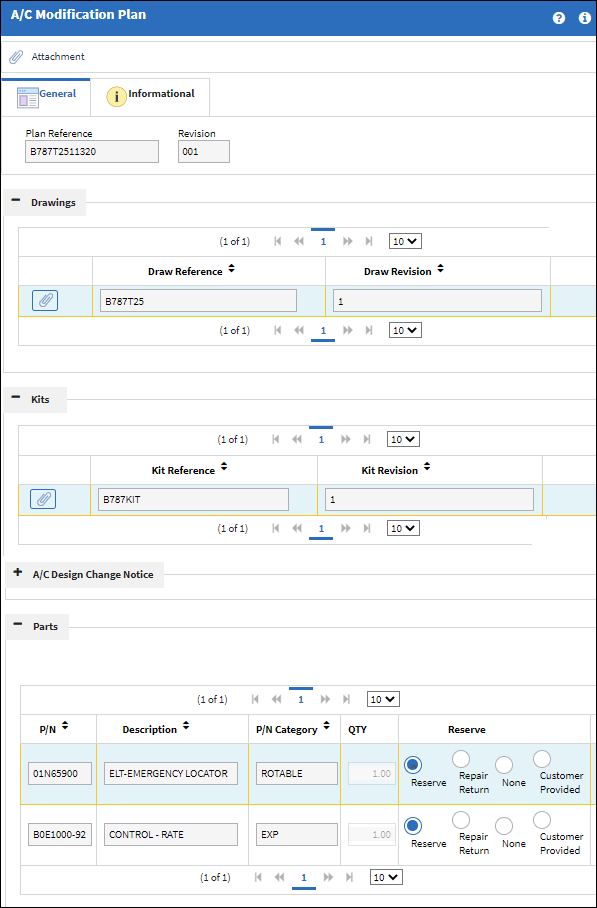
The A/C Modification Plan window is broken into four sections: Drawings, Kits, A/C Design Change Notice, and Parts. Use the Attachment  button for each record to view attached images, documents, or web link URLs.
 Note: When switch
 ACMODQRY is set to Yes, the window switches to Query view, and the New, Save, and Delete buttons in the header of the A/C Modification Plan window are removed. When set to No, the New, Save and Delete buttons are Active in the header of the A/C Modification Plan window.
Note: A/C Modification Plans cannot be modified in this window. Any modification must be made via the A/C Modification Plan master record via Engineering/ Update/ A/C Modification Plans.
Share
Print
|
©1997-2026 Trax USA Corp. All rights reserved. This manual may not be copied, photocopied, reproduced, translated, or converted to any electronic or machine-readable form, in whole or in part, without prior written approval from Trax USA Corp. |
 |