
 Share
 Print
|
|
|
|
|


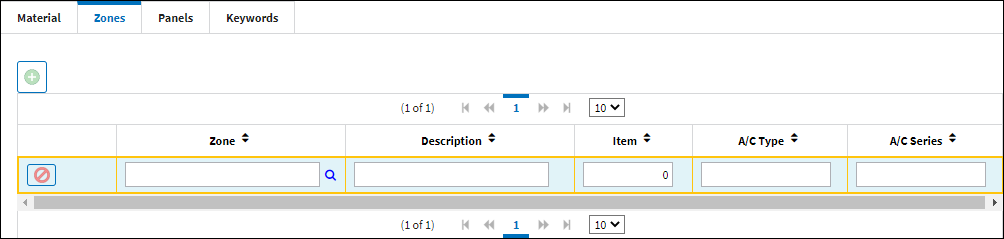
Users can add or remove the specific work zones for the Task Card in the Zones tab.
 Note: The system will auto populate the A/C Type/Series fields with the values associated with the selected Zone code. However, if the Zone code has more than one A/C Type/Series associated with it, then the fields will remain blank.
The following information/options are available in this window:
_____________________________________________________________________________________
New Record  button
Select this button to add a new line item to the section.
Delete Record  button
Delete the selected line item entry.
Zone
The Zone area for the Non-Routine Task Card (selected from Task Card Control Master).
 Note: When a Zone is selected in the Zones tab, the A/C Type and A/C Series fields will auto-populate based on the Task Card's Control field.
Description
The Zone description for the Non-Routine Task Card.
Item
The specific item number on the Non-Routine Task Card that this record is to be associated with. Leave default '0' to have this record associated with all item numbers on the N/R Task Card.
A/C Type/Series
The Aircraft Type and Series/Fleet assignment.
_____________________________________________________________________________________
Share
Print
|
©1997-2026 Trax USA Corp. All rights reserved. This manual may not be copied, photocopied, reproduced, translated, or converted to any electronic or machine-readable form, in whole or in part, without prior written approval from Trax USA Corp. |
 |