
 Share
 Print
|
|
|
|
|



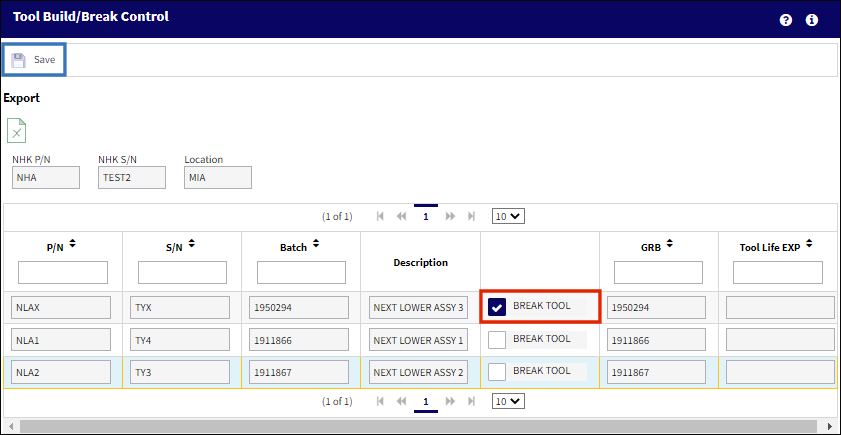
The Tool Build/Break  button allows users to build or break tool kit assemblies via the Tool Build/Break Control window. Tools are added to an assembly using the Find button in the Batch column. Tools are removed from an assembly using the Break Tool checkbox.
 Note: This button is security-controlled via Inventory/ Update/ Inventory Transaction/ Tool Build/Break. For more information, refer to the Security Explorer via the System Administration Manual.
Note: The relationship between an NHA and its NLAs must be established in the P/N Master before building/breaking an assembly.
How to Build/Break a Tool Assembly
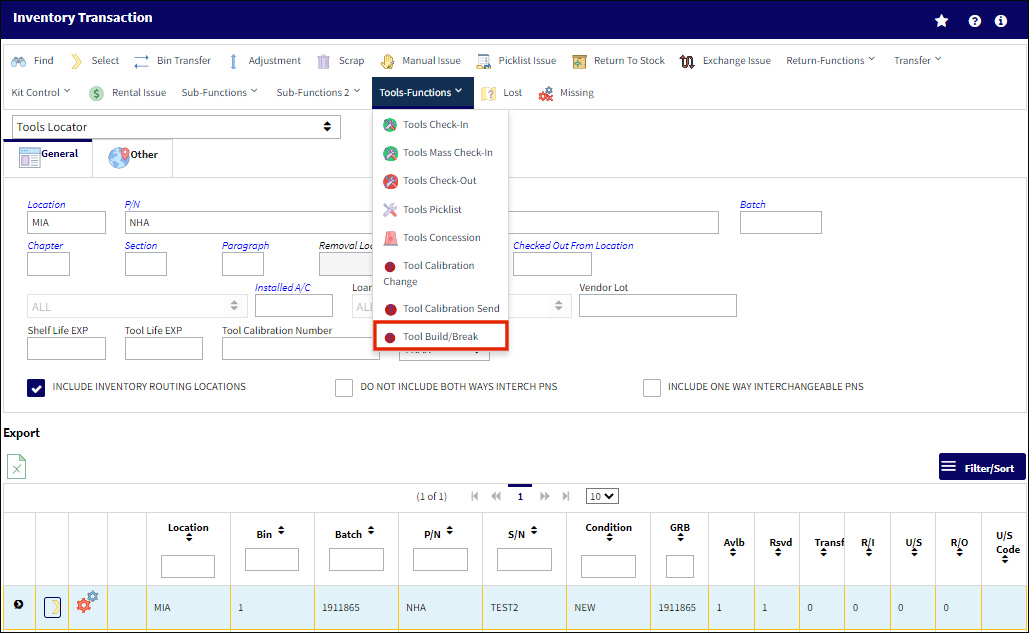
From the Inventory Transaction window, highlight the applicable NHA and select the Tool Build/Break button.
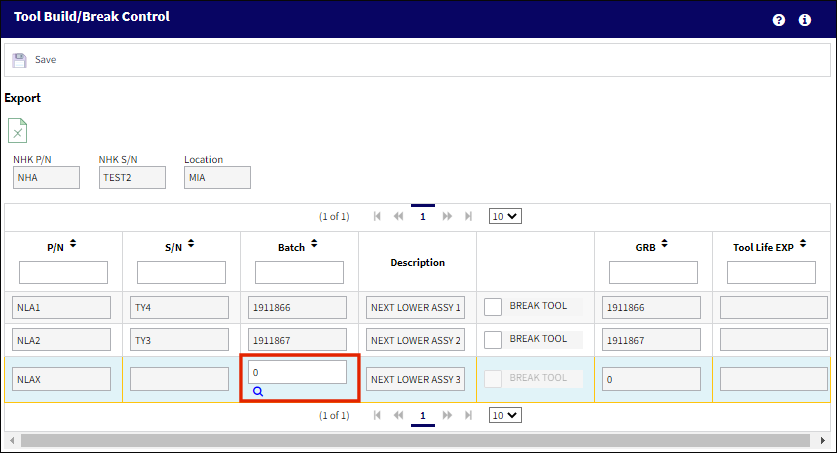
Select the Find button to add an NLA to the assembly.
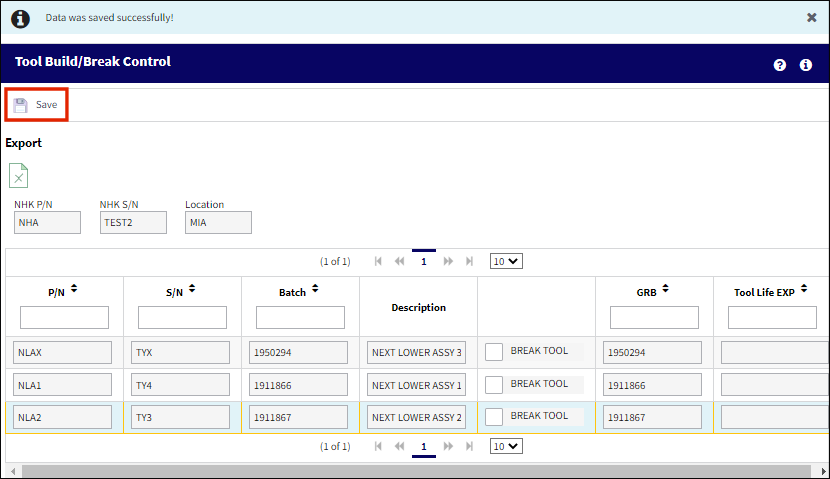
Select the Save button to add the tool to the assembly.
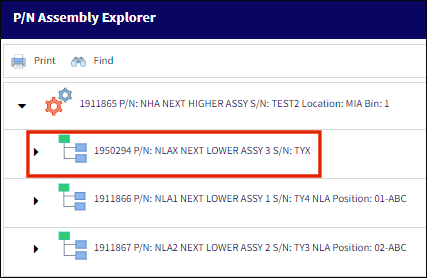
From the P/N Assembly Explorer, notice the NLA S/N was added to the NHA S/N.
To break a tool off an assembly, select the Break Tool checkbox.
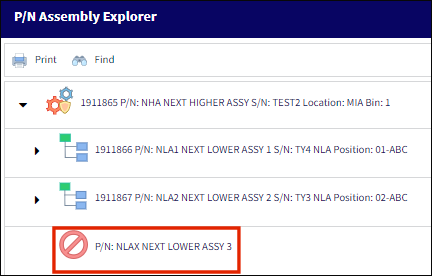
From the P/N Assembly Explorer, notice the NLA S/N was removed from the NHA S/N.
Share
Print
|
©1997-2026 Trax USA Corp. All rights reserved. This manual may not be copied, photocopied, reproduced, translated, or converted to any electronic or machine-readable form, in whole or in part, without prior written approval from Trax USA Corp. |
 |