
 Share
 Print
|
|
|
|
|


Import Button, via Engineering Authorization Management

The Import  button allows users to upload a .xlsx file that will link E/C with T/Cs regardless of the T/C status.
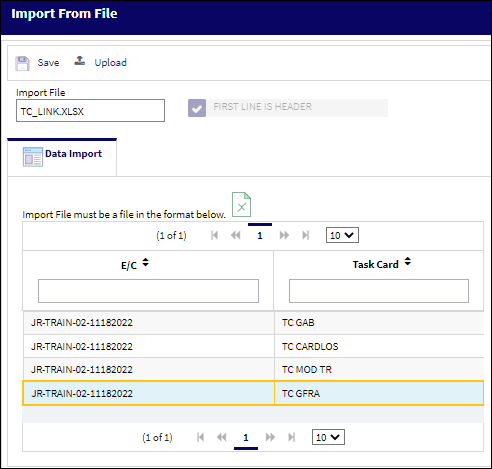
Selecting the Import button displays the Import from File window.
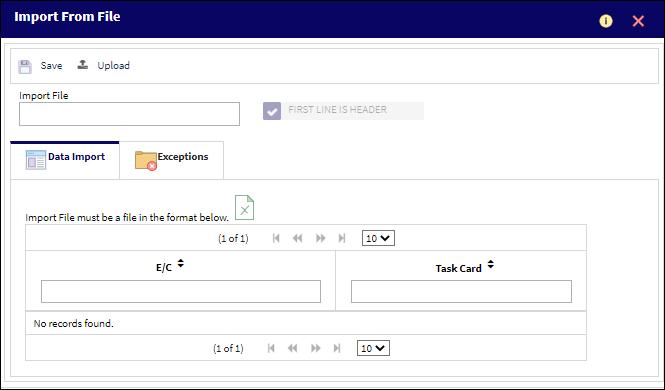
The following information/options are available in this window:
_____________________________________________________________________________________
Save  button
Select this button to save the imported T/C headers into the system.
Upload  button
Select this button to import the desired .xlsx file.
Import File field
This field will populate the name of the file that has been imported.
First Line Is Header checkbox
Select this checkbox to ensure that the first line of the imported document is recognized as the T/C Header.
E/C
The name of the imported E/C.
Task Card
The name of the imported T/C.
_____________________________________________________________________________________
Select the file  button to access the appropriate import template.
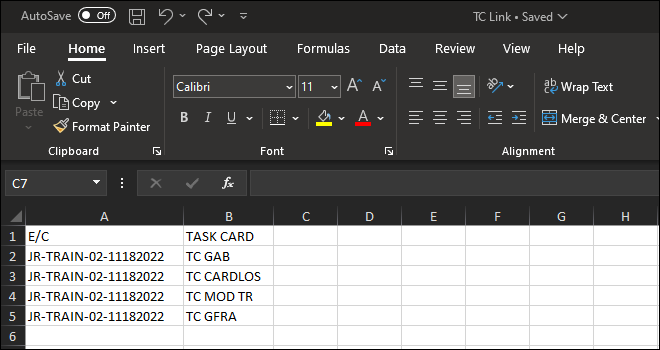
Once the file is populated with the desired information, select the Upload button to begin importing the .xlsx file.
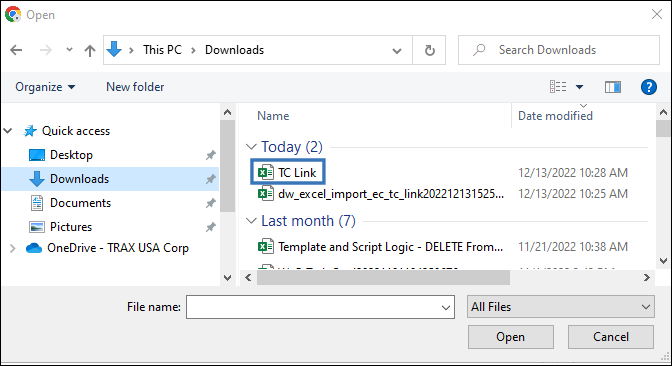
Once a file is selected, the file name will appear in the Import File field.
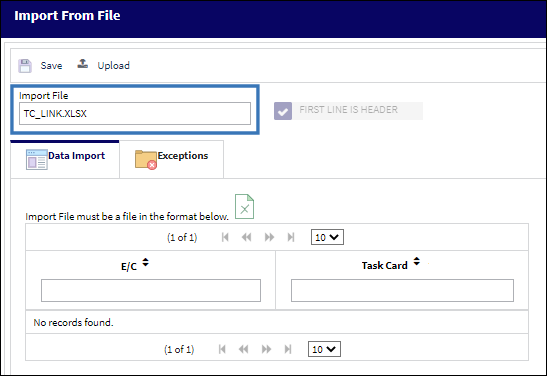
Select the Save button to complete the import process.
Share
Print
|
©1997-2026 Trax USA Corp. All rights reserved. This manual may not be copied, photocopied, reproduced, translated, or converted to any electronic or machine-readable form, in whole or in part, without prior written approval from Trax USA Corp. |
 |