
 Share
 Print
|
|
|
|
|



The eTech Settings window allows operators to customize functionality related to the PilotLog app.
 Note: The eTech Mapping button was renamed to the eTech Settings button.
 Note: The eTech Mapping button is security controlled via Technical Records/ Update/ eTech Mapping. For more information, refer to the Security Explorer, via the System Administration Training manual.
Note: The Export as Excel  button can be selected to view the queried data (including all pages) in an Excel spreadsheet. This Excel file can be saved for later use. For more information refer to the Export as Excel Button via the eMRO System Standards manual.
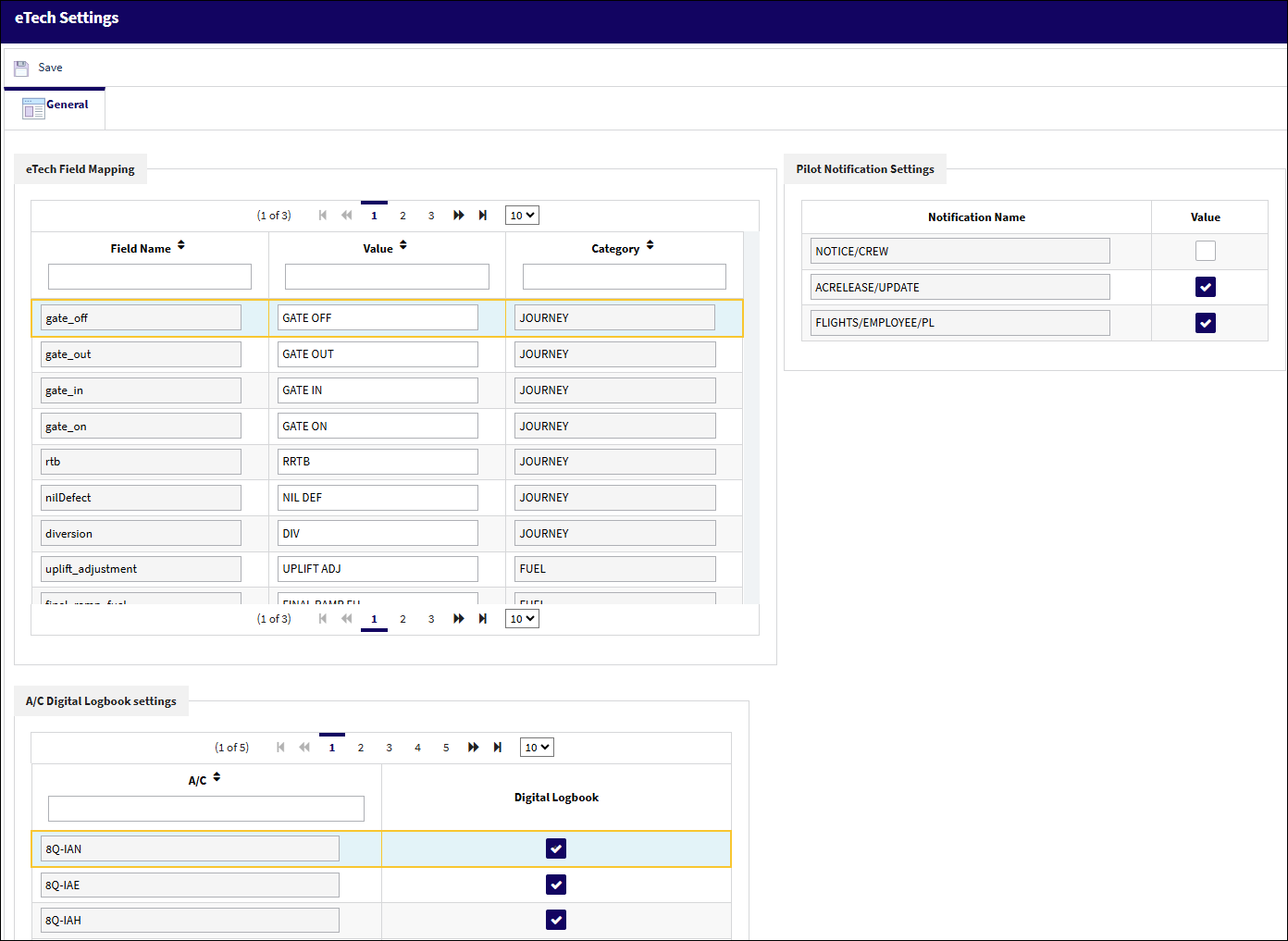
eTech Field Mapping
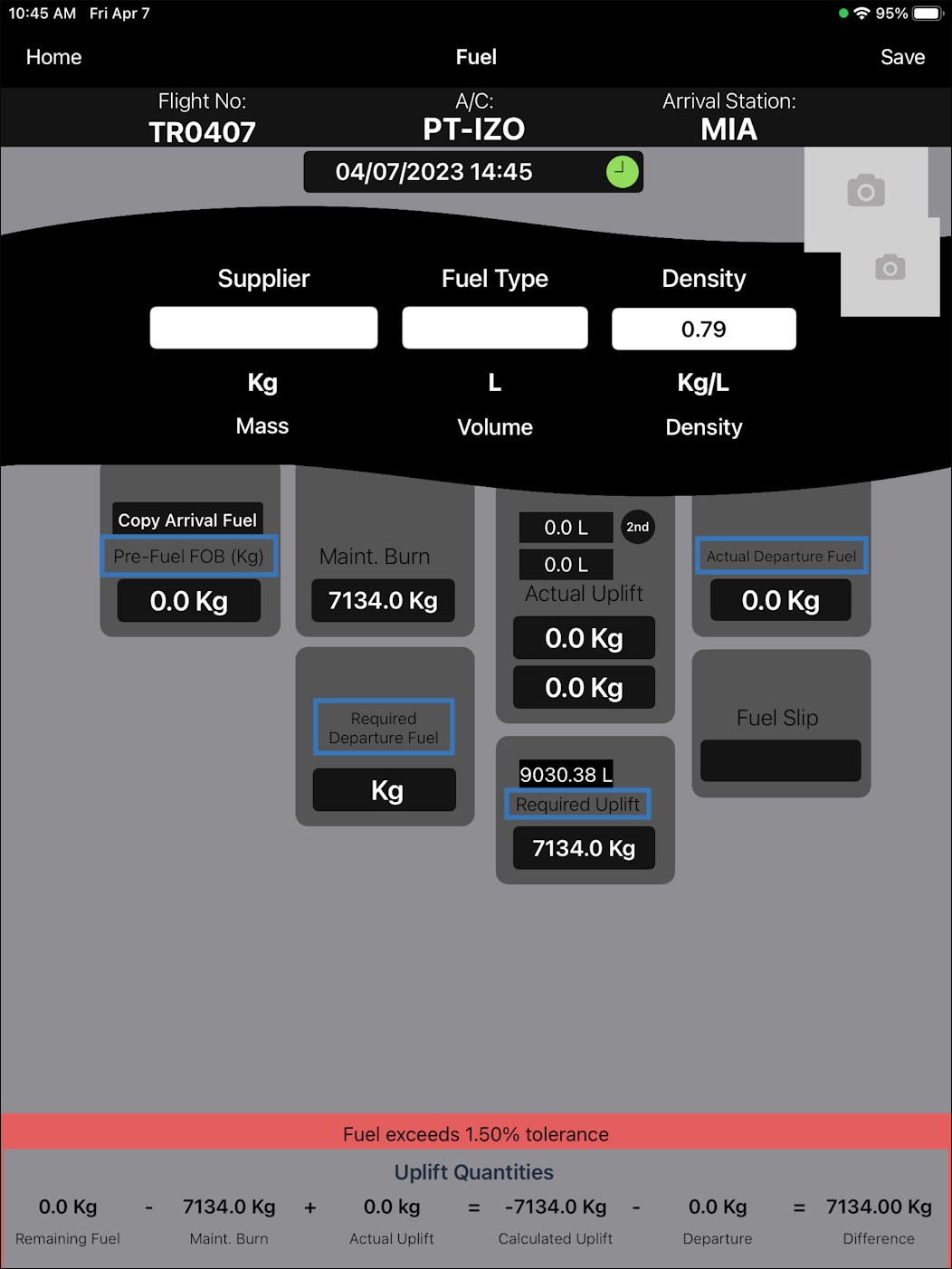
The eTech Field Mapping section allows operators to customize how a field's name appears in the corresponding window via the PilotLog app. The Field Name column indicates a field's hard-coded default name. The Value column indicates the name to be displayed on the PilotLog app. For more information, refer to the PilotLog app's training manual.
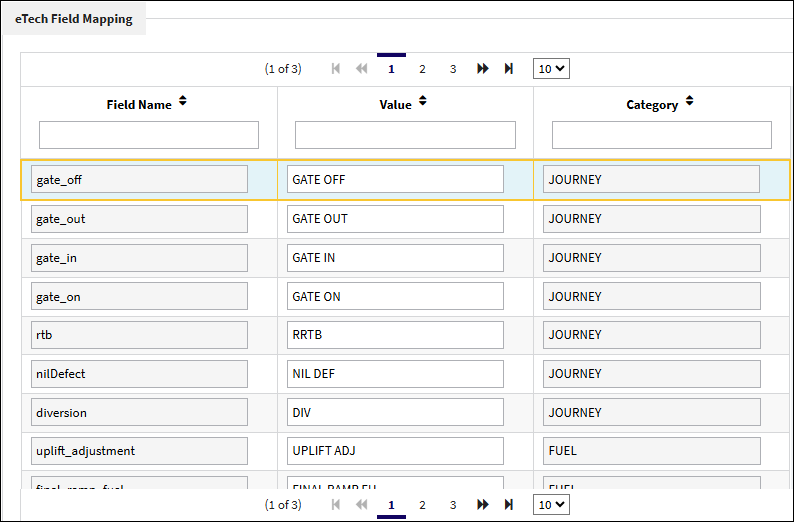
The following information/options are available in this window:
_____________________________________________________________________________________
Field Name
The hard-coded default name of the field in the database tables.
The following fields are available for name-mapping:
- gate_off
- gate_out
- gate_in
- gate_on
- rtb
- nilDefect
- diversion
- uplift_adjustment
- final_ramp_fuel
- landing_attempts
- arrival_fuel
- pl_delay_code
- pl_delay_type
- ramp_fuel
- arrival_remaining_fuel
- maintenance_burn
- maintenance_uplift
- density
- fuel_type
- arrival_initial

- planned_uplift
- departure_uplift
- required_departure_fuel
Value
The Value field is a free text option that allows the name of the field in the corresponding row to be customized. The value entered will determine the field's name in the PilotLog app.
Category
The window in the PilotLog app where the field in the corresponding row appears.
_____________________________________________________________________________________
To change a field's hard-coded name, enter the desired name in the applicable Value column, then click the Save  button.
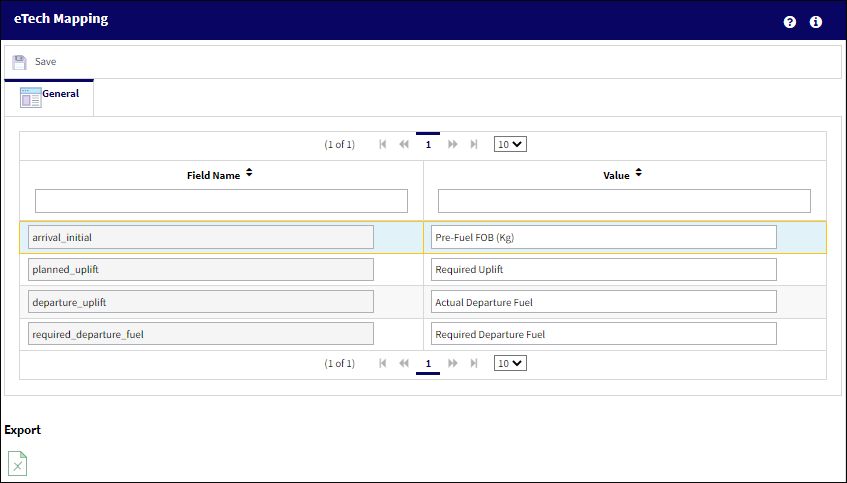
As shown below, the name entered in the Value column appears as that field's name in the PilotLog app.
PilotLog Notification Settings 
The Notification section allows users to define what notifications will appear in the PilotLog app when triggered by the system.
Note: When the switch  ETECHNOTIFS is set to Yes, users can select which notifications are sent to the PilotLog app by checking the applicable notification's checkbox. When the switch is set to No, all PilotLog notifications will be sent to the PilotLog app.
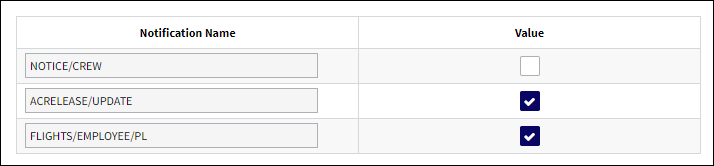
The following information/options are available in this window:
_____________________________________________________________________________________
NOTICE/CREW checkbox
Notifies that new or additional notices to the crew are ready for review.
ACRELEASE/UPDATE checkbox
Notifies that the Maintenance Release has been approved.
FLIGHTS/EMPLOYEE/PL checkbox
Notifies that an employee has been assigned to a flight.
_____________________________________________________________________________________
A/C Digital Logbook Settings
The A/C Digital Logbook section is used to identify which aircraft use the Electronic Logbook functionality with the PilotLog and QuickTurn iOS apps. If an aircraft is using an electronic logbook instead of a paper logbook, select the Digital Logbook checkbox next to the applicable A/C.
Note: When the switch ETECHACQUERY is set to Yes, if an A/C does not have the Digital Logbook checkbox selected in the eTech Logbook record, it appears in query mode in the PilotLog and QuickTurn apps. In the QuickTurn app's Aircraft and A/C Controller tabs, the A/C is highlighted in blue to indicate it is in query mode. In the PilotLog app, the label A/C On Paper Logbook indicates that the A/C's logbook record is available in query mode only. Additionally, the switch's Config Other field allows users to customize the label that indicates the logbook is in query mode. Moreover, the Query Only prompts appear when viewing any window for that aircraft in PilotLog or QuickTurn. When set to No, the PilotLog and QuickTurn apps do not place an A/C's record in query mode if the Digital Logbook checkbox is deselected in the eTech Logbook record.
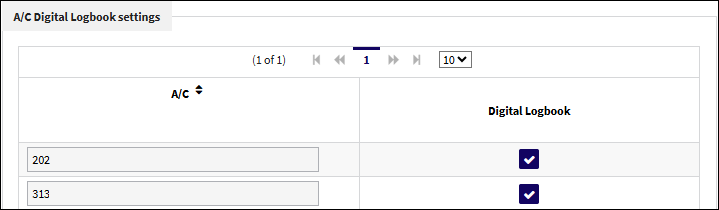
The following information/options are available in this window:
_____________________________________________________________________________________
A/C
The individual aircraft tail number.
Digital Logbook checkbox
If an aircraft is using an electronic logbook instead of a paper logbook, select the Digital Logbook checkbox next to the applicable A/C. This will indicate that the aircraft is using the Electronic Logbook functionality with the PilotLog and QuickTurn iOS apps.
_____________________________________________________________________________________
Share
Print
|
©1997-2026 Trax USA Corp. All rights reserved. This manual may not be copied, photocopied, reproduced, translated, or converted to any electronic or machine-readable form, in whole or in part, without prior written approval from Trax USA Corp. |
 |