
 Share
 Print
|
|
|
|
|



The Import TC items  button allows users with Task Card Authorization Management security permissions to import TC items to Task Cards that are pending or already approved/authorized. The functionality of this button permits Users to make modifications to a Task Card while performing Task Card Authorization Management duties within the Task Card Authorization Management window/environment.
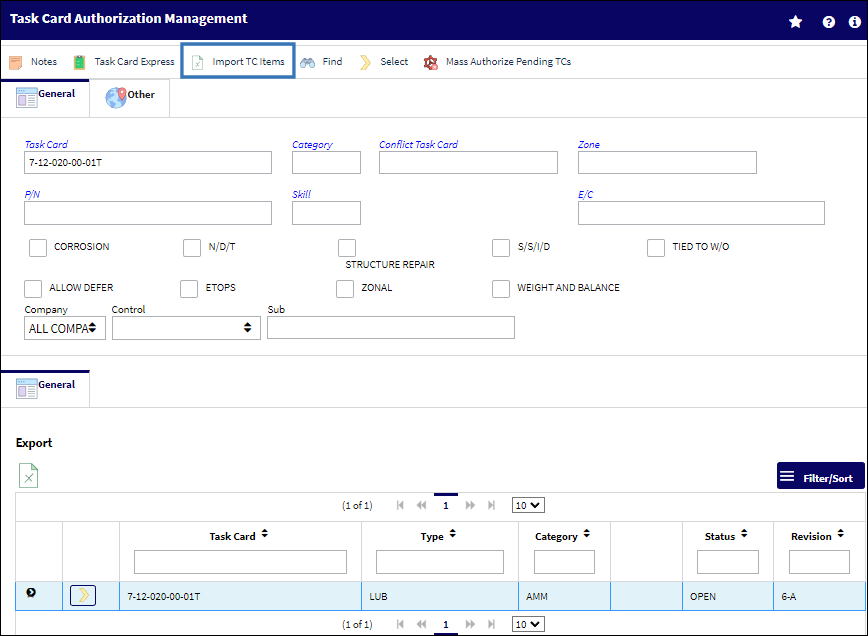
The TC items button is located in the ribbon of the Task Card Authorization Management window.
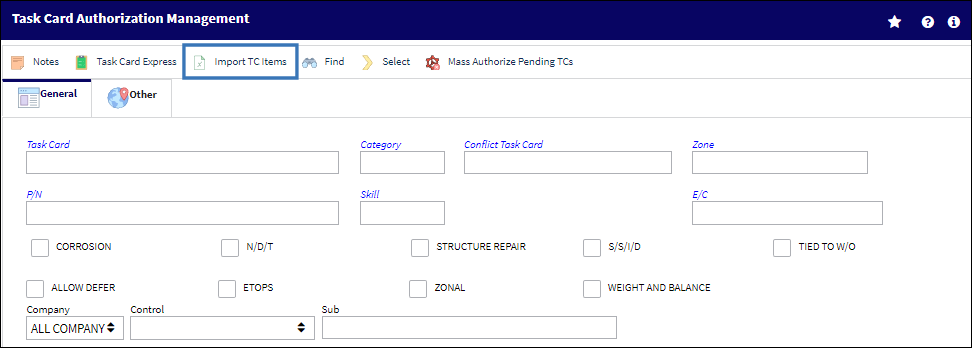
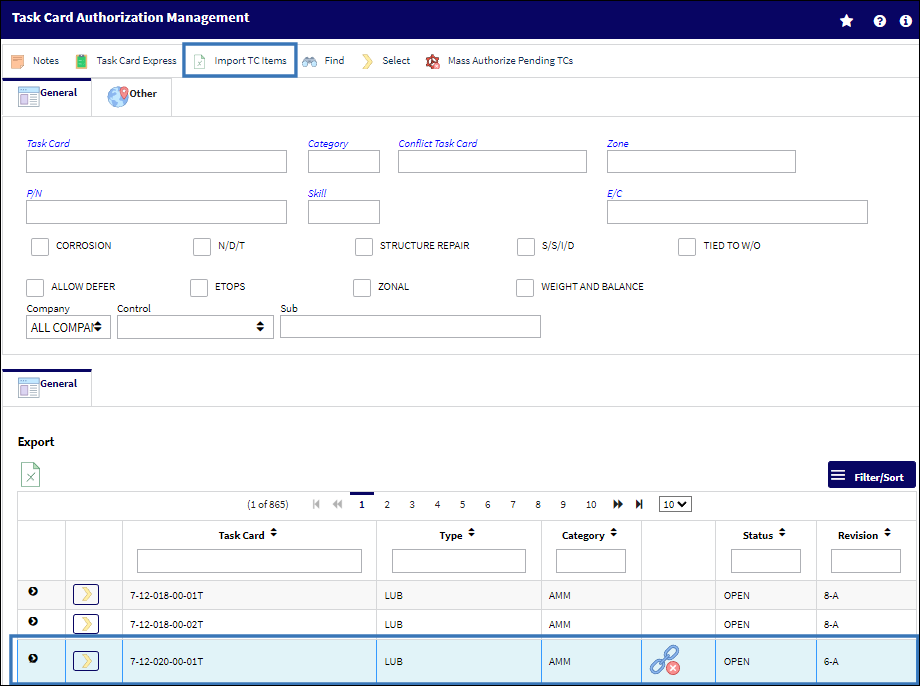
To add an item to a Task Card, highlight the desired Task Card from the search result and select the Import TC items button.
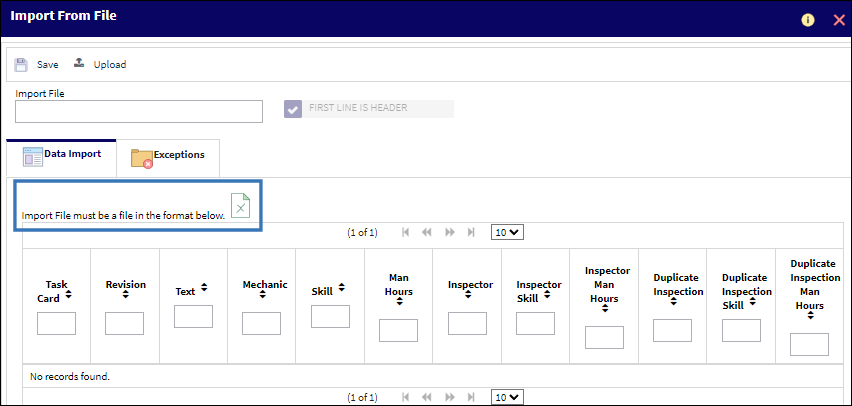
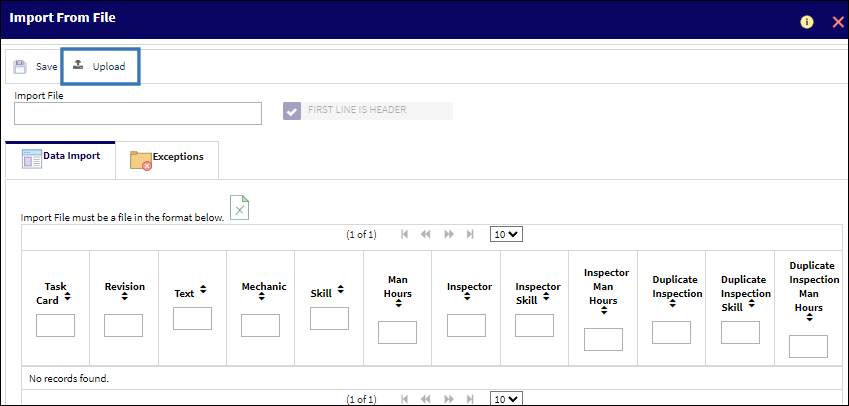
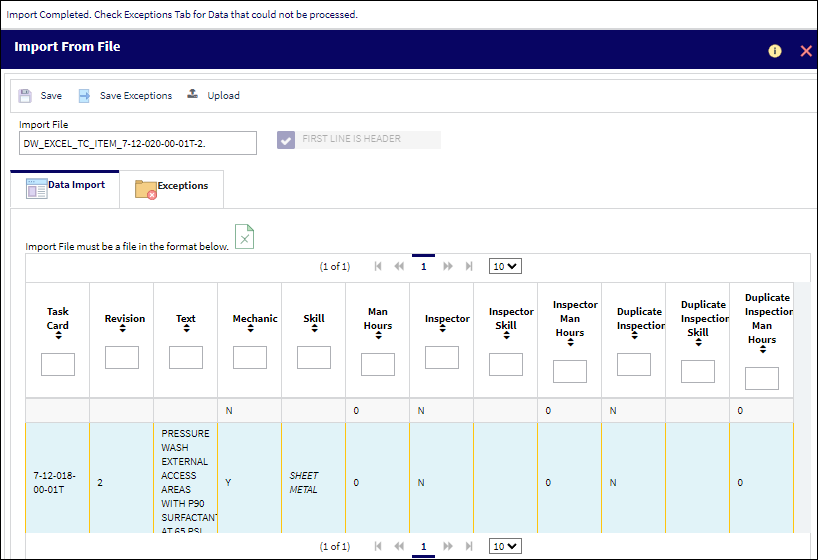
The Import From File window populates. An Excel.xlsx file template is available for download to ensure the item is appropriately formatted.
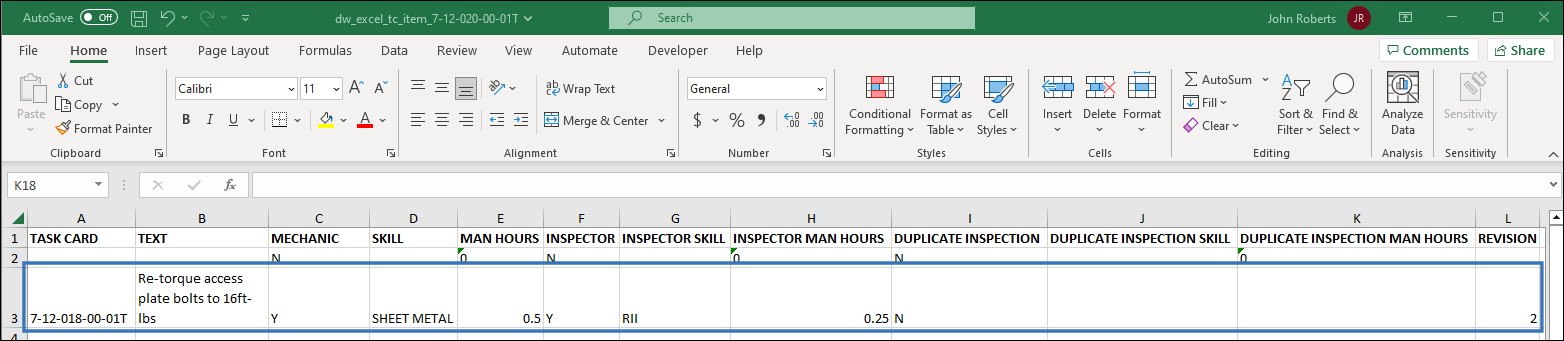
Add an item to the Excel file and save the file with a unique name.
Select the Upload  button, and then select the Excel file to be uploaded.
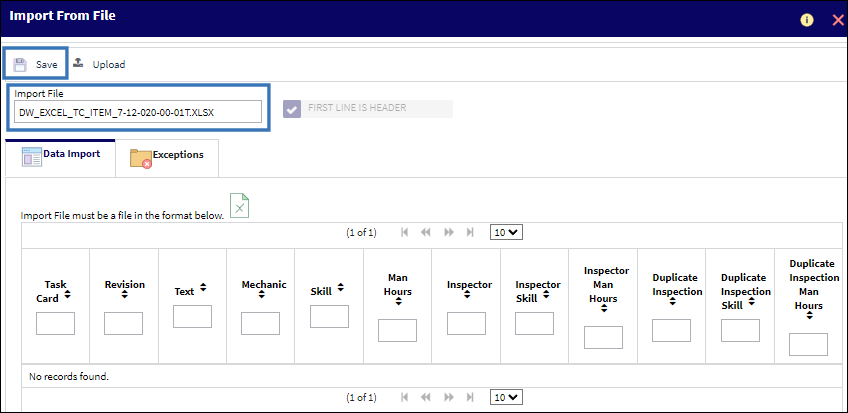
Verify the Import file and Save  the transaction.
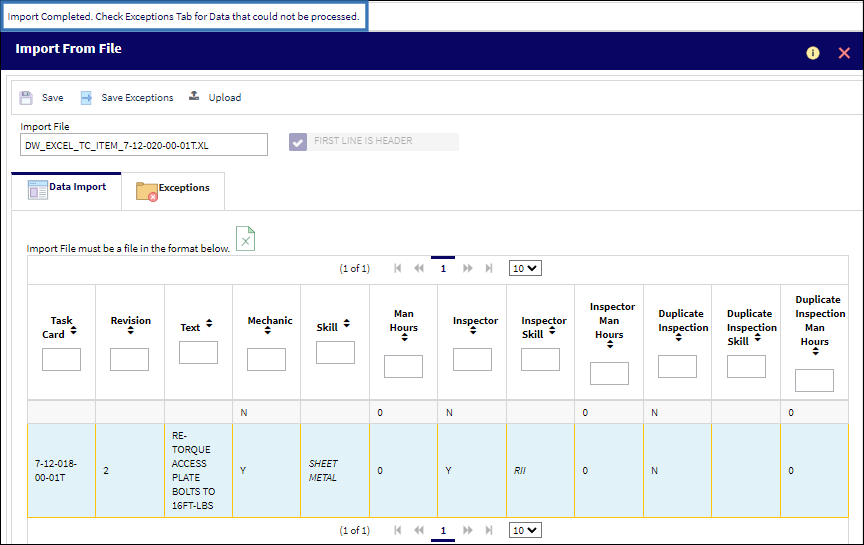
A system notification verifies the import and remands the User to check the Exceptions tab for data that could not be processed.
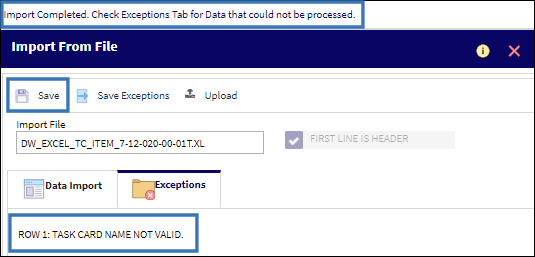
The Exceptions tab lists any data conflicts with the Task Card record. Users may save the exceptions, upload a different file or Save the transaction. Exit the window when finished.
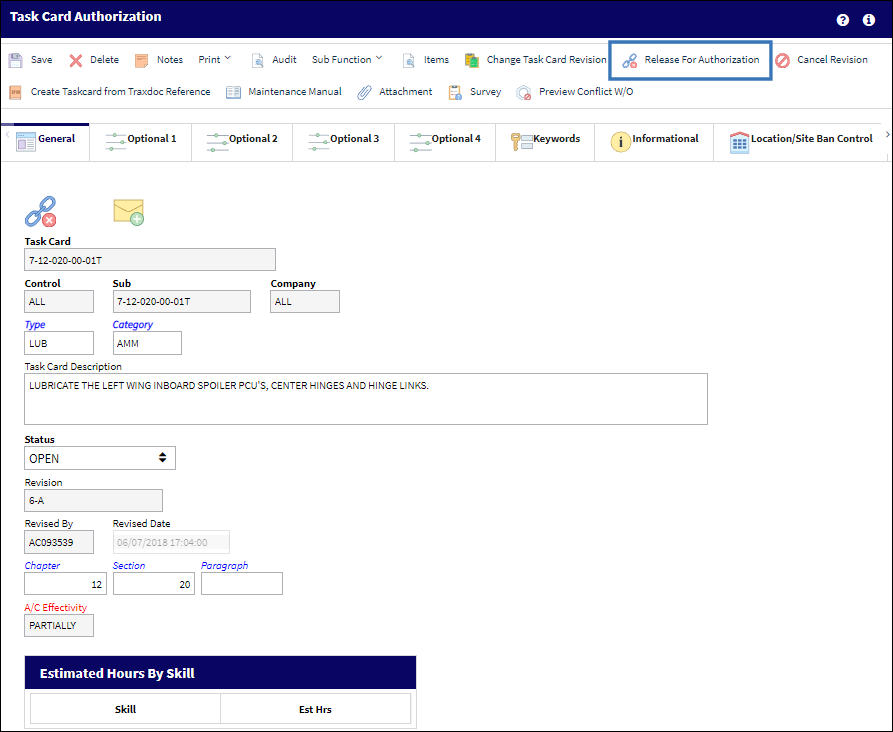
If desired, Select  into the record to review the Task Card and any pending Release for Authorization requirements. The User may select to
 Release the Task Card for Authorization.
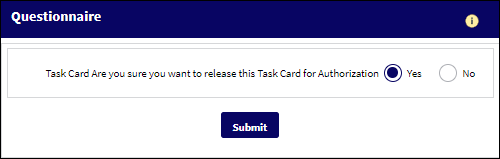
The system prompts a confirmation. Select the Yes or No radio button as appropriate and Submit the transaction.
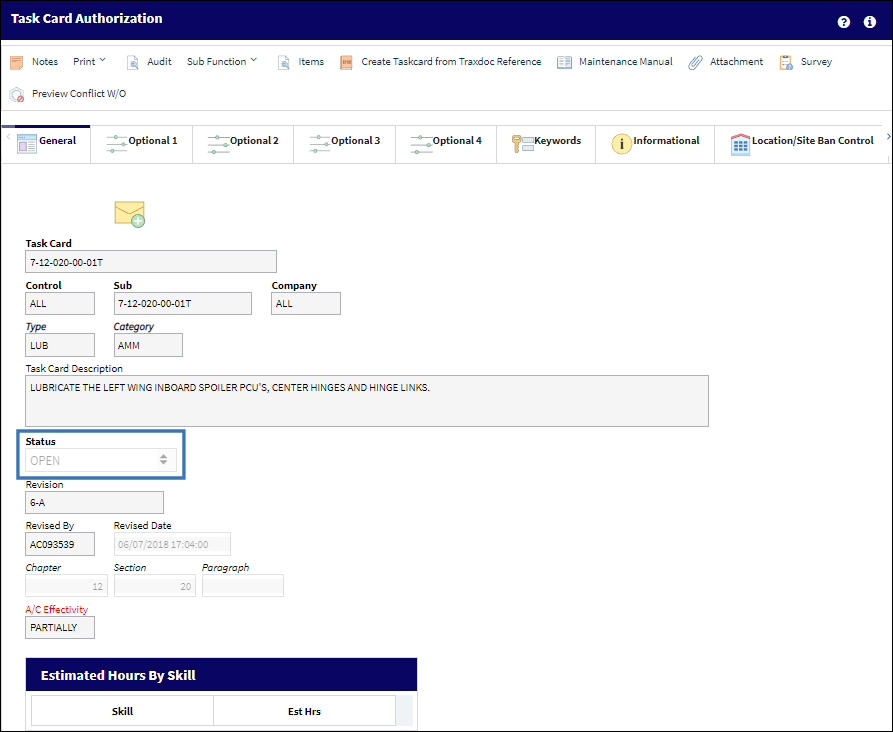
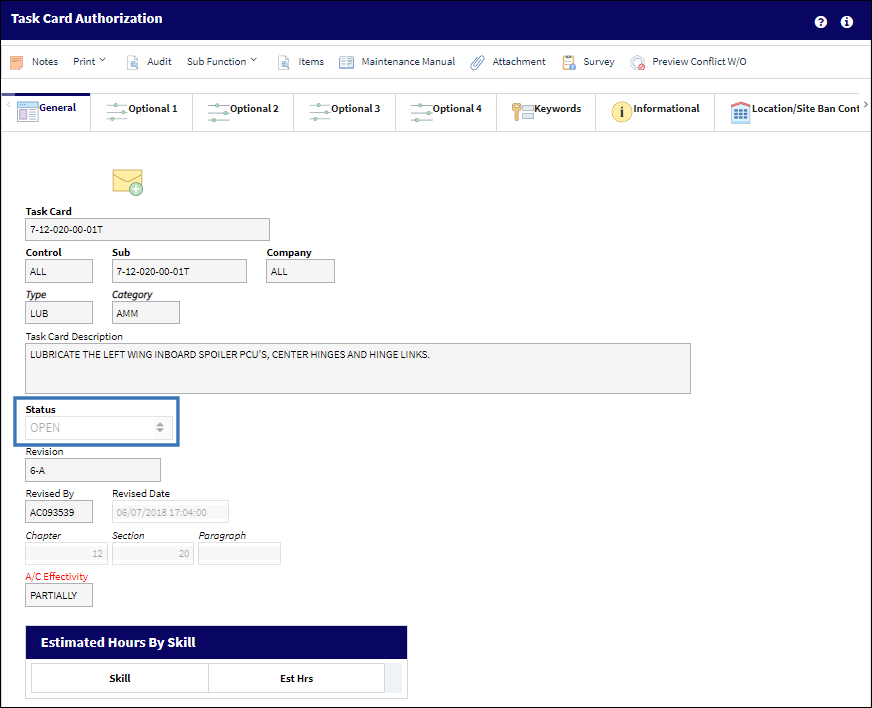
Once the Task Card is released, the Status is set, and the Release for Authorization button no longer required nor apparent in the ribbon.
An additional item or items may be imported to the Authorized/Open Task Card without changing its status. Highlight the task card record and select the Import TC items button.
Once an Excel.xlsx file is with the new item(s) is prepared, import the file following the instructions detailed above. Review any exceptions and Save the transaction.
Notice that although a new item was added to the Authorized/Open Task Card, the Task Card did not lose its Authorized/Open status and the item did not require any further authorization.
Share
Print
|
©1997-2026 Trax USA Corp. All rights reserved. This manual may not be copied, photocopied, reproduced, translated, or converted to any electronic or machine-readable form, in whole or in part, without prior written approval from Trax USA Corp. |
 |