
 Share
 Print
|
|
|
|
|


Employee Schedule Self-Management
The Employee Schedule Self Management function allows for a variety of options. From this window employees have the following options:
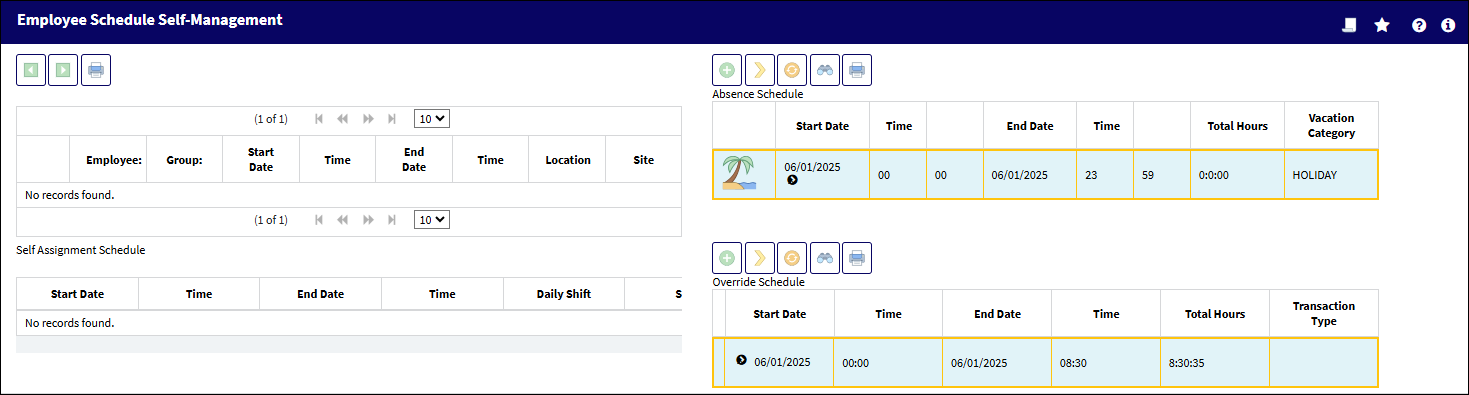
- View Schedule
- Create an absence via the Absence Schedule
- Self Assign Work via the Self Assignment Schedule
- Override a schedule via the Override Schedule
Additional information is detailed in the topic regarding the Employee Schedule Self Management, Multiple Schedules.
This functionality is only available when Planning Switch  LBRBYHCNT is set to 'No.' When set to 'No,' man hour labor generation will be determined by employee and shift and not by the head count functionality. When set to 'Yes,' this functionality is not available and the window cannot be accessed. For more information refer to Switch LBRBYHCNT via the Planning Switches Manual.
Share
Print
|
©1997-2026 Trax USA Corp. All rights reserved. This manual may not be copied, photocopied, reproduced, translated, or converted to any electronic or machine-readable form, in whole or in part, without prior written approval from Trax USA Corp. |
 |