
 Share
 Print
|
|
|
|
|


The Copy  button is used to copy the Customer Contract from one Customer Contract to another.
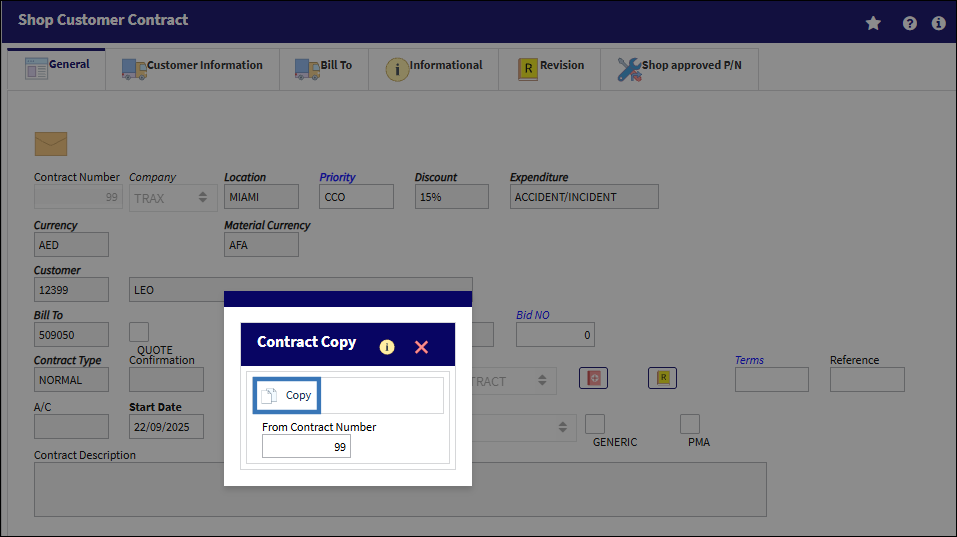
From the Customer Contract window, click the Contract to be duplicated, then select the Copy button:
Be sure the correct record is selected.
The system displays the Contract Copy window. Enter the Contract number. Click the Copy button.
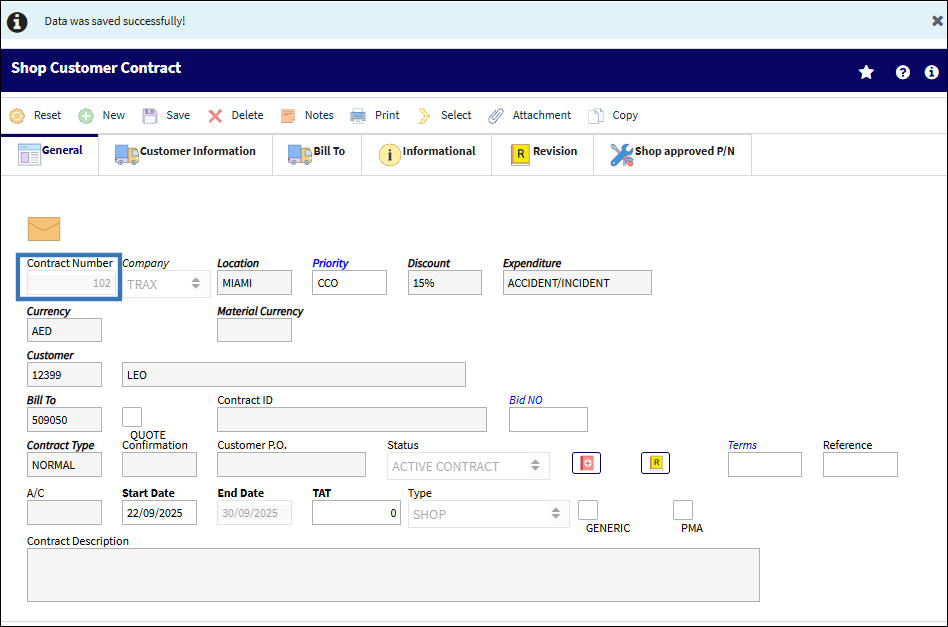
Once the Transaction is completed, the new contract copy that was created will appear.
Share
Print
|
©1997-2026 Trax USA Corp. All rights reserved. This manual may not be copied, photocopied, reproduced, translated, or converted to any electronic or machine-readable form, in whole or in part, without prior written approval from Trax USA Corp. |
 |