
 Share
 Print
|
|
|
|
|



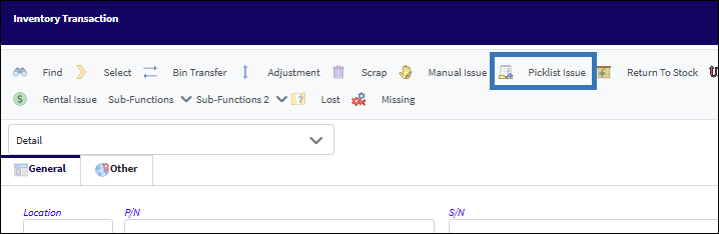
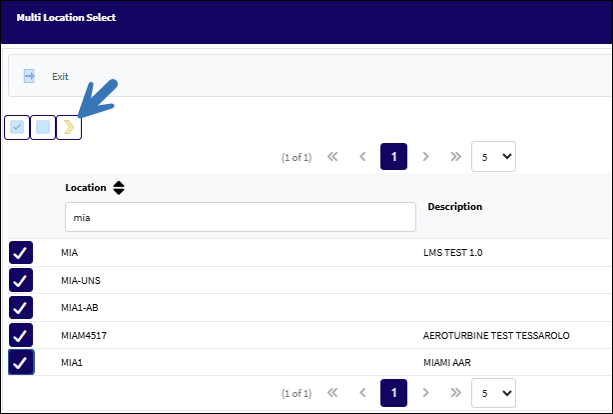
The Picklist Issue Multi Location functionality allows customers to select multiple locations to view Open and Canceled picklists. The Multi Location Selection window opens when the Picklist Issue button is selected from the Inventory Transaction window. .
Note: This functionality is controlled by Inventory Switch  PLISSUEMULTILOC. For more information refer to PLISSUEMULTILOC in the Inventory Switch training manual.
In the Inventory Transaction window select the Picklist Issue button.
The Multi Location Select window opens. Select the applicable locations and click on the Select  button .
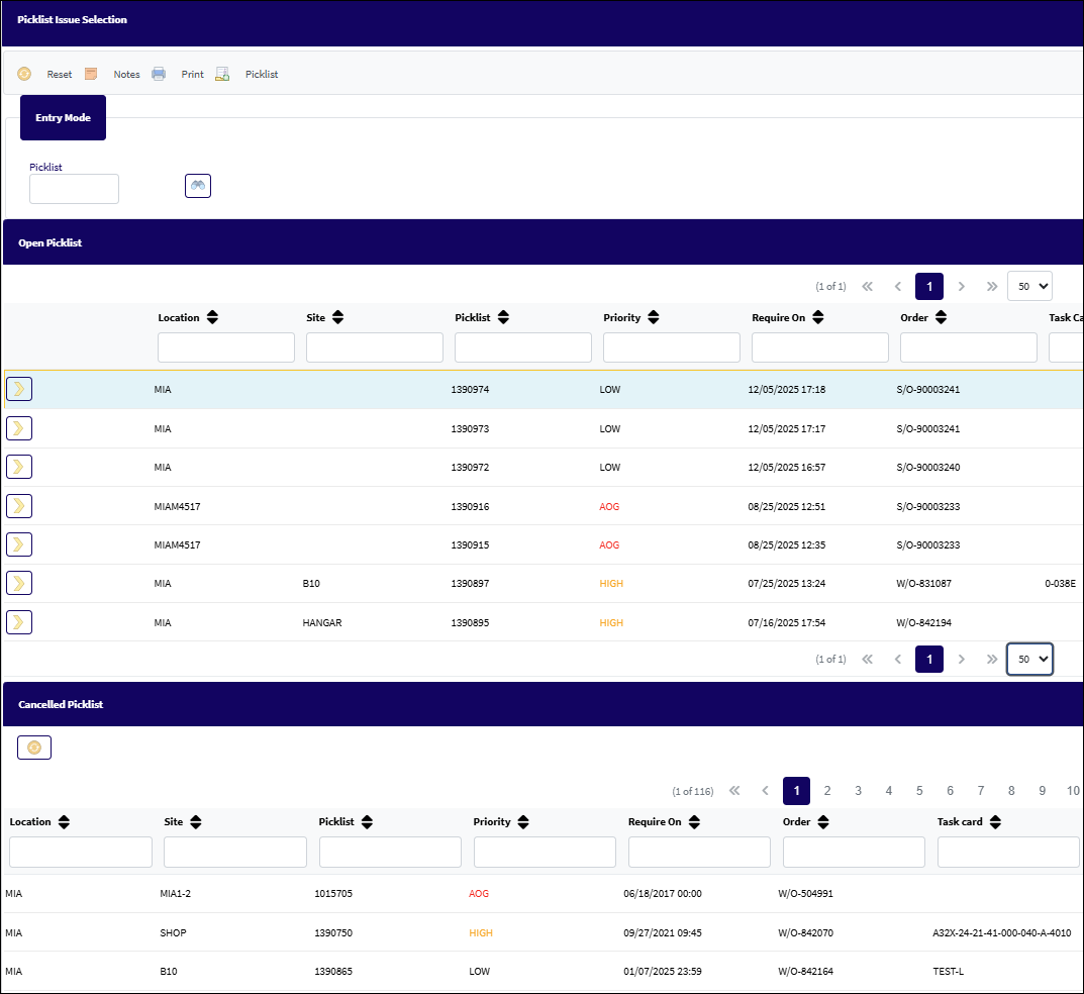
The Picklist Issue Selection window opens to show the Open and Canceled Picklists according to the selected locations. From here select the desired location.
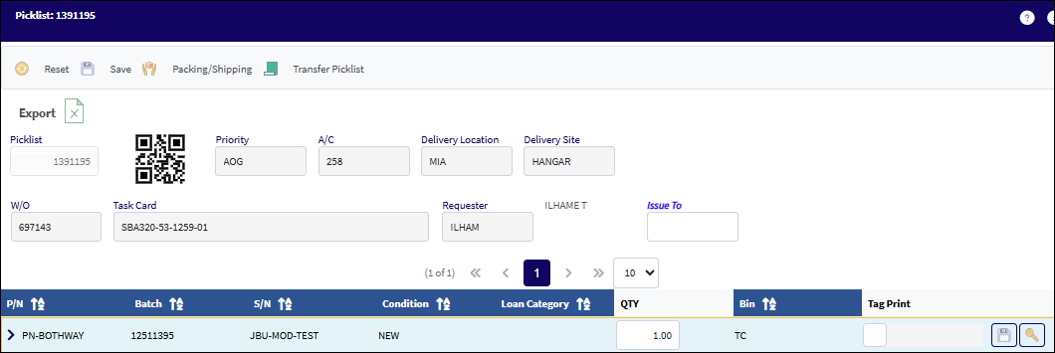
The system creates a Picklist with the selected location. Select the Save  button to issue the Picklist.
Share
Print
|
©1997-2026 Trax USA Corp. All rights reserved. This manual may not be copied, photocopied, reproduced, translated, or converted to any electronic or machine-readable form, in whole or in part, without prior written approval from Trax USA Corp. |
 |