
 Share
Share
 Print
Print
|
|
|
|
|


The Re-Sequence  button, available through the Image
  button of the Receiving Inspection detail window, allows users to reorganize the images linked to the Receiving Inspection record.
For example, select the Image button via the Receiving Inspection detail window. Notice the sequence of the uploaded images.
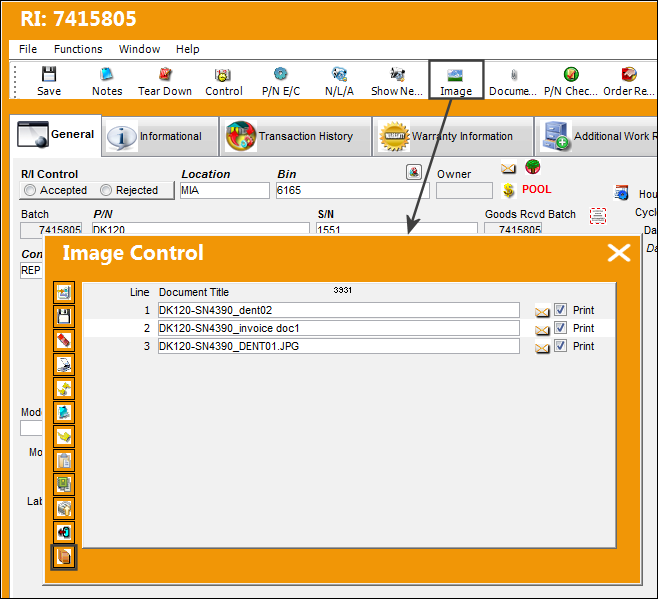
Then select the Re-Sequence button.
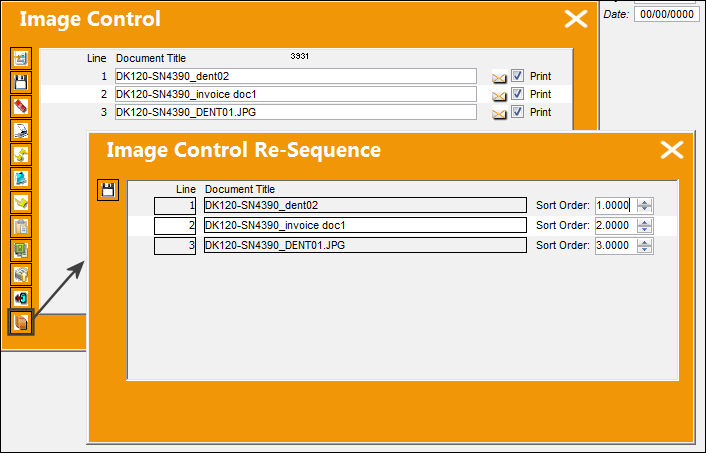
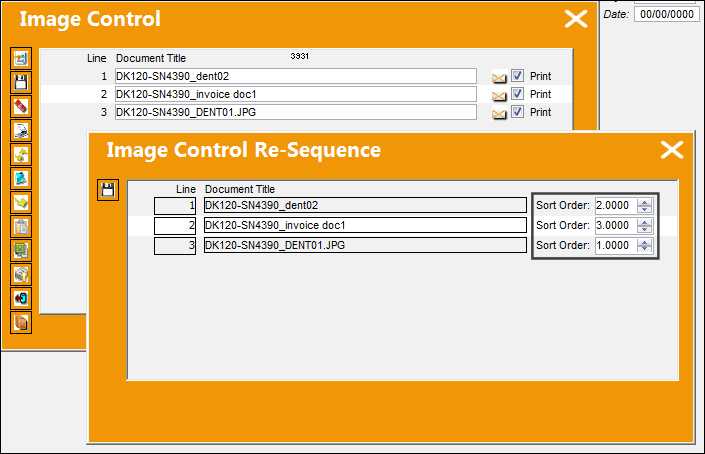
Change the sequence of the images by editing the Sort Order fields then save.
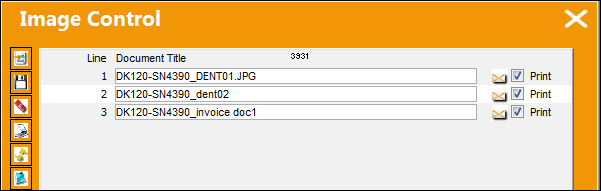
Notice the images have been re-sequenced in the Image Control window.
Share
Print
|
©1997-2026 Trax USA Corp. All rights reserved. This manual may not be copied, photocopied, reproduced, translated, or converted to any electronic or machine-readable form, in whole or in part, without prior written approval from Trax USA Corp. |
 |