
 Share
Share
 Print
Print
|
|
|
|
|


The system has the capability of proration conversions for current installations when P/N Controls are retroactively configured for proration in the P/N Master.
The following example highlights how prorated schedules/actuals are affected when a part is designated as 'prorated' after they have accumulated flight actuals. In this example, an NLA component will be used.
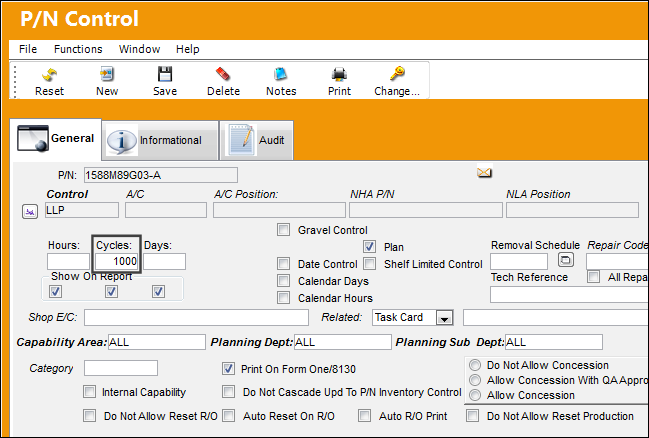
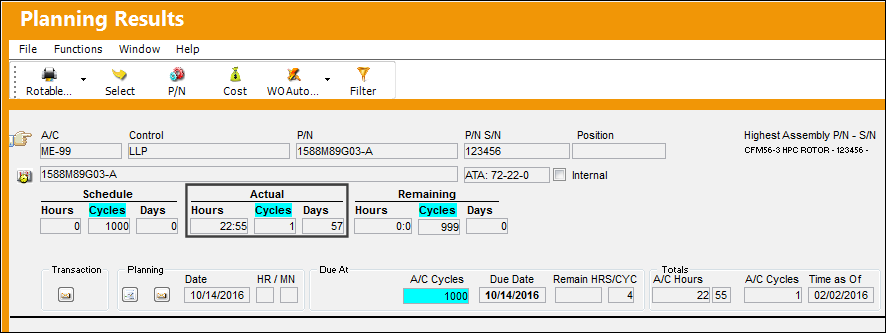
For example, notice that the following NLA part has a P/N Control with a schedule of 1000 Cycles.
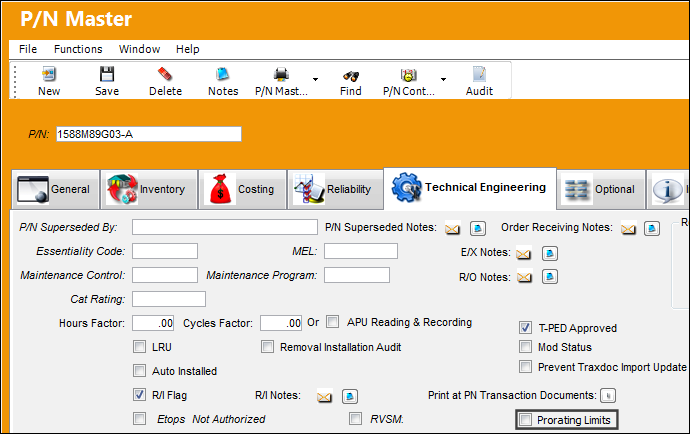
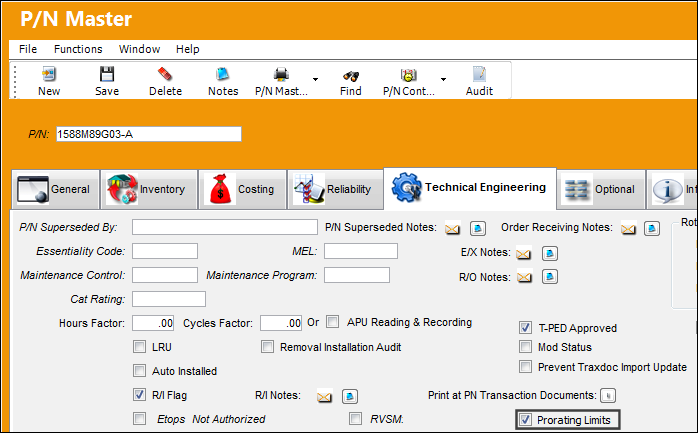
Notice that the part does not have the 'Prorating Limits' checkbox selected, indicating that the part is currently set up for proration.
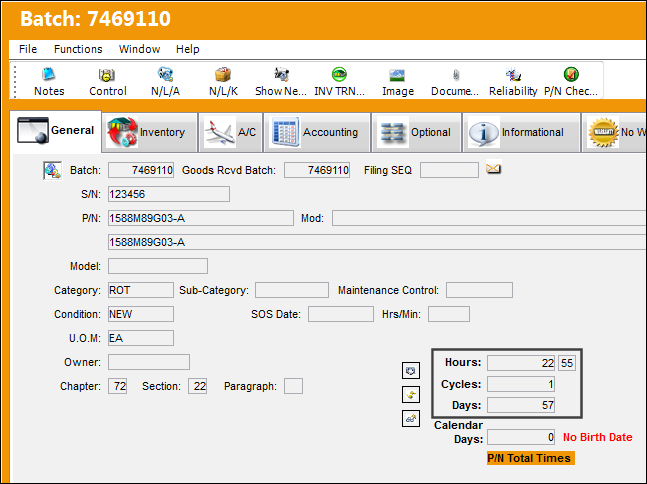
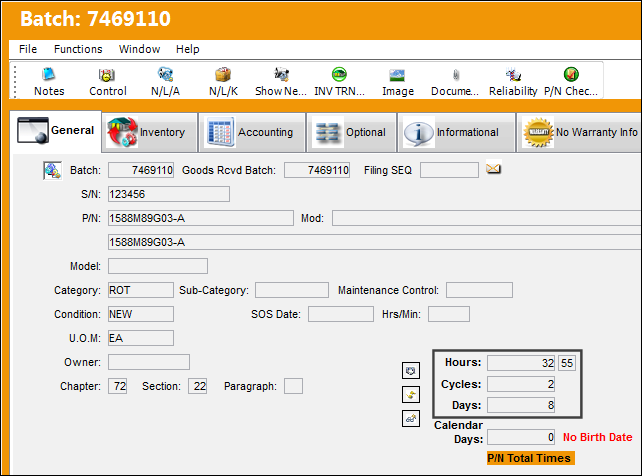
From the Inventory Detail for this NLA, the part has a history of Hours/Cycles/Days.
From the P/N Inventory Control window (via the P/N Control button), notice that the part is currently installed and has accumulated flights Actuals.
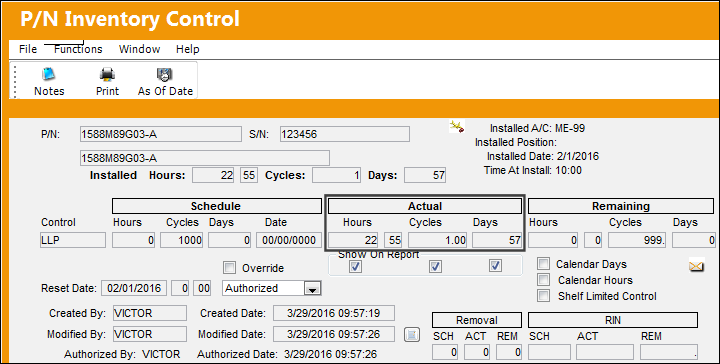
These are the P/N Control's current Actuals as generated via Planning Query. The results from the Planning Query generate the schedule displayed in the P/N Inventory Control window (above).
The NLA is then removed and is then set to Prorated.
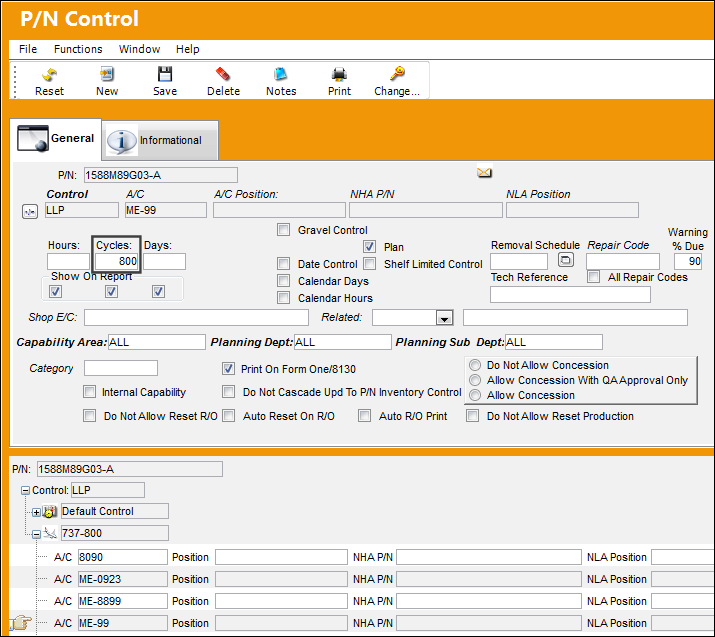
From the P/N Control, notice that the control has a unique prorated schedule for specific aircraft.
If the P/N Control's actuals or schedule need to be updated on the Serial Number level, the actuals/schedule should be updated through the P/N Control Authorization window via Technical Records.
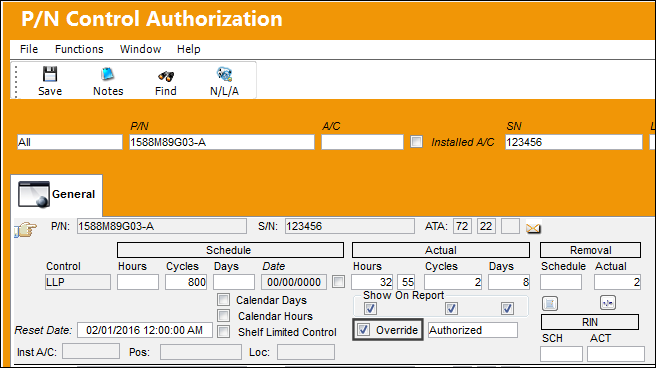
If retroactively adding prorated data to a new or existing part in the system, users should utilize the P/N Control Authorization window.
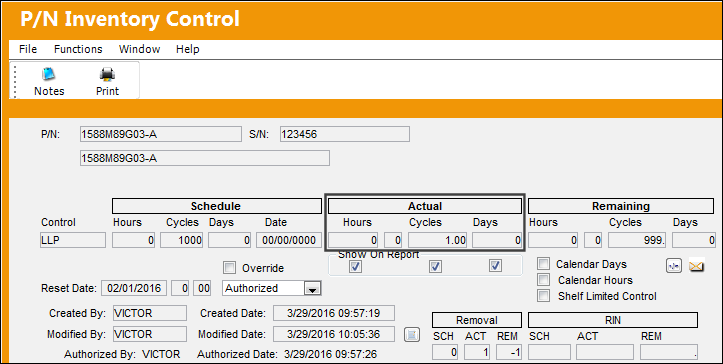
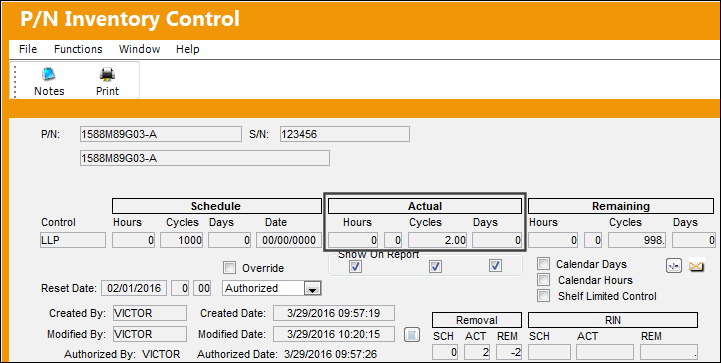
From the P/N Inventory Control window, the part shows the accumulated Actuals after its removal. Notice that only the scheduled parameters that the control is tracking contain the actuals (in this case, the Cycles). Also notice that the default schedule is being tracked from this window.
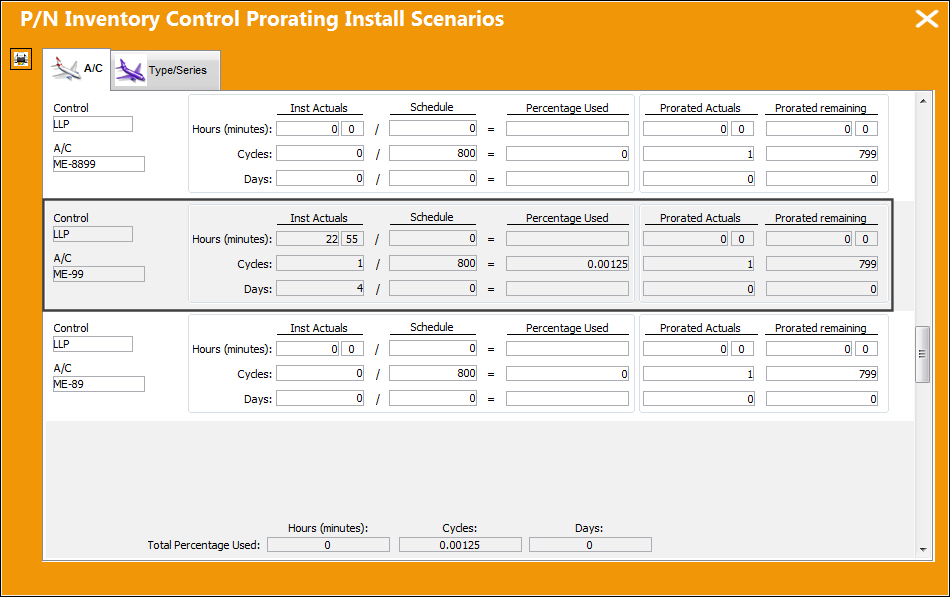
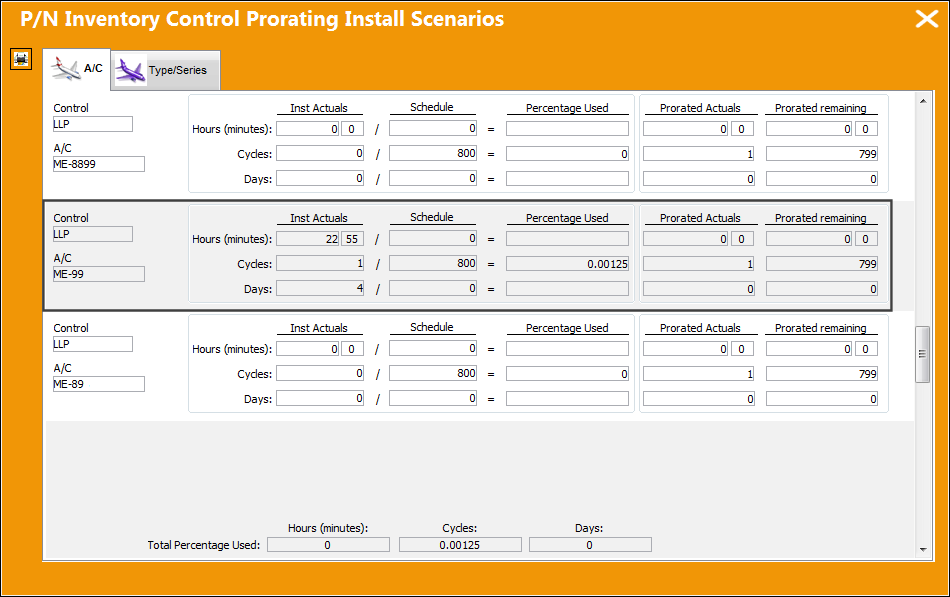
However, when the Proration button is selected from the P/N Inventory Control window, the prorated Schedule and Actuals are displayed for the prorated aircraft.
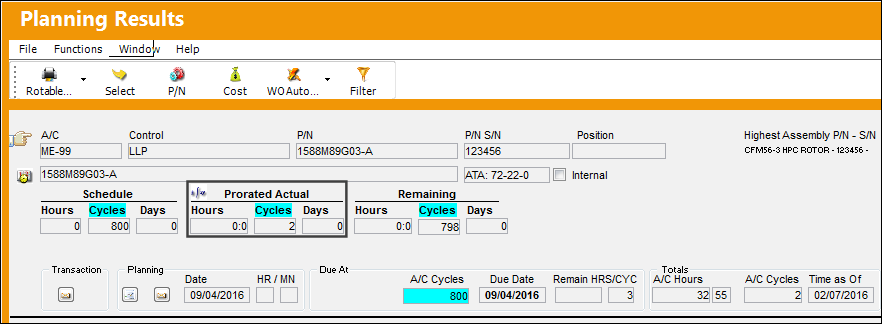
The NLA is then re-installed onto the prorated aircraft. Notice that via the Planning Query, the prorated control displays the Prorated Schedule and updated Actuals.
From the P/N Inventory Control window, notice that the Prorated Schedule/Actuals have also been updated (based on the Planning Query).
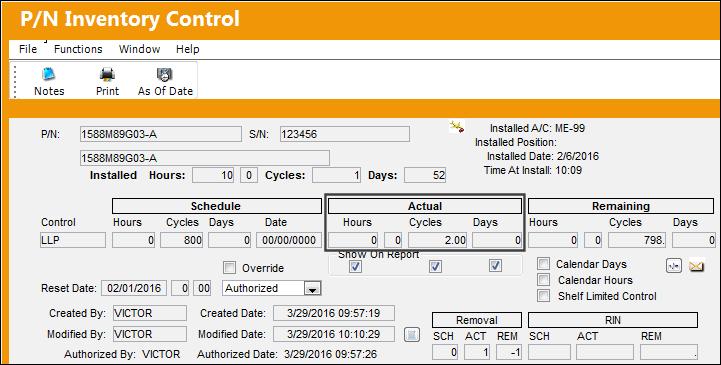
From the P/N Inventory Control window, for prorated parts although the accumulated times section reads 'Actuals,' they are displaying Prorated Actuals.
Via the Proration button, notice that the part reflects the prorated schedules prior to the re-install. These actuals will be updated once the NLA is removed.
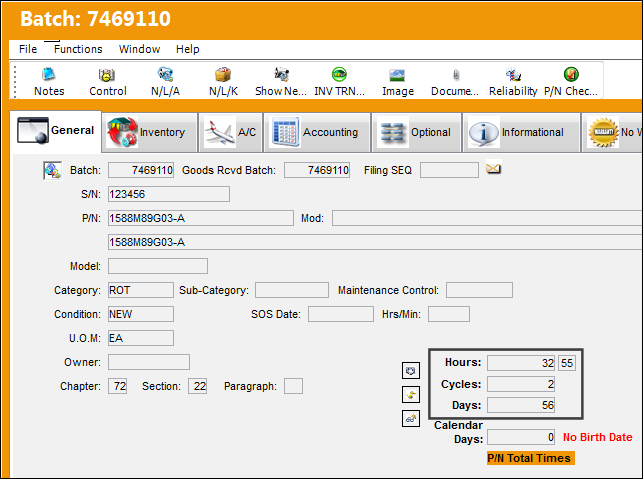
From the Inventory Detail, notice the NLA's history is updated.
The NLA part is then removed once more.
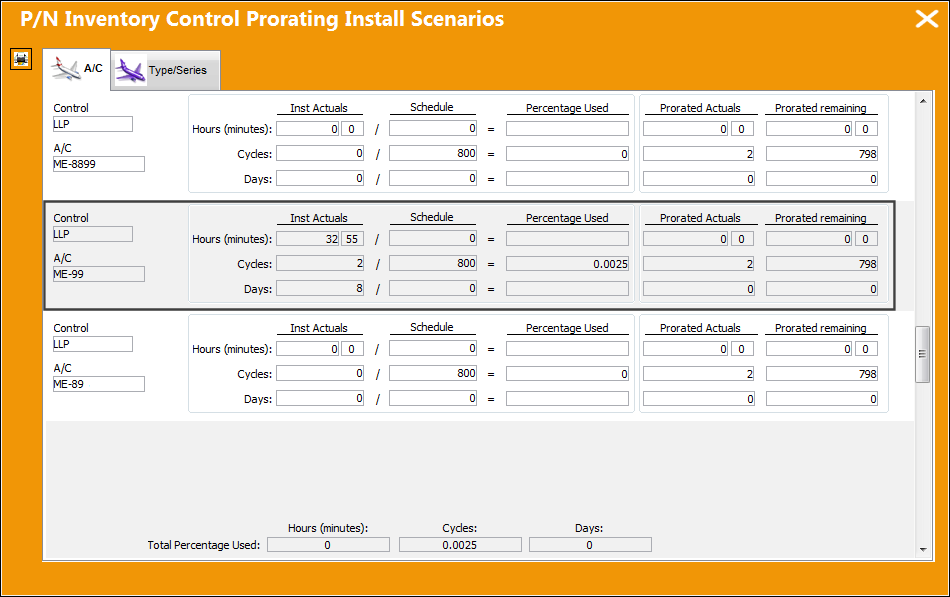
From the Prorated button (via P/N Inventory Control), notice that the prorated schedule has been updated to reflect the latest Actuals from Planning.
The NLA's history has been updated in Inventory Detail to reflect the part's time installed.
Share
Print
|
©1997-2026 Trax USA Corp. All rights reserved. This manual may not be copied, photocopied, reproduced, translated, or converted to any electronic or machine-readable form, in whole or in part, without prior written approval from Trax USA Corp. |
 |