
 Share
Share
 Print
Print
|
|
|
|
|


A part whose life will be based on a prorated standard because it will be used in different service applications must be set up as a prorated part in P/N Master.
Set up the part as a prorated part in P/N Master as follows:
Select the Prorating Limits checkbox via P/N Master, Technical Engineering tab.
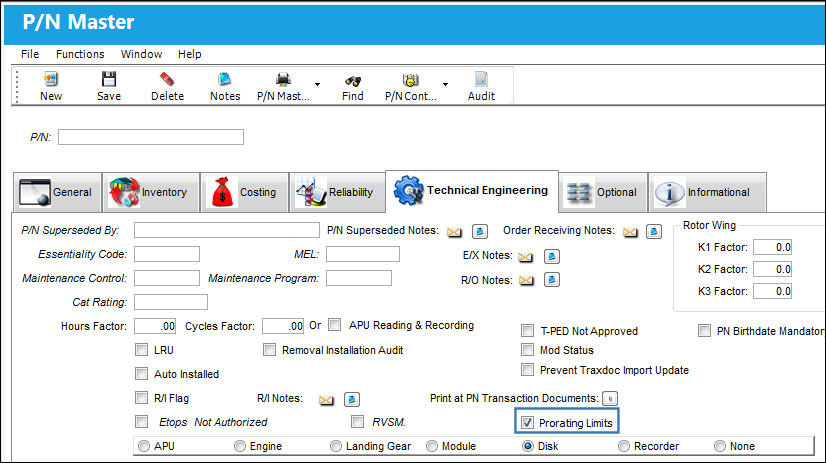
 The system has the capability of proration conversions for current installations when P/N Controls are retroactively configured for proration in the P/N Master. For more information refer to the Retroactive Prorated NLA Scenario.
Set up P/N Controls for all service application of the part as follows:
Create a default P/N Control WITHOUT an A/C, A/C Position, or NHA P/N.
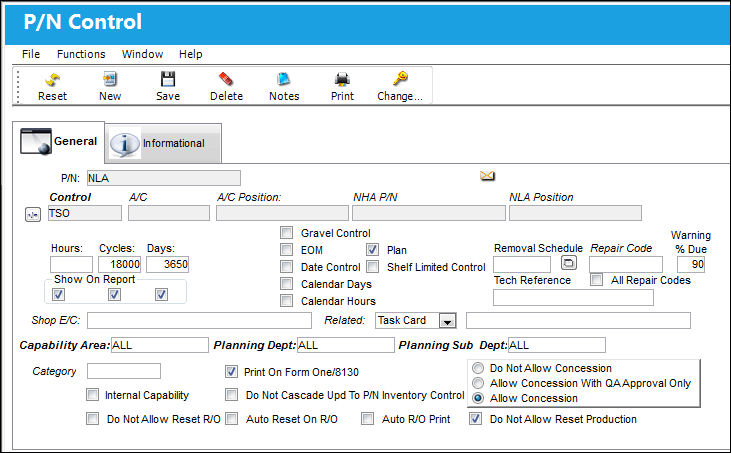
If a prorated limit schedule for an A/C Type/Series is lower than the P/N Control's default schedule, a part that has accumulated flight times that exceed that A/C lower limit while installed on an aircraft with a greater limit, may be overdue when installed on the A/C with the lower limit. Therefore that part would be considered overflown for the lower limited A/C. (For example: the P/N Control's default is 4,000 hours, and the part was installed on a 5,000 hours prorated A/C. On the 5,000 hours A/C, the part flew 3,700 hours. If the part is removed and installed on an A/C that has a 3,500 hours prorated limit schedule, the part will be considered overflown for that aircraft.)
This default P/N Control is used by the system for prorated calculations if the part is installed on an Aircraft or NHA that is NOT in the TRAX system.
Add P/N Controls for the different service applications of the part.
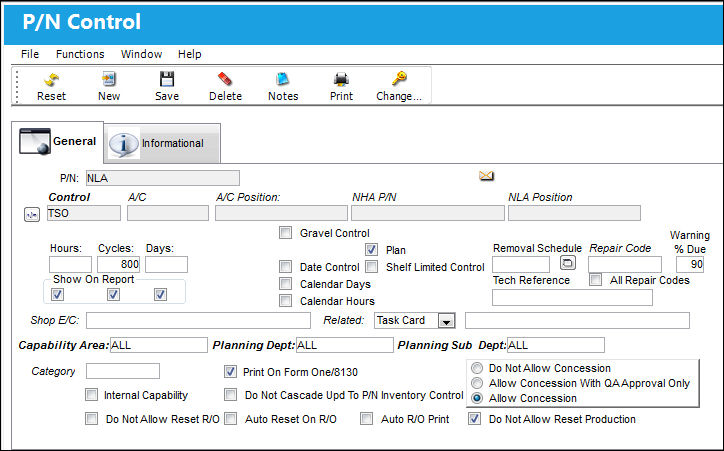
Select the Prorated  button. Enter the life limits for each A/C Type/Series or NHA Application.
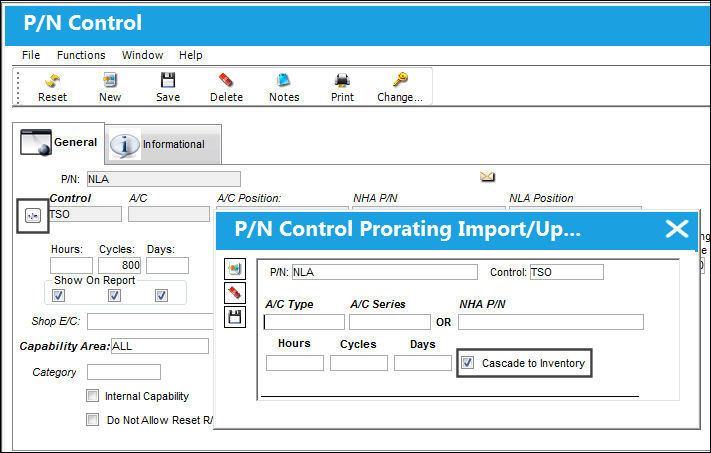
Prorated parts can have specific proration limits for their unique installation: either if it's installed on an aircraft or within a larger assembly (engine). As such, enter the specific A/C Type/Series or the NHA P/N.
_____________________________________________________________________________________
A/C Type/Series
The Aircraft Type and Series/Fleet assignment.
NHA P/N
The part's Next Higher Assembly P/N (if applicable). If an N/H/A P/N is specified, the control will be applicable to the N/H/A P/N. All P/N Control schedules are action based. In other words, P/N schedules will not change seamlessly just because schedule criteria is met. There must be some transaction to generate the change in the P/N Control schedule. Examples of such actions are when a P/N is received, an A/C Position is changed, or when there is an A/C installation to trigger the schedule change against the part.
Hours/Cycles/Days
Prorated limit schedule for the A/C Type/Series or N/H/A P/N.
Cascade to Inventory checkbox
Select to apply the life limit schedule to all parts currently in service.
Any parts currently installed on the A/C that exceed the new prorated limit schedule will be overdue.
_____________________________________________________________________________________
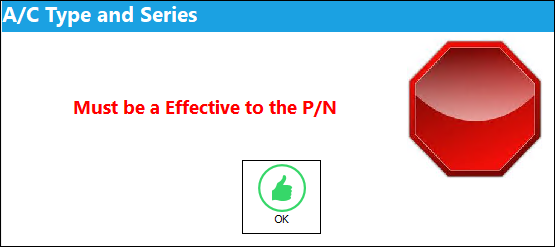
The Part Number must be effective to the Aircraft Type/Series in order to assign P/N Controls for that particular service application. If not, the user will receive the following error:
OR
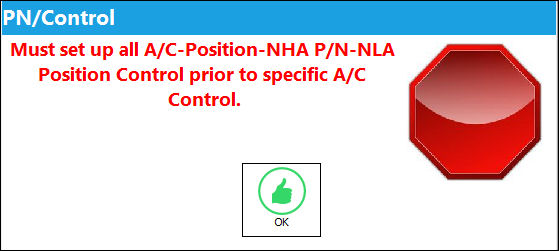
The Part Number must be part of an assembly in order to assign P/N Controls for service in that NHA.
For parts that are currently in service and designated as prorated parts, the TRAX System will use Prorated Actual Hours to calculate the Remaining Life in the Planning Query
The same results that are displayed in the Planning Query are also displayed in the P/N Inventory Control window (below).
Note that only parts currently in service (i.e., installed on an aircraft) can be viewed in the Planning Module.
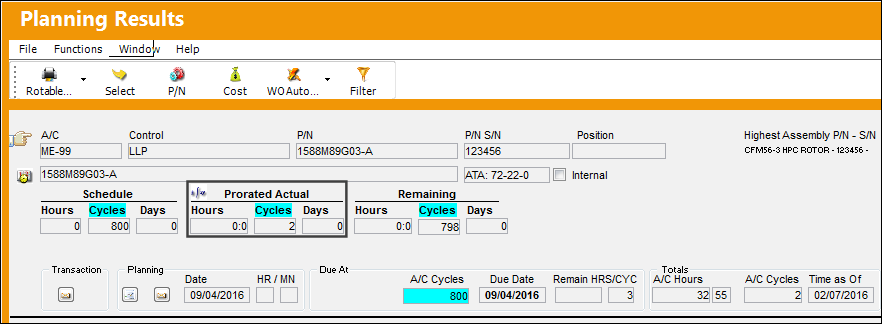
For additional information regarding the Prorated Actuals, refer to the Seamless Prorated Part Formula Used In Planning section of this manual.
If the P/N Control's actuals or schedule need to be updated on the Serial Number level, the actuals/schedule should be updated through the P/N Control Authorization window via Technical Records.
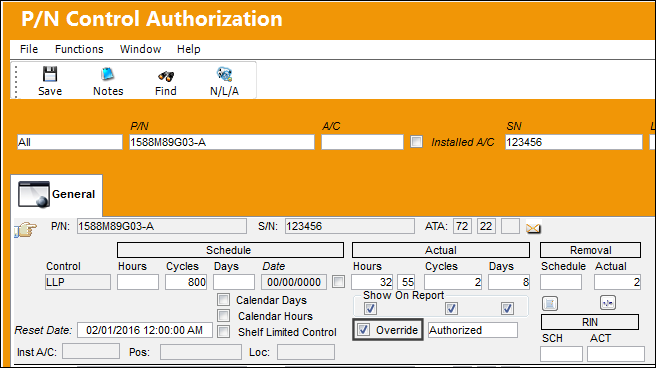
All parts viewed from the Inventory Module do NOT use Prorated Actuals to calculate the Remaining Life. This includes prorated parts that are currently in service when viewed in the Inventory Module.
The Planning Query and P/N Inventory Control window show the same prorated values. For more information refer to the Retroactive Prorated NLA Scenario.
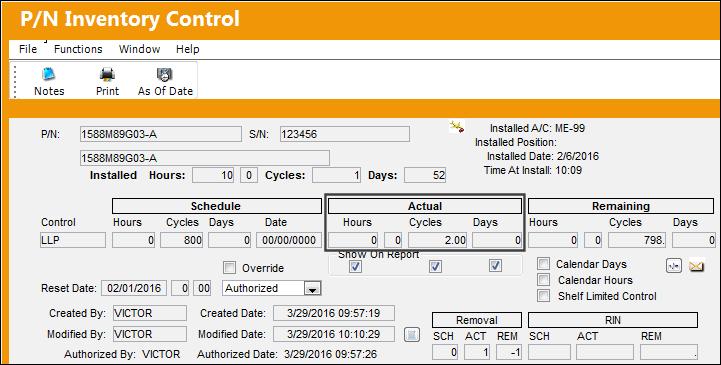
From the P/N Inventory Control window, for prorated parts although the accumulated times section reads 'Actuals,' they are displaying Prorated Actuals.
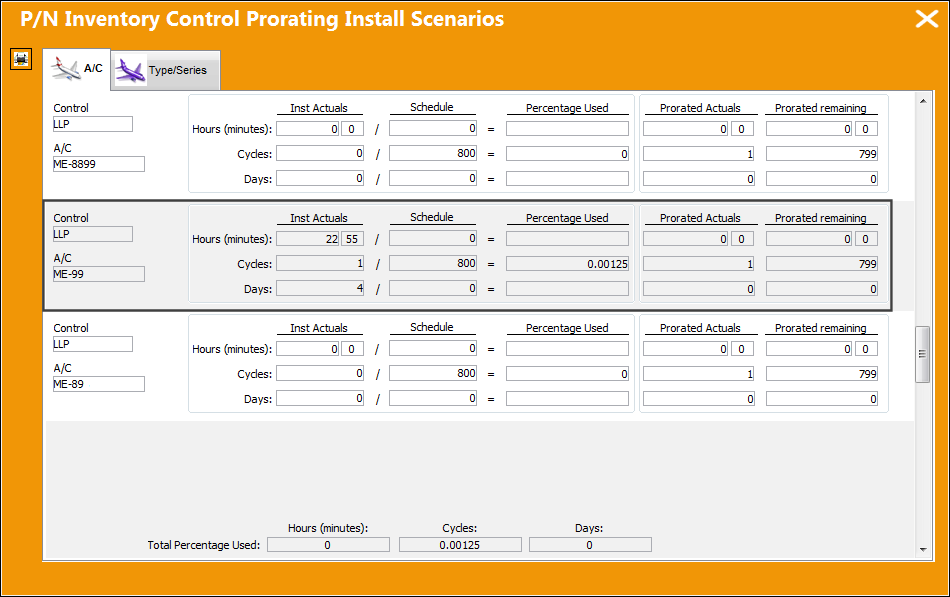
Select the Prorated button in P/N Inventory Control to view the prorating install scenarios.
Share
Print
|
©1997-2026 Trax USA Corp. All rights reserved. This manual may not be copied, photocopied, reproduced, translated, or converted to any electronic or machine-readable form, in whole or in part, without prior written approval from Trax USA Corp. |
 |