
 Share
Share
 Print
Print
|
|
|
|
|


Once the World Part Locator P/O is invoiced via the Invoice Entry window, interface messages sent between TRAX and the World Part Locator will be visible via the World Part Locator Messages  button. This button is available in the Invoice Header window (for invoiced WPL orders). When selected, a window appears as follows.
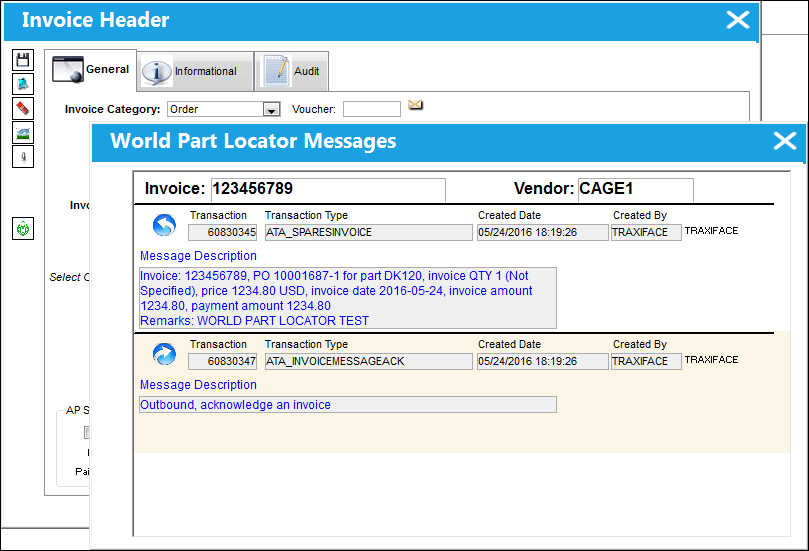
Messages sent from the customer invoice to the vendor have the outgoing icon: 
Messages sent from the vendor to the customer invoice have the incoming icon: 
Share
Print
|
©1997-2026 Trax USA Corp. All rights reserved. This manual may not be copied, photocopied, reproduced, translated, or converted to any electronic or machine-readable form, in whole or in part, without prior written approval from Trax USA Corp. |
 |