 Download Online Help
 Print
|
|
|
|
|


From an existing Task Card, select the Survey  button. Select the Multiple Choice option from the Response Type drop down field. Enter a question in the Question field that requires a Multiple Choice answer.
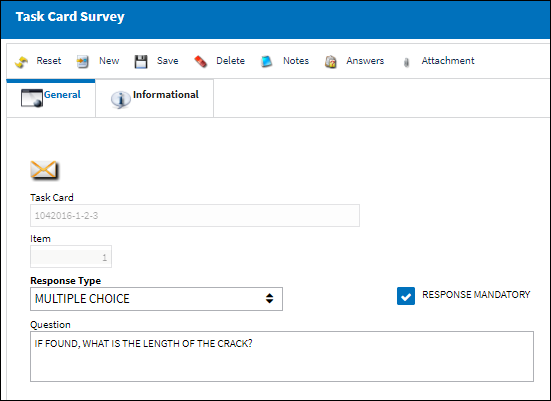
The following options/information is available in this window:
_________________________________________________________________________
Task Card
The Task Card / Job Card that details the scheduled maintenance work.
Item
The Item (question) number of the Task Card Survey.
Response Type
This determines the functionality and the type of response that is acceptable for the question. For additional information regarding the other response types, refer to the Survey Button.
Response Mandatory checkbox
Select this checkbox if the response is mandatory.
Question
State the question that will appear in the survey.
_________________________________________________________________________
To create the multiple answers for the survey question being created, select the Answers  button to enter the possible answers that the User can select from.
Download Online Help
Print
|
©1997-2018 Trax USA Corp. All rights reserved. This manual may not be copied, photocopied, reproduced, translated, or converted to any electronic or machine-readable form, in whole or in part, without prior written approval from Trax USA Corp. |
 |