 Download Online Help
 Print
|
|
|
|
|


The Release Authorization  button must be used to change the status of the Task Card.
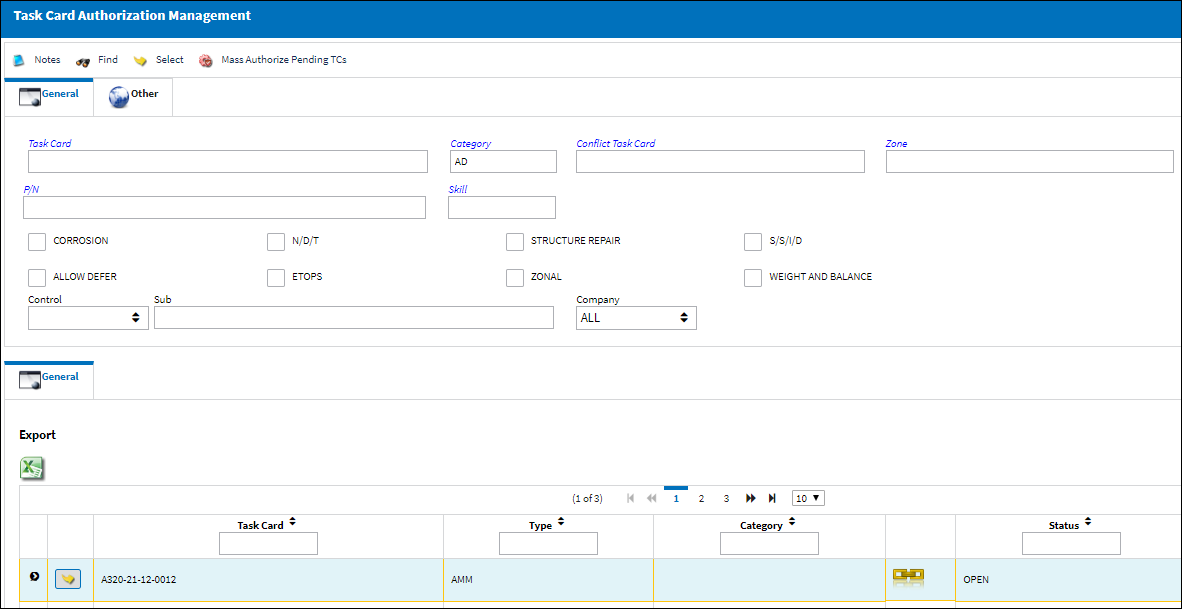
Create a Task Card and go to Engineering/Update/Task Card Authorization Management.
The system displays the Task Card Authorization Management Window. Select the Task Card to be authorized by clicking the Select  button to view the Task Card and release it for authorization.
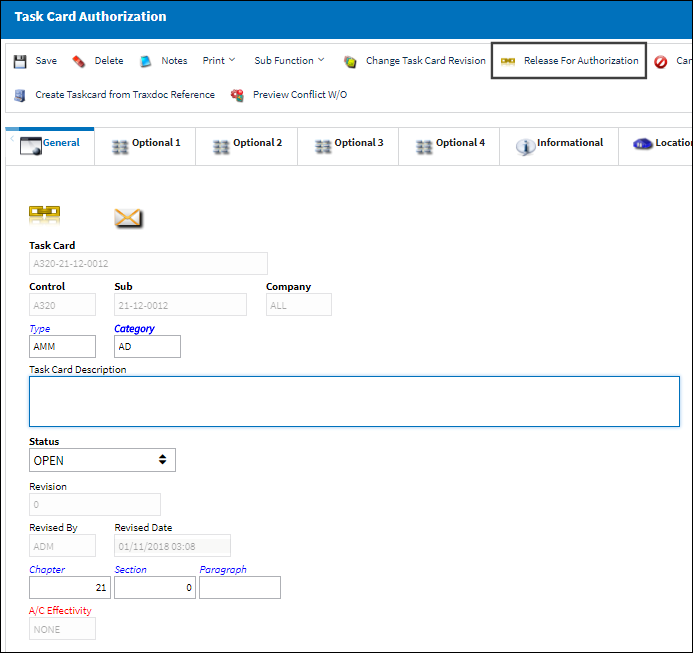
The system displays the Task Card Authorization Window. Select the Release Authorization button.
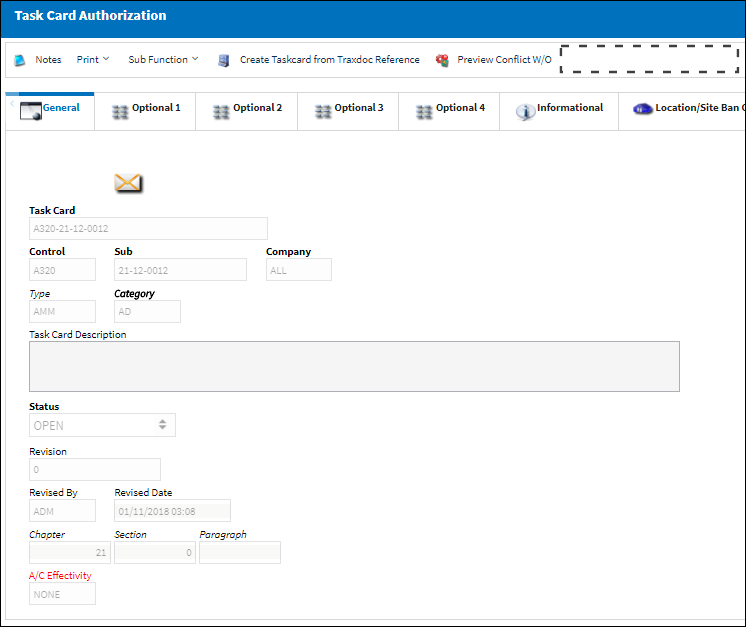
Once selected, the Release Authorization button will disappear from the window, indicating that the item has been sent to the Task Card Authorization queue (Engineering/Explorer/Task Card Authorization) to await authorization. The Task Card has been Released To Authorization and can no longer be edited via the Engineering/Update/Task Card window. However, it can be edited through the Task Card Authorization Management option.
Download Online Help
Print
|
©1997-2018 Trax USA Corp. All rights reserved. This manual may not be copied, photocopied, reproduced, translated, or converted to any electronic or machine-readable form, in whole or in part, without prior written approval from Trax USA Corp. |
 |