 Download Online Help
 Print
|
|
|
|
|


During the revision process, it is possible that the previous revision of the Task Card may have already been issued to a Work Order, but not yet performed. In order to determine how to override previous revisions, refer to Engineering Switch  PENDAUTH.
At any time during the authorization process the Preview Task Card Conflict with Open W/O screen can be accessed by selecting the Conflict W/O  button in the Task Card Authorization Management Detail Window. Select the Conflict W/O button.
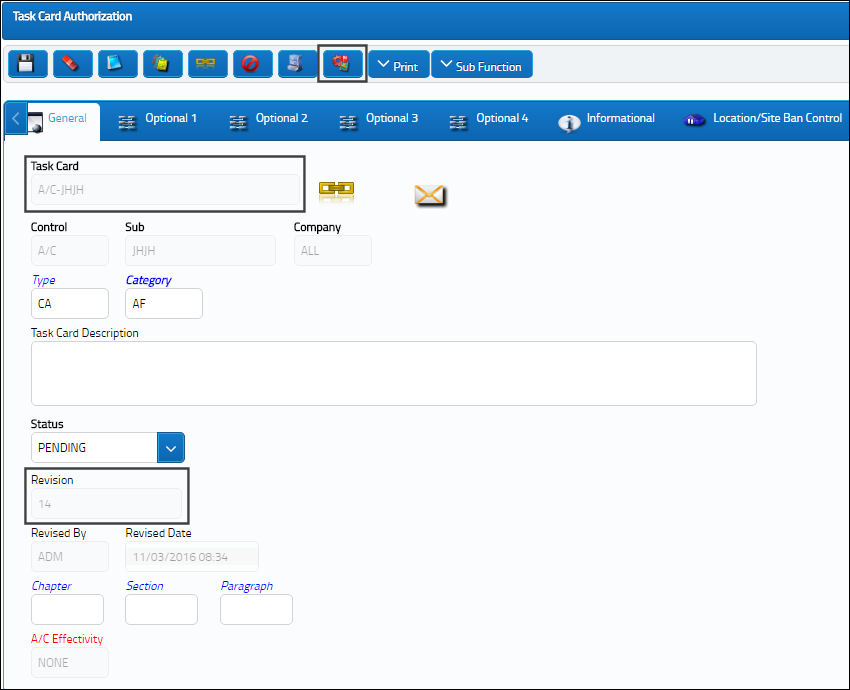
In the window below, the system displays Work Order Task Cards in their revision process regardless of the Task Card status.
Note: This is a query option. The engineering department may then research whether the work order with the old revision should be performed, or if a new work order should be issued with the new revision.
Note: Information regarding other Task Card buttons such as; Items, Zone, Survey, MPD, etc, is found under the Task Card Buttons section of this manual.
Download Online Help
Print
|
©1997-2018 Trax USA Corp. All rights reserved. This manual may not be copied, photocopied, reproduced, translated, or converted to any electronic or machine-readable form, in whole or in part, without prior written approval from Trax USA Corp. |
 |