 Download Online Help
 Print
|
|
|
|
|


PENDAUTH - WO EC & TC Revision Override
WO EC & TC Revision Override
Affected Window: w_engineering_pending_release
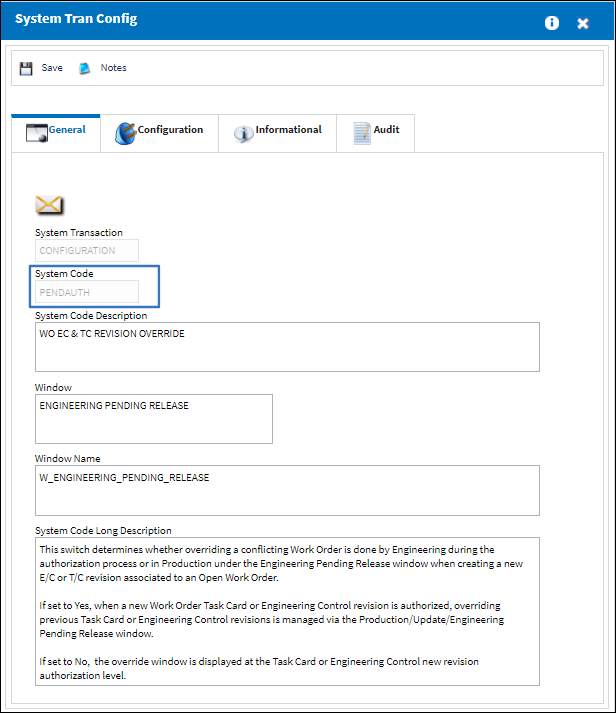
Note: To use either of the options for Switch  PENDAUTH, Switch AOVERRWOECTC must be set to No, otherwise the revision will automatically override the existing Work Order.
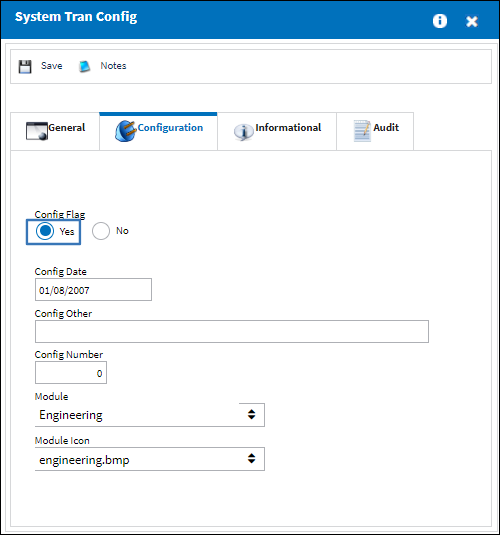
Switch Set to Yes:
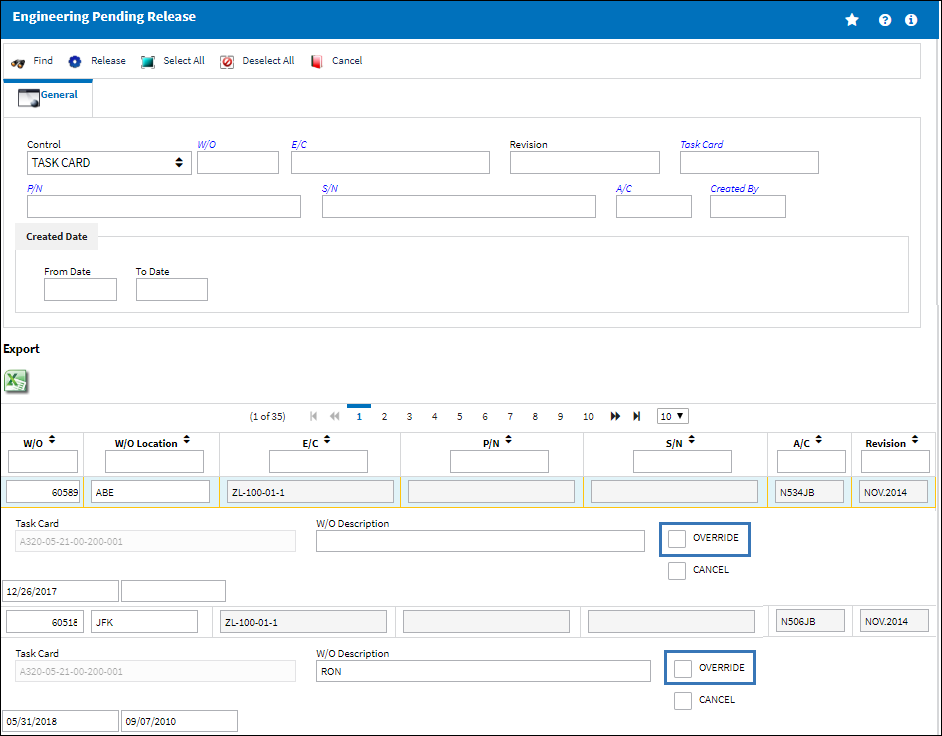
When set to Yes, when a new Work Order Task Card or Engineering Control revision is authorized, overriding conflicting Work Order Task Card or Engineering Control revisions is managed via the Production/Update/Engineering Pending Release window.
The following Task Cards can be overridden from the Engineering Pending Release window.
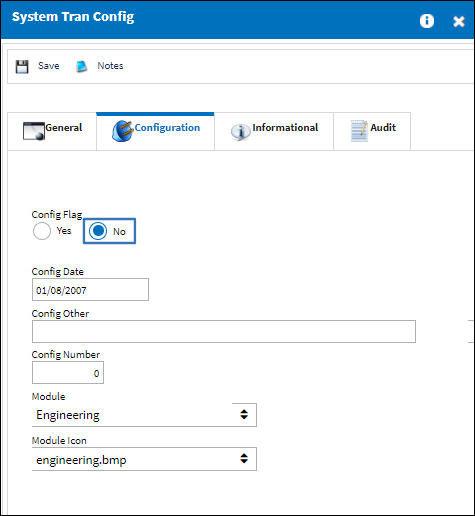
Switch Set to No:
When set to No, the override window is displayed at the Task Card or Engineering Control new revision authorization level.
The following E/C is linked to a Work Order in 'Open' status.
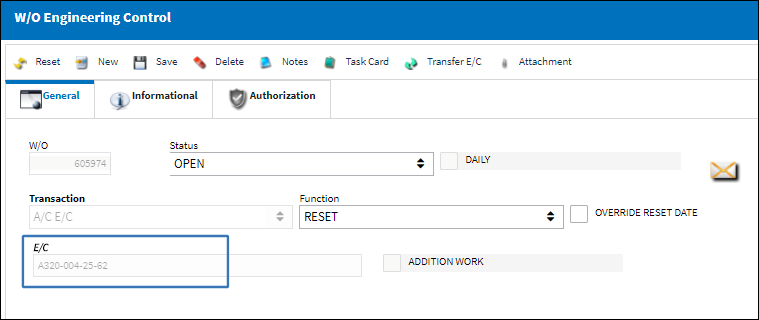
A revision is created for the E/C.
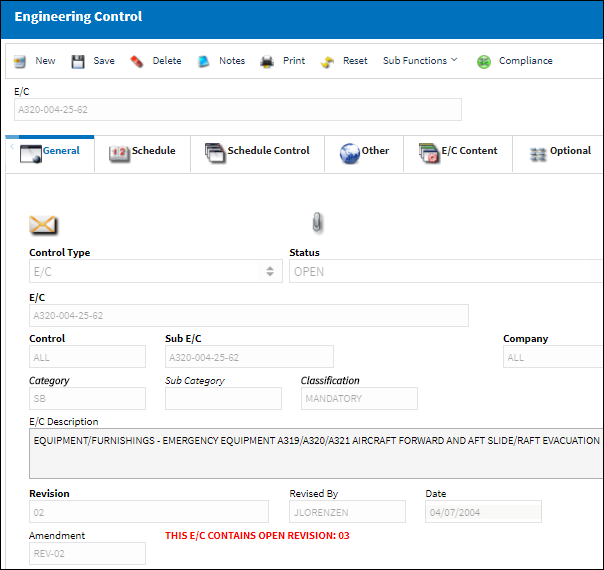
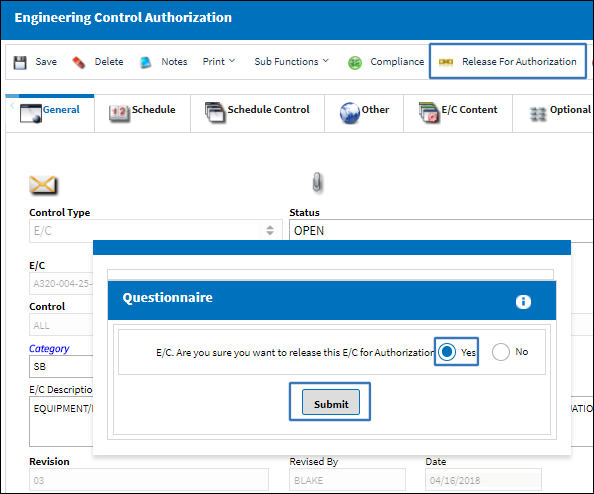
Release the E/C for Authorization.
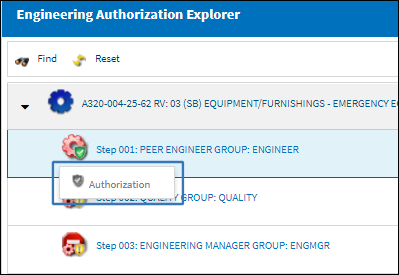
From the Engineering Authorization Explorer window, select the Authorization button.
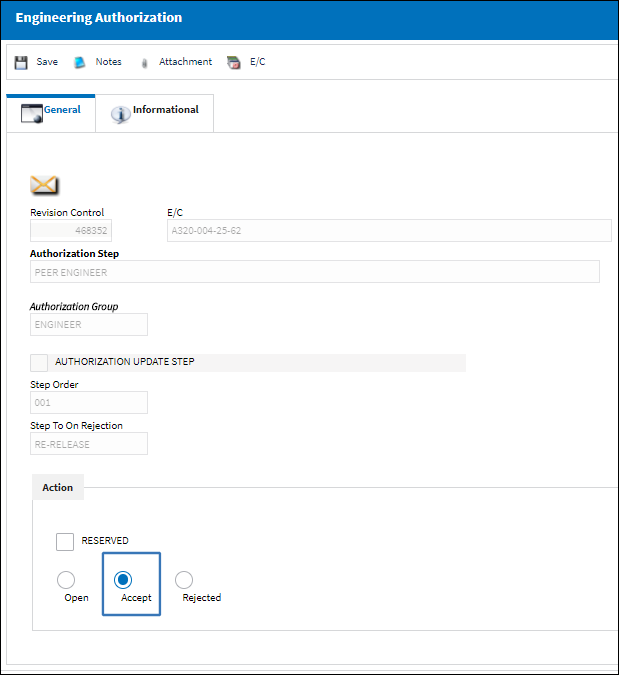
From the Engineering Authorization window, select the 'Accept' radio button and save transaction.
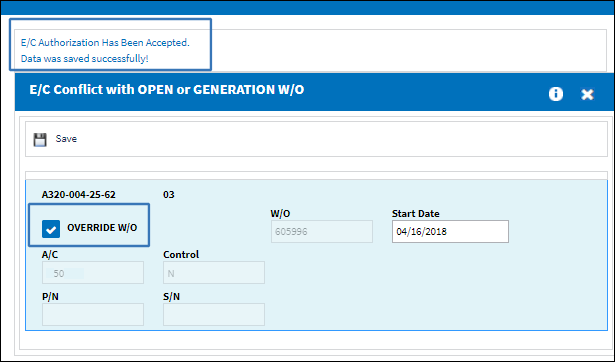
From this pop-up window, the user may override the old revision with the new revision by selecting the Override W/O checkbox and selecting the Save button.
Download Online Help
Print
|
©1997-2018 Trax USA Corp. All rights reserved. This manual may not be copied, photocopied, reproduced, translated, or converted to any electronic or machine-readable form, in whole or in part, without prior written approval from Trax USA Corp. |
 |