 Download Online Help
 Print
|
|
|
|
|


ONWINGTASK - Do Not Allow User TO Edit Reset Date For Onwing P/N E/Cs
Do Not Allow User TO Edit Reset Date For Onwing P/N E/Cs
Affected Window: w_ro_order_detail_eu
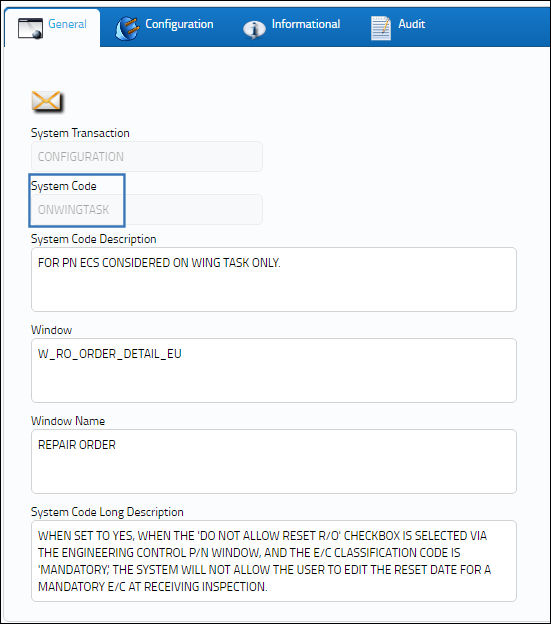
Setup:
The MANDATORY Property checkbox has been selected for the MANDATORY transaction code:
The Classification for the E/C is MANDATORY.
The 'Do Not Allow Reset R/O' checkbox is selected for the P/N E/C.
The Effective Date for the P/N E/C is specified.
Switch Set to Yes:
When set to Yes, when the 'Do Not Allow Reset R/O' checkbox is selected via the Engineering Control P/N window, and the E/C Classification code is 'Mandatory,' the system will not allow the user to edit the Reset Date for a mandatory E/C at Receiving Inspection.
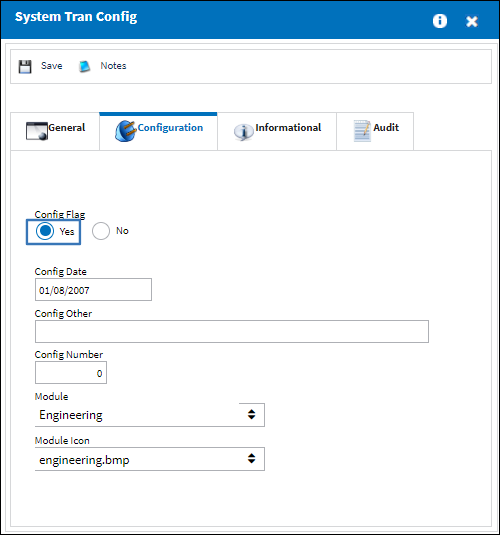
The Part Number is placed on a Repair Order.
In Receiving Inspection, the Reset Date cannot be edited.
Select the 'Accepted' radio button to receive the part.
Once the transaction is saved, the following pop-up message appears informing the user they are about the receive a mandatory E/C. Select 'Yes' to continue with the receiving transaction.
The Reset Date cannot be edited even when receiving a mandatory E/C.
Switch Set to No:
When set to No, even when the 'Do Not Allow Reset R/O' checkbox is selected via the Engineering Control P/N window, and the E/C Classification code is 'Mandatory,' the system will allow the user to edit the Reset Date for a mandatory E/C at Receiving Inspection.
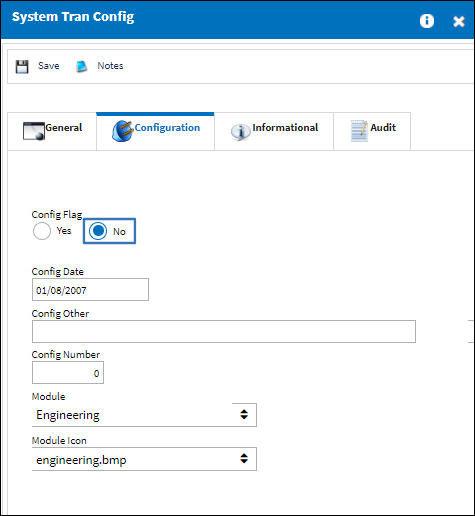
The Part Number is placed on a Repair Order.
In Receiving Inspection, the use is able to edit the Reset Date.
Download Online Help
Print
|
©1997-2018 Trax USA Corp. All rights reserved. This manual may not be copied, photocopied, reproduced, translated, or converted to any electronic or machine-readable form, in whole or in part, without prior written approval from Trax USA Corp. |
 |