 Download Online Help
 Print
|
|
|
|
|


TCSEDIT - Task Card Shop Item Editor
Task Card Shop Item Editor
Affected window: w_task_card_ue_shop
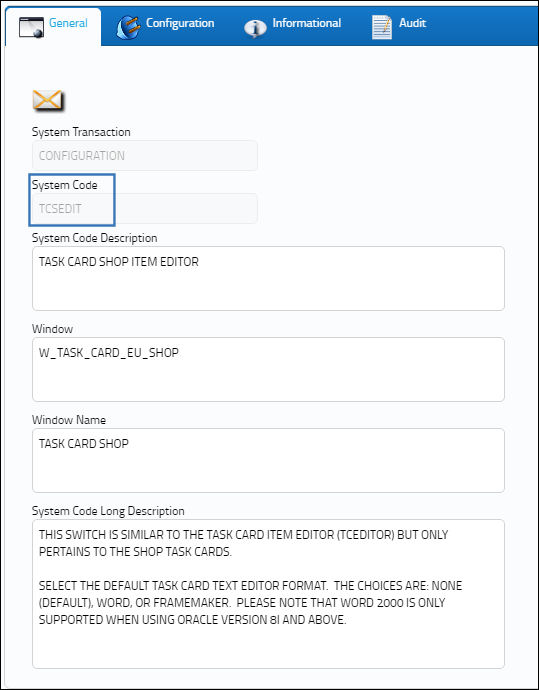
This switch is similar to the Task Card Item Editor (TCEDITOR) but only pertains to the Shop Task Cards.
Note: The Config Other field is used. This switch is not used with Yes and No functionality.
In the Config Other field, enter an editor format. The choices are: NONE (default), WORD, FRAMEMAKER, TRAXDOC and STYLESHEET. Please note that Microsoft® Word 2000 is only supported when using Oracle version 8i and above.
Note: The editor must be entered in all capital letters.
View/verify the following information:
Editor Type |
Description |
NONE |
NONE is the default Editor |
WORD |
The WORD Editor is a RTF Editor that requires the Microsoft ® application to be installed. If users would like to use the WORD Editor, an MS Word custom template must be developed for the specified customer/company. |
TRAXDOC |
The TRAXDOC Editor uses uploaded Stylesheets in TraxDoc as a template for a print. The Task Card print layout can be defined by a TraxDoc Stylesheet. Task Cards of each TraxDoc can have a different layout based on the criteria of the TraxDoc (i.e. fleet type, customer). TraxDoc allows the user to modify Task Cards using Style Sheets. The TRAXDOC Editor is not a RTF Editor. |
STYLESHEET |
The STYLESHEET Editor is a RTF (Rich Text Format) Editor which allows the user to enter the Task Card item text using the available RTF options. Please see descriptions for the various options and buttons below. |
Go to Engineering/Update/Task Card Shop.
Create a Task Card. Once saved, go to the Optional 1 tab. The WORD editor is selected and greyed out.
Select the Word  button to launch the Word application with the custom template for the users company.
For additional information, refer to the WORD Editor via the Task Card section of the Engineering Training manual.
Download Online Help
Print
|
©1997-2018 Trax USA Corp. All rights reserved. This manual may not be copied, photocopied, reproduced, translated, or converted to any electronic or machine-readable form, in whole or in part, without prior written approval from Trax USA Corp. |
 |