 Download Online Help
 Print
|
|
|
|
|


ECTCLINK - Security Control to the New, Save, and Delete Buttons to Modify EC/TC Links
Security Control to the New, Save, and Delete Buttons to Modify EC/TC Links
Affected Window: w_engineering_eu
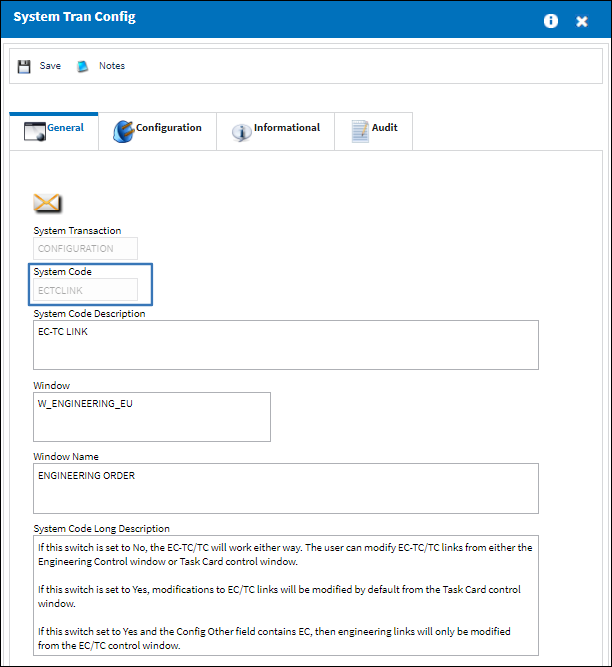
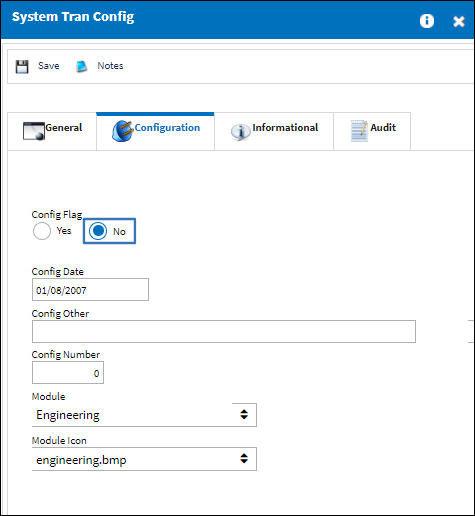
Switch Set to Yes:
When set to Yes, and the Config Other field is null, modifications to the EC/TC link can be made through the Engineering Control  button from a Task Card.
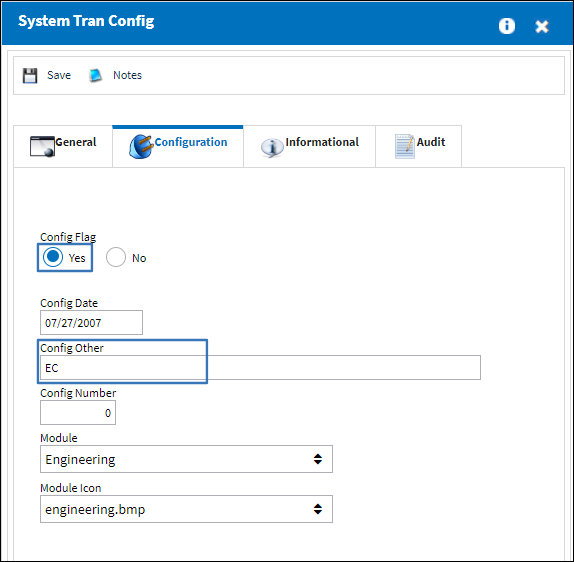
When set to Yes, and the Config Other field is set to EC, modifications to the EC/TC link can be made through the Task Card Control  button from an Engineering Control.
Scenario 1: Config Other field is null
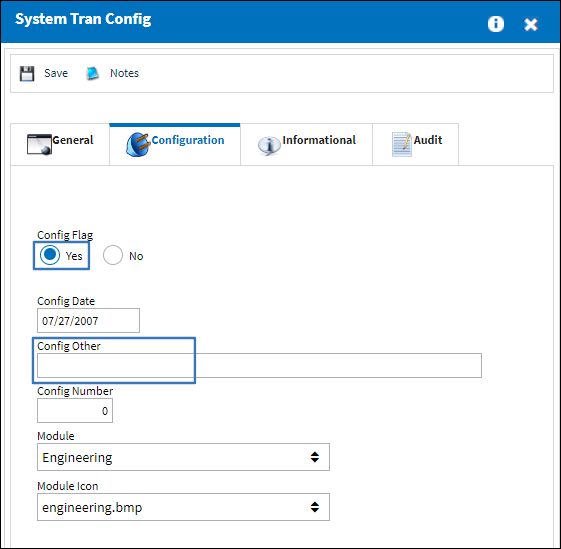
From a Task Card, the Engineering Control button is selected.
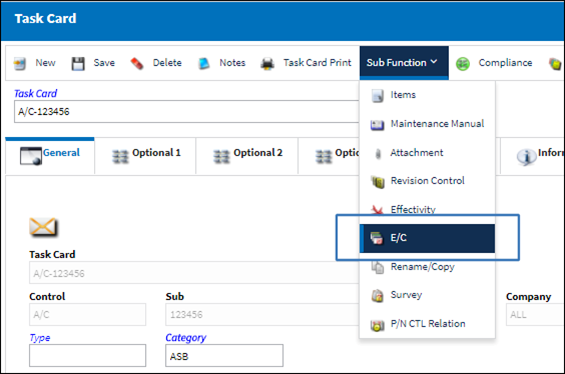
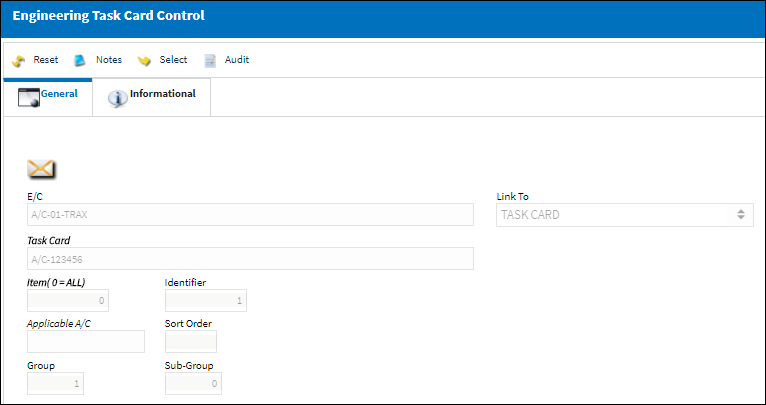
The New, Save, and Delete buttons appear in the Engineering Task Card Control window and the EC/TC link can be modified.
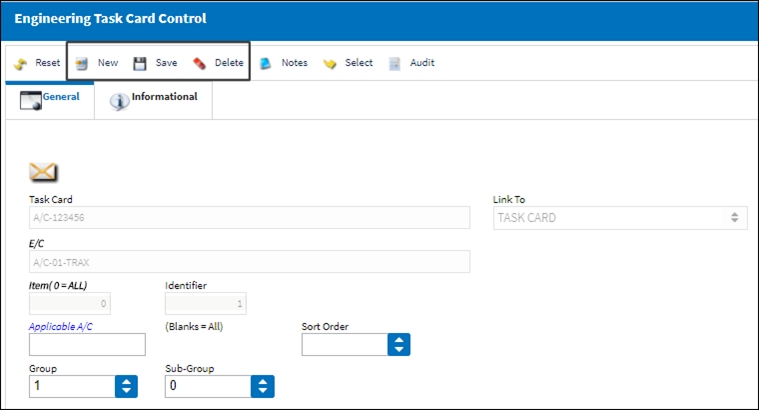
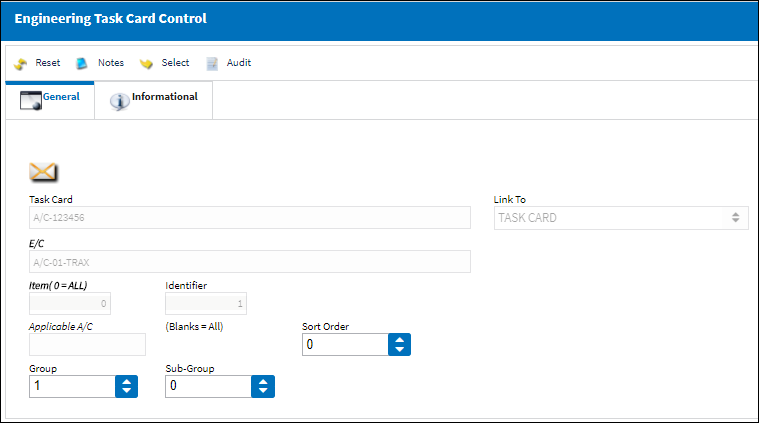
However, when in the Engineering Control and the Taskcard Control button is selected.
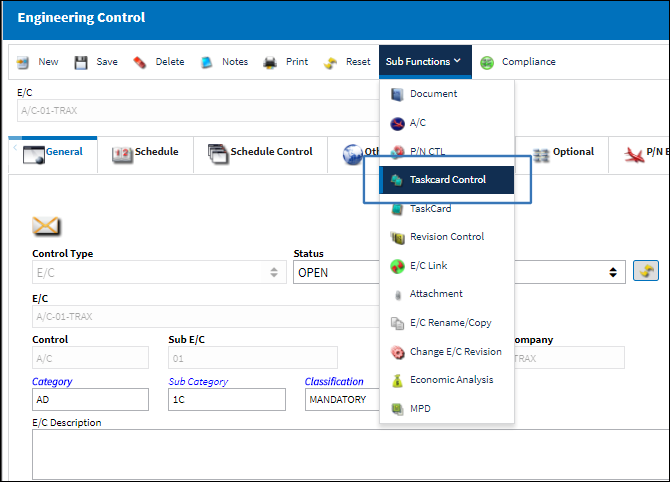
The New, Save, and Delete buttons do not appear for the EC/TC link to be modified.
Scenario 2: Config Other field has been set to EC.
From an Engineering Control, the Taskcard Control button is selected.
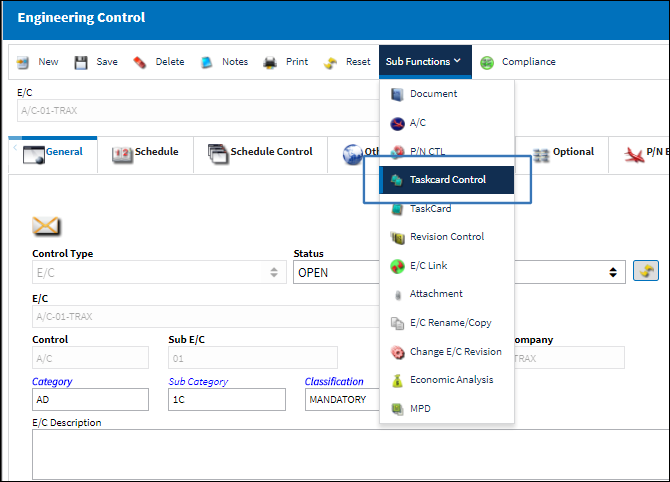
The New, Save, and Delete buttons appear in the Engineering Task Card Control window and the EC/TC link can be modified.
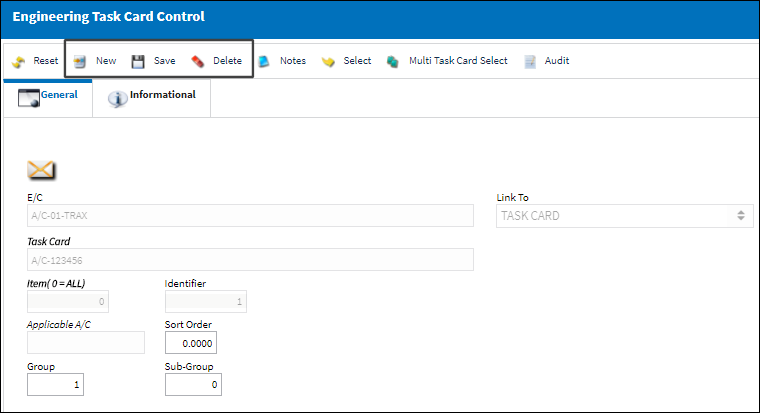
However, when in the Task Card and the Engineering Control button is selected.
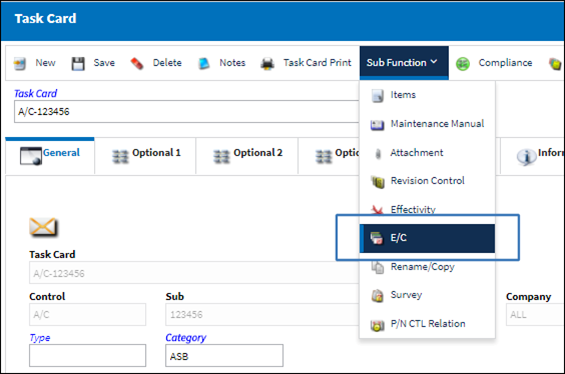
The New, Save, and Delete buttons do not appear for the EC/TC link to be modified.
Switch Set to No:
When set to No, modifications to the EC/TC link can be made through either the Task Card Control button through the Engineering Control, or the Engineering Control button through the Task Card.
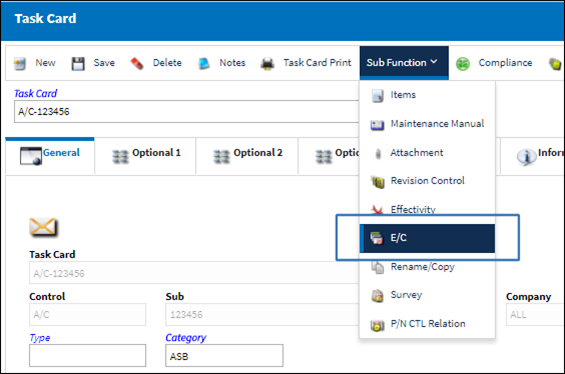
From a Task Card, the Engineering Control button is selected.
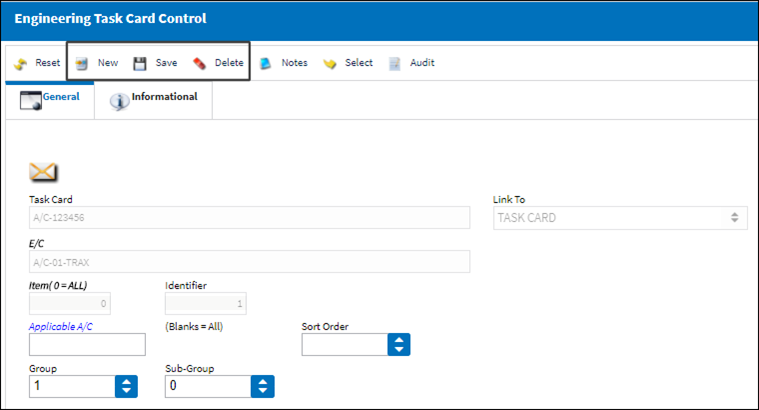
The New, Save, and Delete buttons appear in the Engineering Task Card Control window and the EC/TC link can be modified.
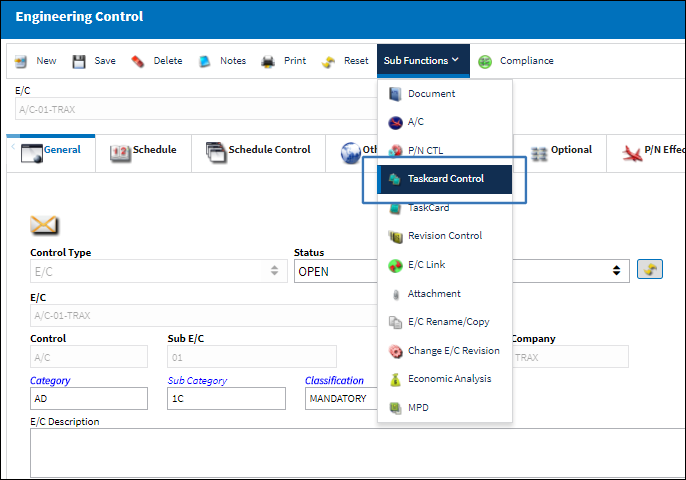
From an Engineering Control, the Taskcard Control button is selected.
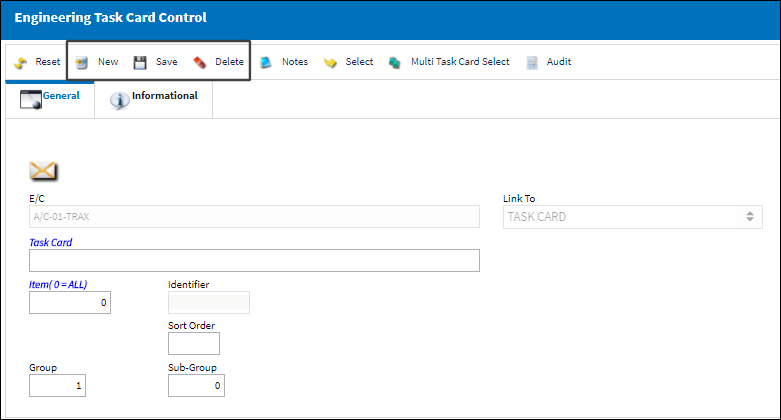
The New, Save, and Delete buttons appear in the Engineering Task Card Control window and the EC/TC link can be modified.
Download Online Help
Print
|
©1997-2018 Trax USA Corp. All rights reserved. This manual may not be copied, photocopied, reproduced, translated, or converted to any electronic or machine-readable form, in whole or in part, without prior written approval from Trax USA Corp. |
 |