 Download Online Help
 Print
|
|
|
|
|


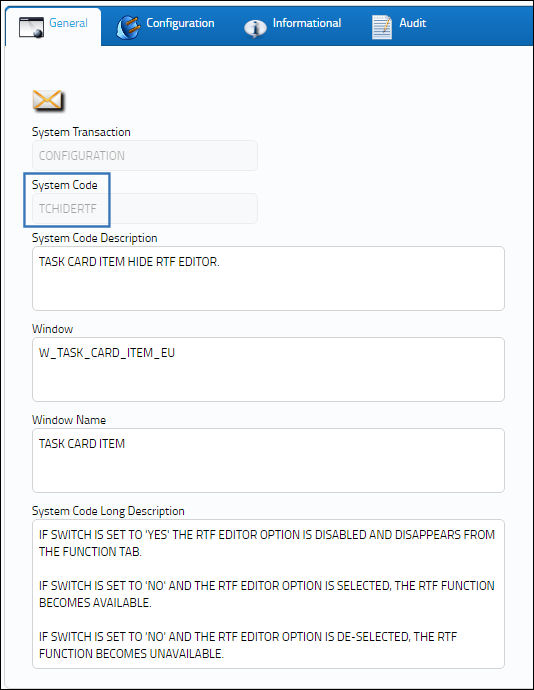
TCHIDERTF - Task Card Item hide RTF Editor
Task Card Item hide RTF Editor
Affected Window: w_task_card_item_eu
Switch Set to Yes:
When set to Yes, RTF Editor option is disabled.
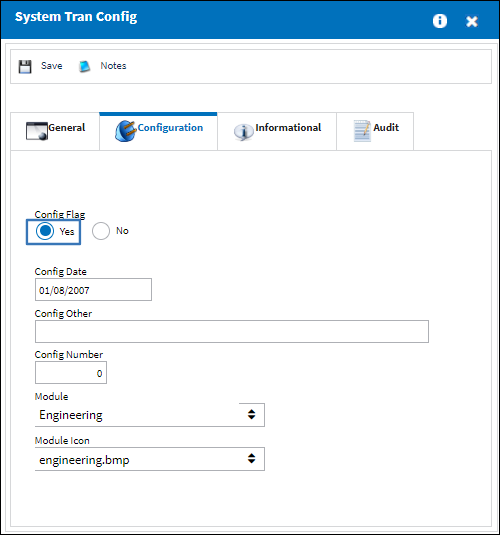
From the Task Card Item window, select the Functions tab. The RTF Editor option is unavailable.
The following message appears in the Task Card Item window:
Switch Set to No:
When set to No, and the RTF Editor option is selected, the RTF function is available.
There are two different scenarios for the switch being set to No.
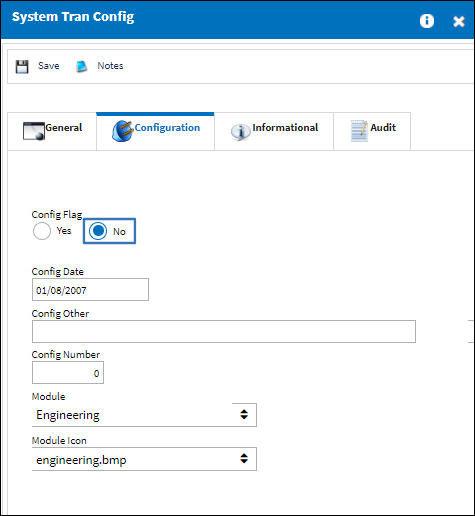
Scenario 1:
Go to Engineering/Update/Task Card.
Find or create a Task Card with the Editor 'STYLESHEET' in the Task Card, Optional 1 tab.
From the Task Card Item window, select the Functions tab. From the drop down menu, select the RTF Editor.
The RTF Editor option is available, as shown below:
Scenario 2:
If the switch is set to No and the RTF Editor option is de-selected, the RTF function becomes unavailable.
De-select the RTF Editor.
The RTF Editor becomes disabled and the following message appears in the Task Card Item window:
Note: This Switch also works in the Task Card Item window and the Task Card Item Authorization window via Shop.
Download Online Help
Print
|
©1997-2018 Trax USA Corp. All rights reserved. This manual may not be copied, photocopied, reproduced, translated, or converted to any electronic or machine-readable form, in whole or in part, without prior written approval from Trax USA Corp. |
 |