 Download Online Help
 Print
|
|
|
|
|


The 'DUTY' J/E Expenditure Class occurs when an order with a Duty Cost is attached to a Work Order then received into inventory.
Note: A Duty charge will only appear in the G/L if it is attached to a Work Order through an Exchange Order, Repair Order or Service Order.
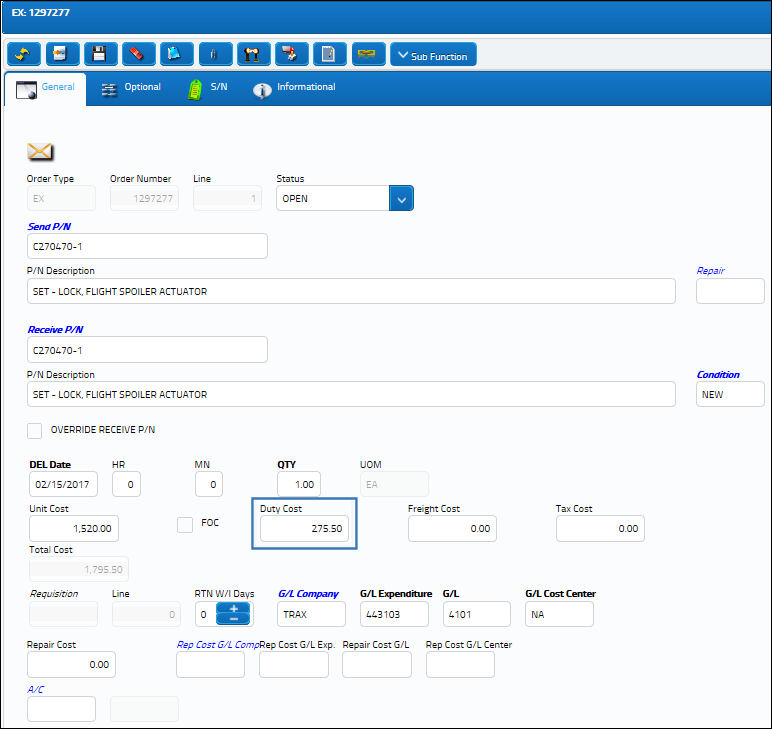
For example, create a new or select an existing Exchange Order and enter a Duty Cost.
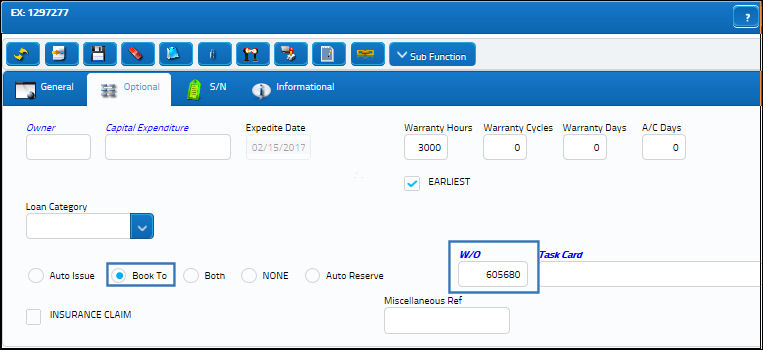
To attach the Exchange Order to a Work Order, from the Optional tab select the Book To radio button and enter the Work Order number then save.
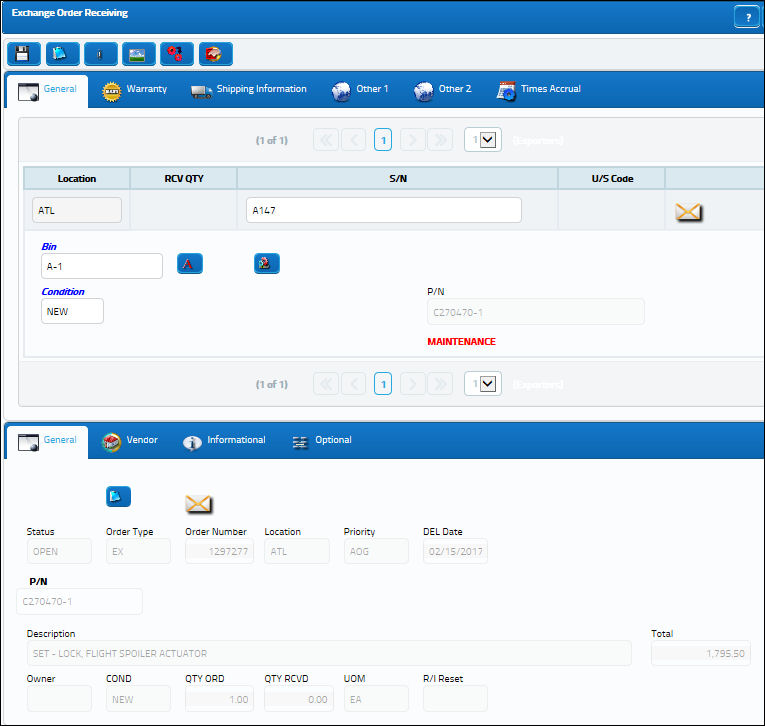
Receive the Exchange Order into inventory via Receiving/Update/Order Receiving detail window.
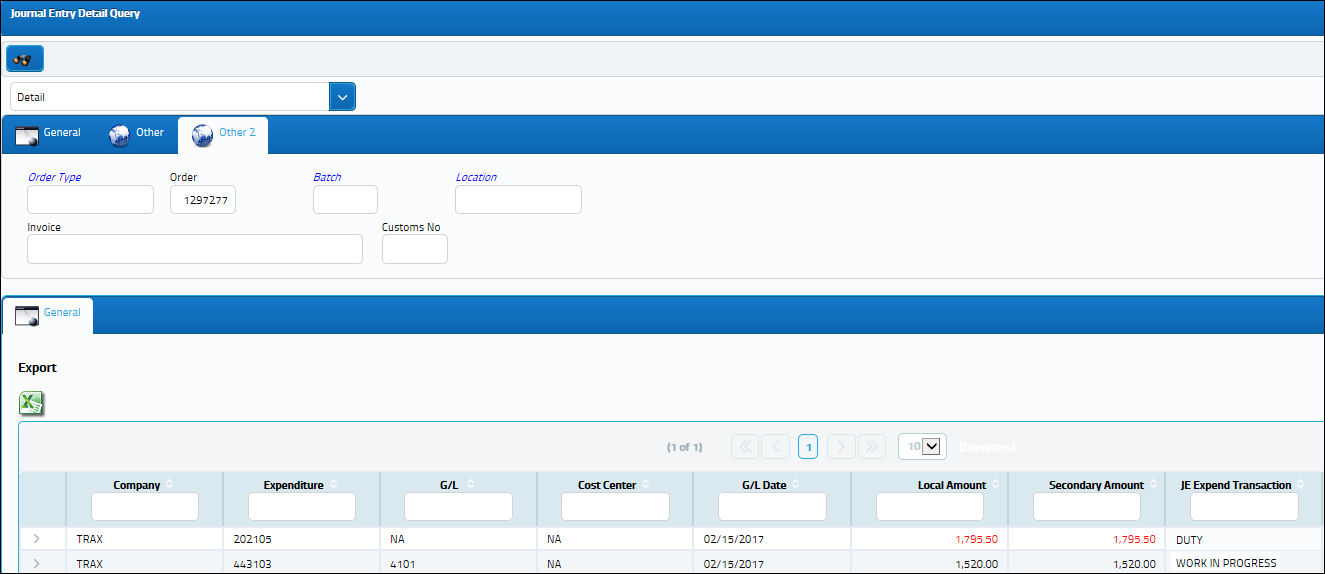
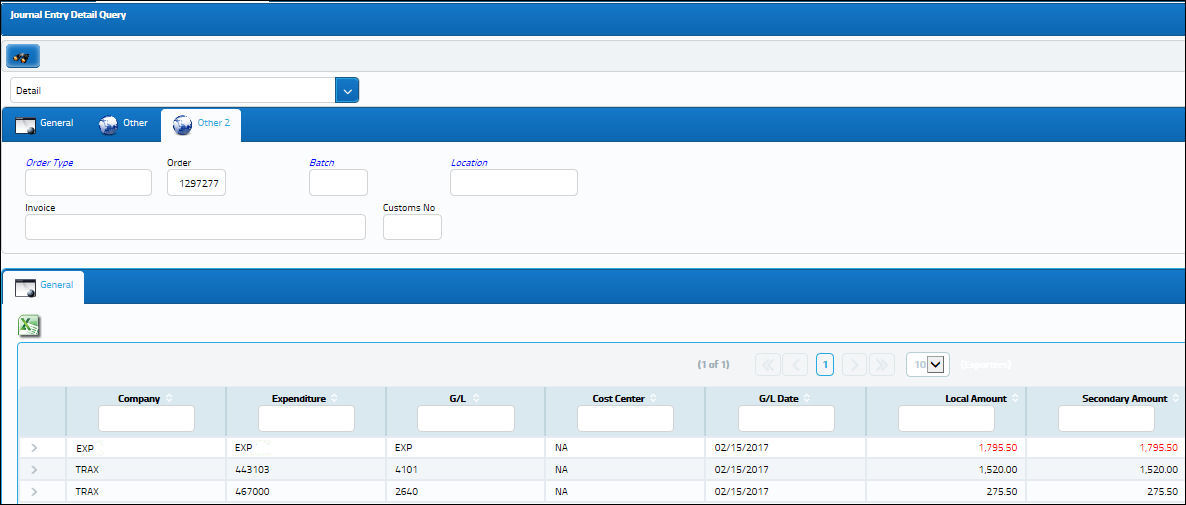
From the Journal Entry Detail Query window users can see the adjustments against the G/L.
For more information refer to the topics Exchange Order via the Orders manual and Work Order via the Production manual.
Work Order Closing:
The reverse of the Work In Progress 'DUTY' Journal Entry takes place during the Work Order Closing process. The charges associated to the G/L are reverted into the 'EXPENSE' account. In this example, the Exchange Fee and the Duty Cost of the E/X are combined when the Work Order is closed.
For more information refer to the topics Work Order Closing and Work Order Closing Post Completion via the Production manual.
Download Online Help
Print
|
©1997-2018 Trax USA Corp. All rights reserved. This manual may not be copied, photocopied, reproduced, translated, or converted to any electronic or machine-readable form, in whole or in part, without prior written approval from Trax USA Corp. |
 |