 Download Online Help
 Print
|
|
|
|
|


Select the Order  button to query the Orders (if any) related to the currently selected batch.
From Inventory Transaction, find the batch and select the Order button. The system displays the following screen:
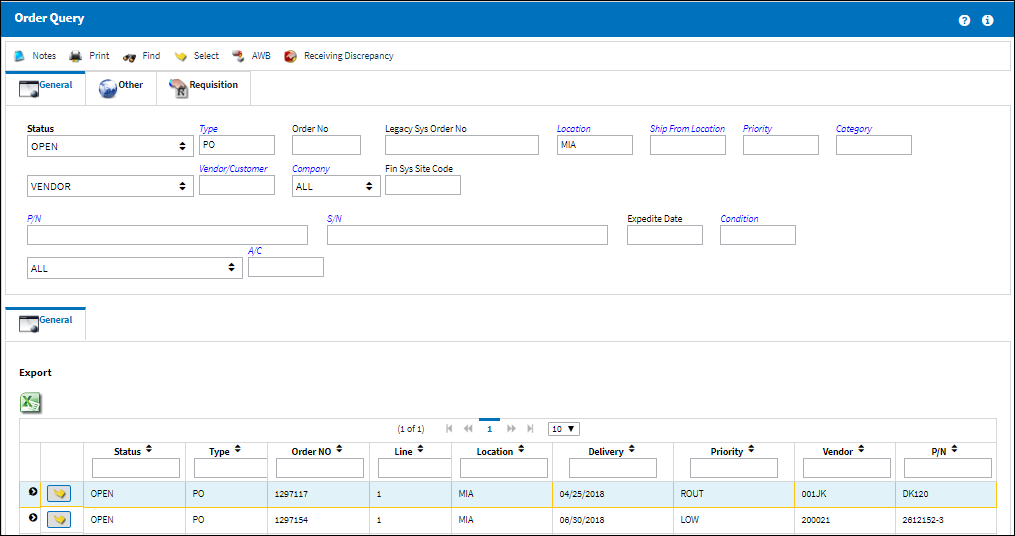
Select the Select  button to view more details on the related order.
Download Online Help
Print
|
©1997-2018 Trax USA Corp. All rights reserved. This manual may not be copied, photocopied, reproduced, translated, or converted to any electronic or machine-readable form, in whole or in part, without prior written approval from Trax USA Corp. |
 |