 Download Online Help
 Print
|
|
|
|
|


MEL Master, Warning Tab
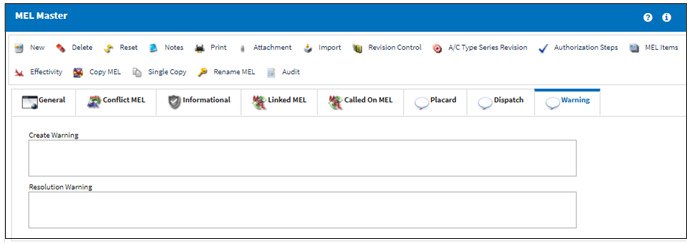
This tab allows users to enter MEL-specific warning messages that pop-up for Defect Reports with the associated MEL when the defects are created or resolved. If these fields are left blank, the warning messages do not appear in the Defect Report window. This tab is only available when the MEL or CDL radio buttons are selected in the MEL Master, General tab.
 This tab is security-controlled via Settings/ Update/ MEL Master/ MEL Warning Tab. For more information refer to the Security Explorer via the Settings Training Manual.
The following options/information is available in this window:
_________________________________________________________________________
Create Warning
The warning message that pops up when a Defect Report associated to the MEL or CDL is created.
Resolution Warning
The warning message that pops up when a Defect Report associated to the MEL or CDL is resolved.
_________________________________________________________________________
MEL/Defect Report Warning Messages:
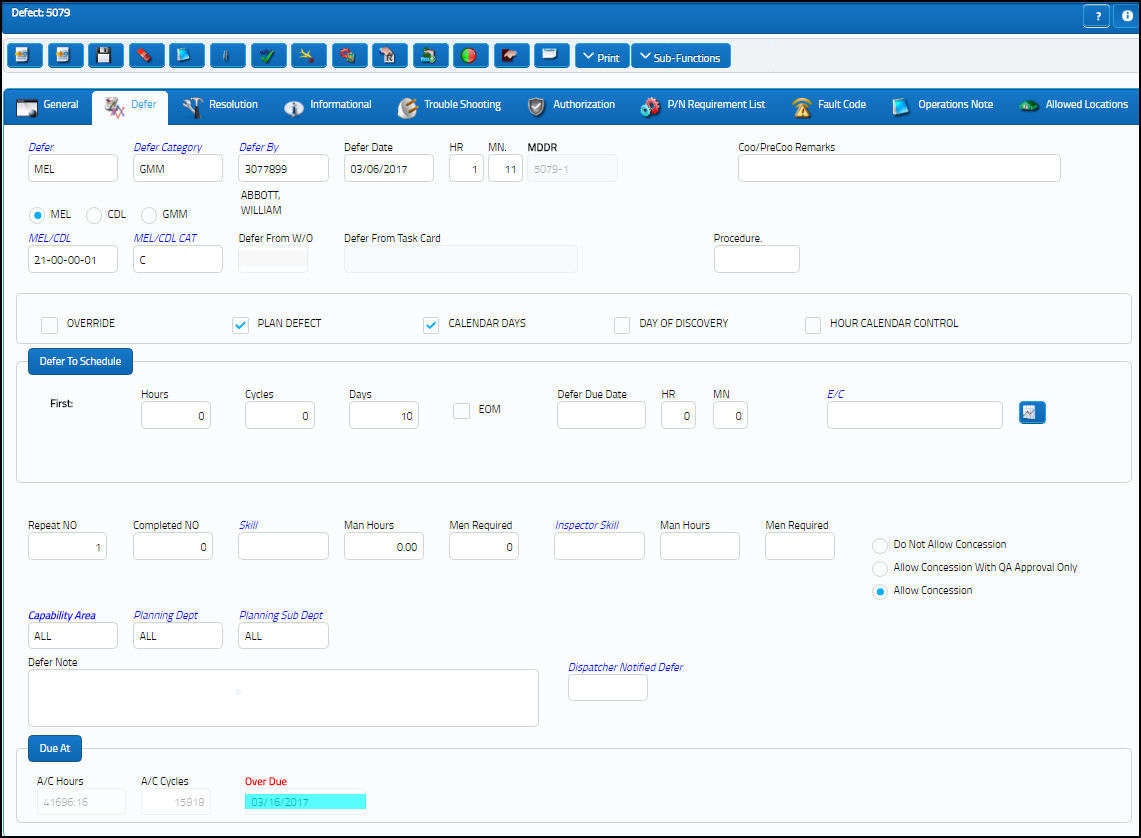
When a Defect Report is created with an MEL added in the Defer tab, the creation warning message appears. Notice that the following Defect Report is created.
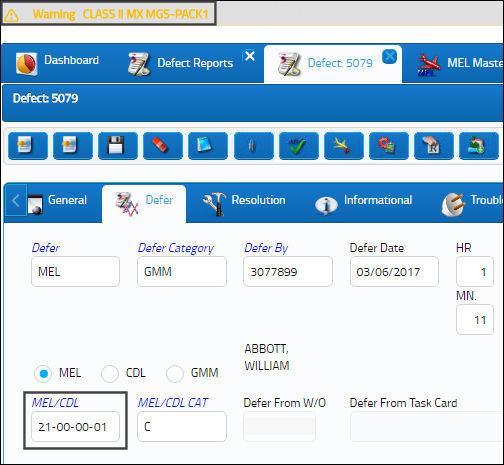
Because the Defect Report is associated to the above MEL, the following warning message appears.
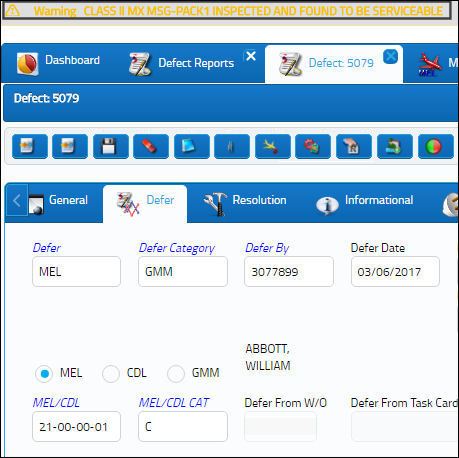
When the Defect Report is resolved, the resolution warning message appears. Notice that the following Defect Report is resolved and shows the resolution warning message as a result.
Download Online Help
Print
|
©1997-2018 Trax USA Corp. All rights reserved. This manual may not be copied, photocopied, reproduced, translated, or converted to any electronic or machine-readable form, in whole or in part, without prior written approval from Trax USA Corp. |
 |