Download Online Help Print

Previous Topic

Next Topic

Book Contents

Book Index

MEL Master

The MEL Master is used for the recording of MEL (Minimum Equipment Lists) for specific aircraft Type and Series. System functionality allows you to set up MEL Authorization Steps where new and revised MELs must go through an authorization process before they can be used in the system.

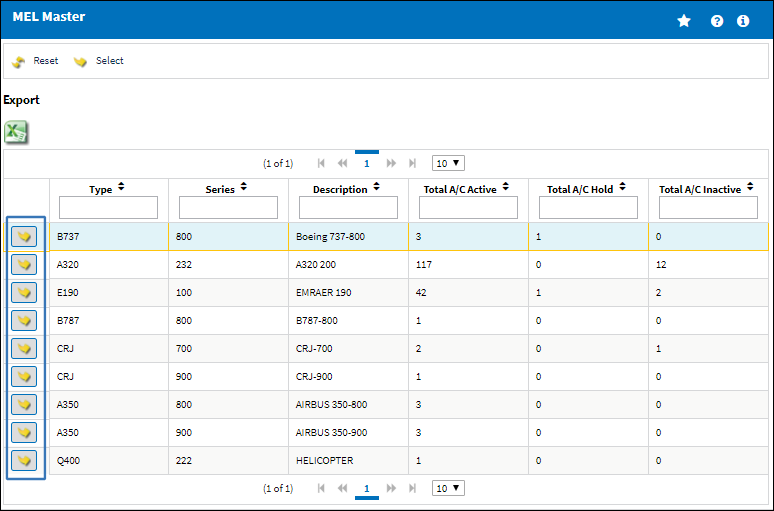
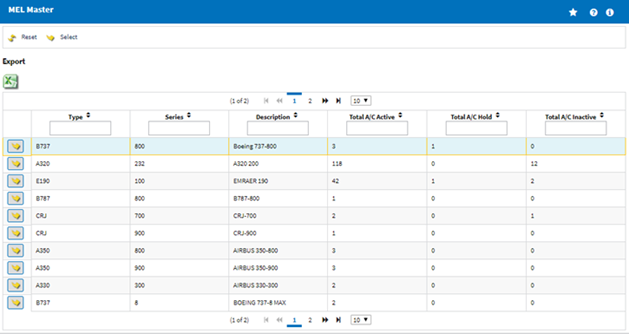
In the initial MEL Master window, you will need to select the aircraft Type/Series for the MELs you want to work with.

In the next MEL Master window, the MELs for the selected aircraft Type/Series will be displayed.

The following tabs and buttons are available.

MEL Master Tabs

MEL Master Buttons

General Tab

Conflict MEL Tab

Informational Tab

Linked MEL Tab

Called On MEL Tab

Placard Tab

Dispatch Tab

Warning Tab

but_new_small New button

but_delete Delete button

but_save_small Save button

but_reset_sm Reset button

but_notes_small Notes button

but_print (small) Print button

but_document_ctl_sm Attachment button

but_import_(software_bin replacement)_small Import button

but_revision control (small) Revision Control button

but_ac_type_series_revision_small A/C Type Series Revision button

but_authorization steps (small) Authorization Steps button

but_intelli_forms_small MEL Items button

but_effectivity_small Effectivity button

but_copy_mel_small Copy MEL button

but_copy_ec_small Single Copy button

but_change_flight_log_small Rename MEL button

but_audit_sm Audit button


This update window is also available in query mode where users can view the records provided in this window but cannot create new records or edit existing data. Refer to this module's Query menu.

MEL Process

In This Section

MEL Master, General Tab

MEL Master, Conflict MEL Tab

MEL Master, Informational Tab

MEL Master, Linked MEL Tab

MEL Master, Called On MEL Tab

MEL Master, Placard Tab

MEL Master, Dispatch Tab

MEL Master, Warning Tab

MEL Master Buttons

See Also

Settings, Update Menu

A/C Catalog

ATA Specifications

Aircraft

Aircraft Type/Series

Authorization

Bin

Company Profile

Customer

Customer Discount

Employee

Fault Code Master

Formulas

Location

MEL Authorization Management

Owner

P/N (Part Number)

P/N Master (General Inventory)

P/N Software Configuration

P/N Software Configuration Management

Routes

Skill

System Notification

Terms and Conditions

Upload Custom Print

Vendor

Top of Page Download Online Help Print