 Download Online Help
 Print
|
|
|
|
|


MEL Authorization Management
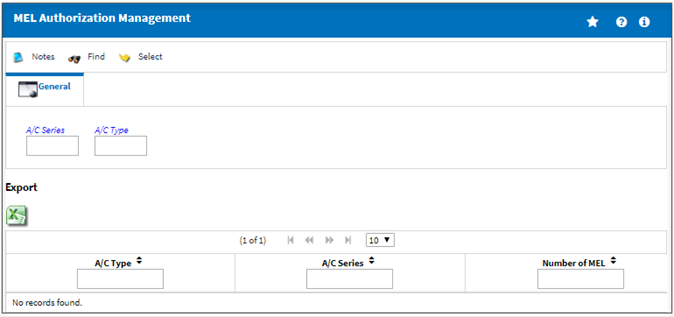
The MEL authorization process involves releasing the MEL to authorization from Authorization Management. Once the MEL is released to authorization, it will be in the authorization queue of users who are part of the authorization process. These users will authorize the authorization steps. Once all steps are authorized (accepted), the MEL will be available to use in defect reports.
Enter an A/C Type and Series associated with the MEL to be released to authorization and select the Find  button.
Note: Only MELs that have an open revision will be displayed in Authorization Management.
Select an MEL and click the Select  button to open it.
The Release to Authorization  icon in the record indicates that the selected MEL is pending release to authorization. Records that do not have this icon have been released to authorization and are waiting authorization in the authorization queue.
The Type/Series Release  button is also available. Selecting this button sends all MELs for the specific A/C fleet to the MEL Authorization Explorer.
Note: The Notes  button is also available for additional functionality to include relevant information, as necessary.
The user will be taken to the MEL Revision window. From this window, the user can release the individual MEL for authorization or they can release a Type/Series for authorization.
For additional information on these two methods of authorization release, refer to the following:
Once it has been released to authorization, the MEL will be in the Authorization Queue (Settings/Explorer/MEL Authorization Explorer) awaiting Authorization.
This update window is also available in query mode where users can view the records provided in this window but cannot create new records or edit existing data. Refer to this module's Query menu.
Download Online Help
Print
|
©1997-2018 Trax USA Corp. All rights reserved. This manual may not be copied, photocopied, reproduced, translated, or converted to any electronic or machine-readable form, in whole or in part, without prior written approval from Trax USA Corp. |
 |