 Download Online Help
 Print
|
|
|
|
|


The All-PBH Button in the Power By The Hour window allows users to apply changes to a range of Power By The Hour agreements simultaneously.
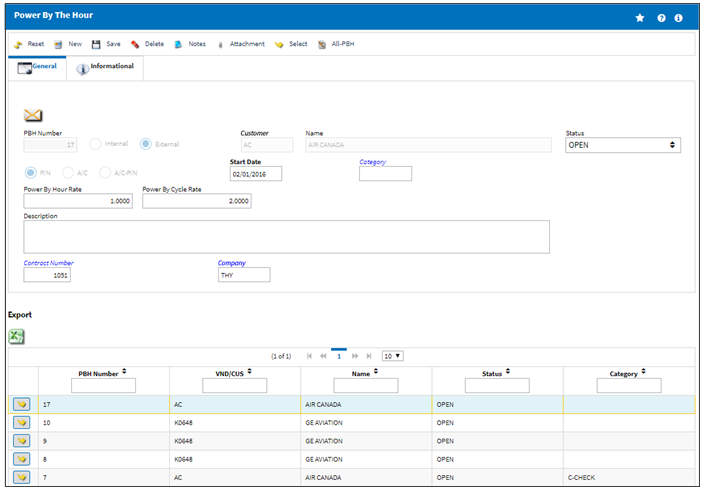
The following options/information is available in this window:
_________________________________________________________________________
PBH Number
The Power By the Hour Number. This is automatically generated within the system and used for monitoring the Power By the Hour contacts.
Internal / External radio buttons
These buttons are used to identify any PBH Items that the user's company is leasing from a vendor or leasing out to a customer.
Internal - The company is leasing from a vendor. With this selected, the Vendor, Location, Priority, and G/L fields are available.
External - The company is leasing out to a customer. With this selected, the Customer and Contract Number fields are available.
Vendor / Customer
Depending on the setting of the Internal or External radio button the Vendor or Customer field will become available for selection of the following:
- The Vendor from which the company is leasing the PBH Item (Internal radio button selected).
- The Customer which the company is leasing out the PBH Item (External radio button selected).
Note: The Vendor must be in the Vendor Master and the Customer must be in the Customer Master via Setting/ Update.
Category
The PBH item category.
End of Billing Date
Indicates the conclusion of the PBH service for the selected items.
A/C Type / Series
The entire aircraft fleet. An entire fleet can be selected for effectivity by selecting the A/C Type/Series checkbox or individual aircraft from that fleet can be selected by selecting the Expand  / Collapse
 buttons.
_________________________________________________________________________
Download Online Help
Print
|
©1997-2018 Trax USA Corp. All rights reserved. This manual may not be copied, photocopied, reproduced, translated, or converted to any electronic or machine-readable form, in whole or in part, without prior written approval from Trax USA Corp. |
 |