 Download Online Help
 Print
|
|
|
|
|


The system displays the Warranty Claim Order Detail, Optional tab as follows:
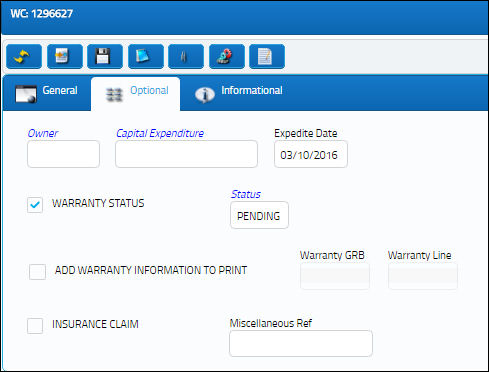
The following options/information is available in this window:
_________________________________________________________________________
Warranty Status checkbox
The Warranty for the part can be in the form of Hours, Cycles, Days, or A/C Days. Default Warranty information for the part is set up via Settings/ Update/ Vendor/ Warranty Information tab. The Warranty information can be overridden here as required.
Status
Status of Warranty Claim Order. This user defined code can be set up via the Warranty Status Transaction Code in the Orders Module list.
Add Warranty Information to Print checkbox
Select this checkbox to add Warranty information to the print.
Warranty GRB
Warranty Goods Received Batch (GRB) information.
Warranty Line
Warranty Line number.
_________________________________________________________________________
Download Online Help
Print
|
©1997-2018 Trax USA Corp. All rights reserved. This manual may not be copied, photocopied, reproduced, translated, or converted to any electronic or machine-readable form, in whole or in part, without prior written approval from Trax USA Corp. |
 |