 Download Online Help
 Print
|
|
|
|
|


Select the P/N Category Load  button to add a Material Flat cap limit for a specific P/N Category. This button offers one option on how to do this; the other option is detailed in the Material Flat section of Flat Rate Task Card (Cap Limits).
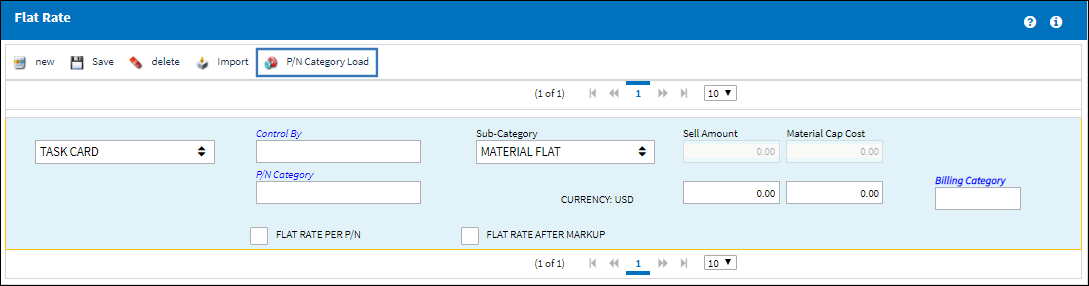
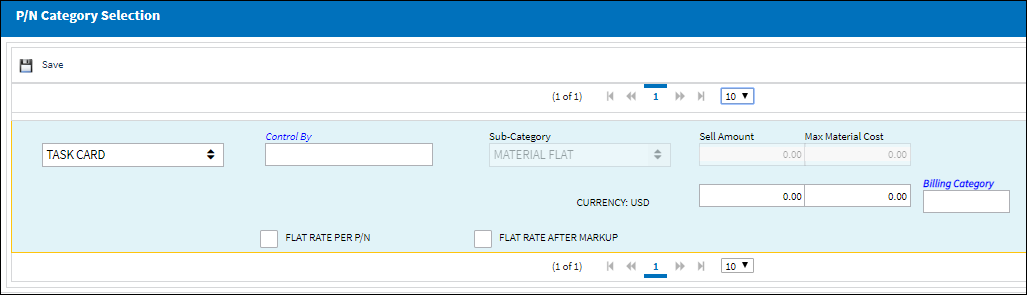
When the P/N Category Load button is selected, the P/N Category Selection window pops up. Enter the Material Flat information, including the Task Card/Category, Control By, and contract fees. Select the Continue  button when ready.
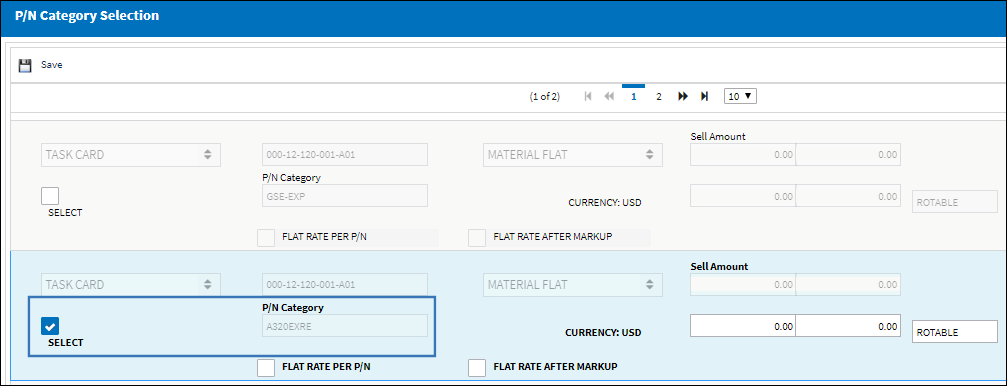
The P/N Category Selection window then comes up. Select all the P/N Categories that will be applicable to this Material Flat contract. Multiple Categories can be selected. Save the window once all selections have been made.
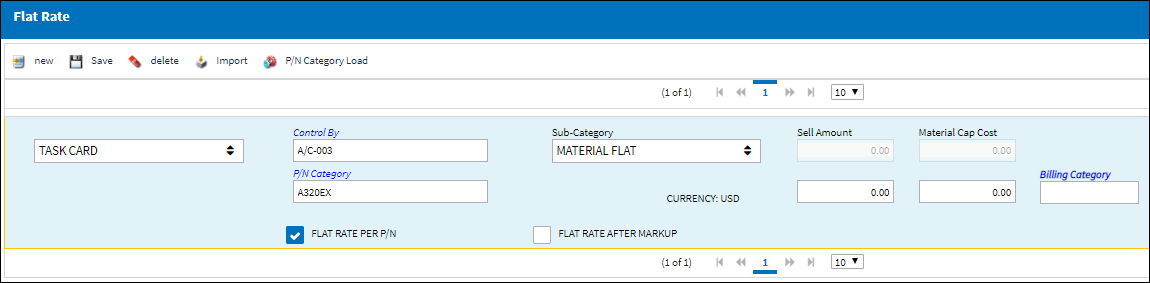
Once the Flat Rate window is refreshed, a new entry will be available for each selected P/N Category.
For more information on the process of applying these cap limits to Non-Routine Work Orders, refer to Flat Rate Task Card (Cap Limits).
Download Online Help
Print
|
©1997-2018 Trax USA Corp. All rights reserved. This manual may not be copied, photocopied, reproduced, translated, or converted to any electronic or machine-readable form, in whole or in part, without prior written approval from Trax USA Corp. |
 |