
 Share
Share
 Print
Print
|
|
|
|
|


The Change Vendor  button allows you to change the Vendor ID (as defined in the Vendor field of the General Tab) within the system.
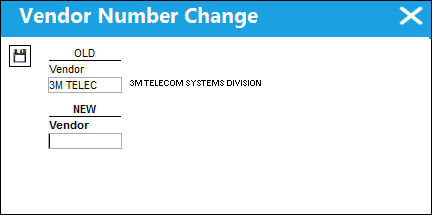
The following information/options are available in this window:
_____________________________________________________________________________________
OLD Vendor
Old Vendor ID.
NEW Vendor
New Vendor ID.
_____________________________________________________________________________________
The system will make the appropriate changes to any records that are associated with that vendor.
Share
Print
|
©1997-2026 Trax USA Corp. All rights reserved. This manual may not be copied, photocopied, reproduced, translated, or converted to any electronic or machine-readable form, in whole or in part, without prior written approval from Trax USA Corp. |
 |