 Download Online Help
 Print
|
|
|
|
|


The Task Card Closing  button allows the user to close Task Cards one at a time. This feature allows the user to manually enter the Task Card information, select a Task Card from the drop down selection menu, or scan the Task Card information using a barcode scanner.
 This button is security controlled via the Security Explorer/ Production/ Update/ W/O/ Work Order Task Card Status Update - Closing. For additional information, refer to the Security Explorer via the System Administration Training Manual.
From the W/O Task Card window, select the Task Card Work  button. The system displays the W/O Task Card Window as shown below:
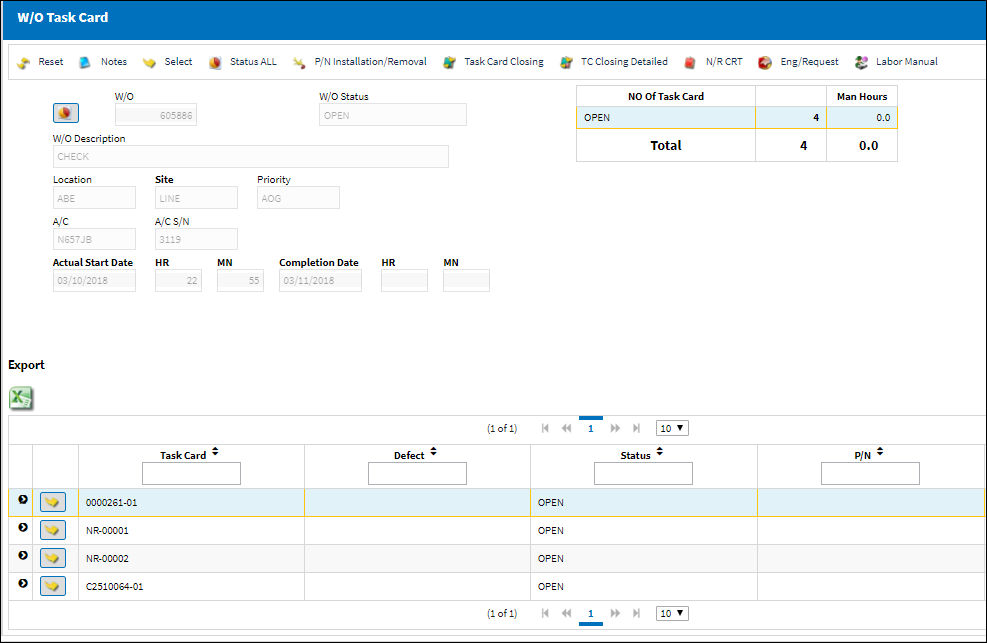
Select the Task Card Closing button to close specifically selected Task Cards as required. If several Task Cards on the Work Order share the same P/N, you will be asked to specify the serial number associated with the Task Card to be closed.
Choose a Task Card(s) and change the status.
Note: The status will be defaulted to 'Closed' automatically upon opening the window.
The user may manually enter the Task Card information, select a Task Card from the drop down selection menu, or scan the Task Card information using a barcode scanner.
Once the Task Card is entered, the Description field will appear populated. Select the Save  button to save the Status change.
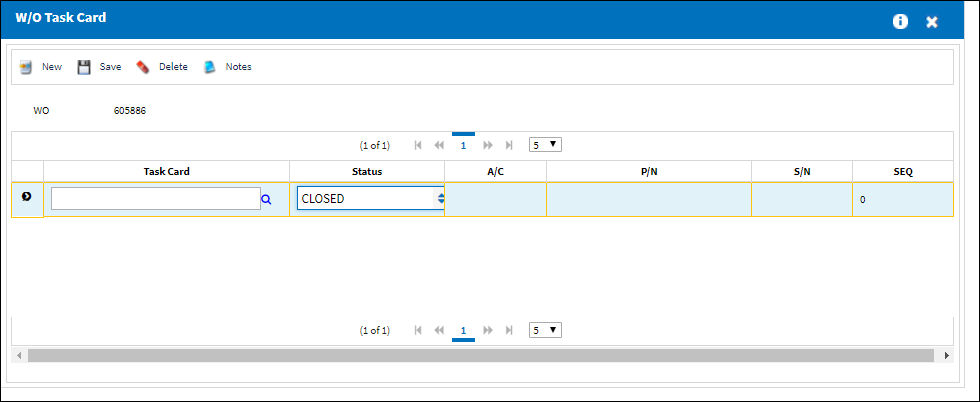
Note: Task Cards cannot be re-opened once the associated W/O Engineering Control has been reset. However, Non-Routine Task Cards can be re-opened if the W/O E/C has been reset.
Cannot Close Task Cards in Pre/Auth Status:
Users may not modify Task Cards that are in 'Pre/Auth' status.
From the W/O Task Card window, choose Task Card 0170 which is in 'Pre/Auth' status. Select the Task Card Closing button.
Populate the Task Card field with Task Card 0170 and select the Save button.
The system displays the following error:
Download Online Help
Print
|
©1997-2018 Trax USA Corp. All rights reserved. This manual may not be copied, photocopied, reproduced, translated, or converted to any electronic or machine-readable form, in whole or in part, without prior written approval from Trax USA Corp. |
 |