 Download Online Help
 Print
|
|
|
|
|


Through the T/C Work  button of the Work Order window, once all Task Cards associated to the Work Order are closed, the W/O itself can be closed through the Close W/O button. This button appears in the T/C Work window only after all T/Cs are closed.
For example, notice the Status for the following W/O is 'Open' and it contains one Task Card.
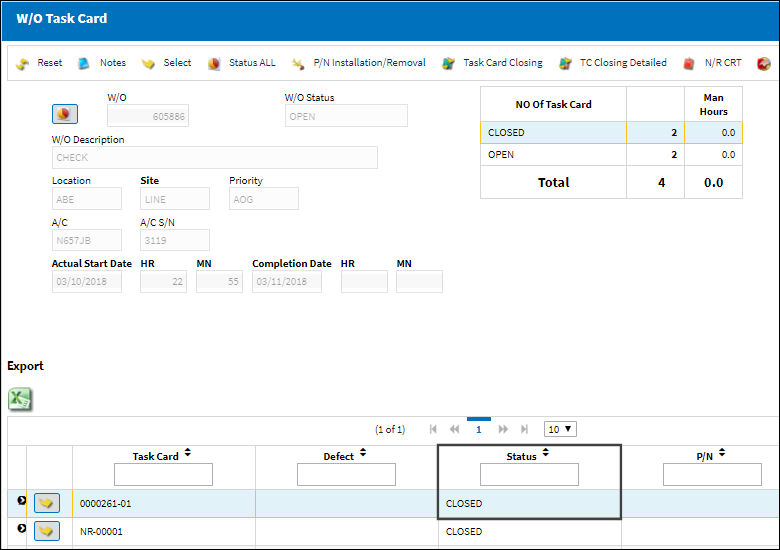
Note: Alternatively, once all of the W/O Task Cards are Closed, the W/O itself can be closed through the Production/ Update/ Work Order Closing window. Both the Work Order Closing window and the Close W/O button have the same functionality.
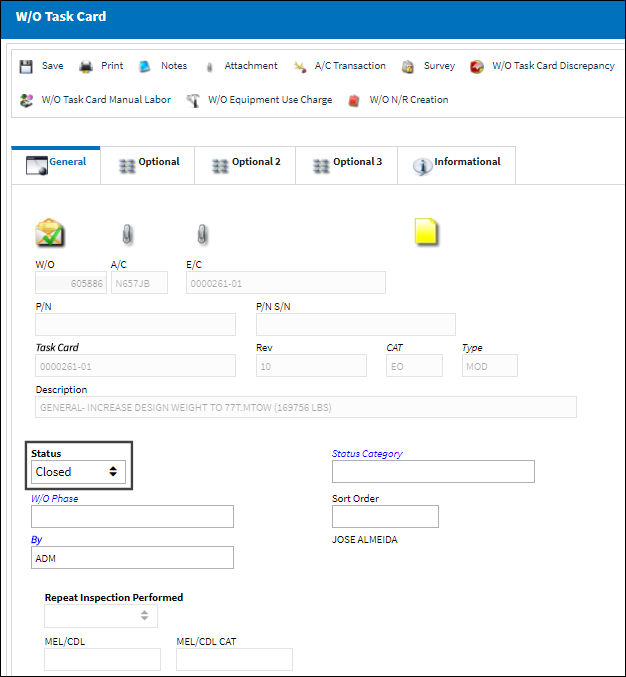
Close the Task Card by selecting the T/C then setting its Status to 'Closed'. Select the Save  button to close the T/C.
Once all T/Cs are closed, the Close W/O button appears in the same window.
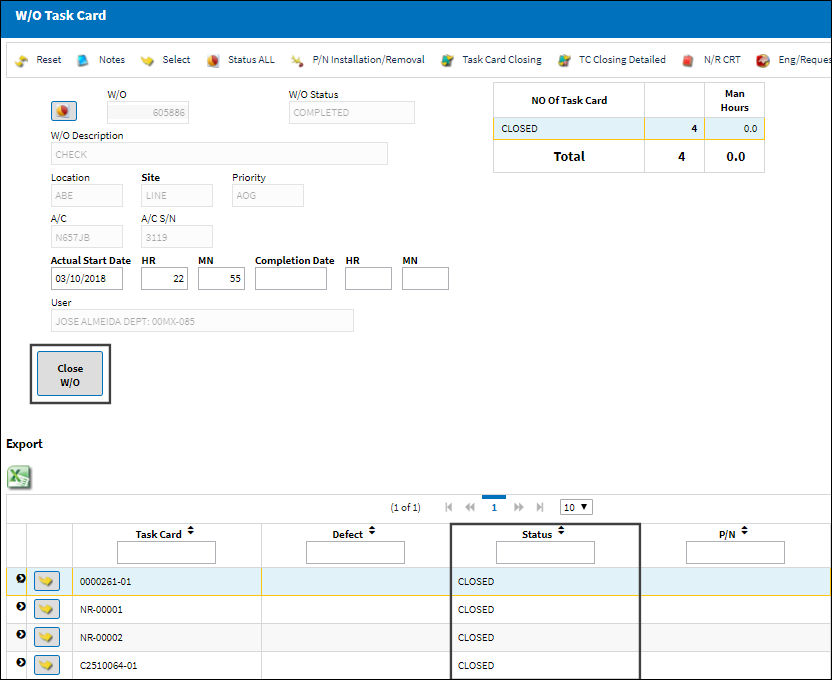
Select the Close W/O button.
Once saved the W/O Status is 'Closed.'
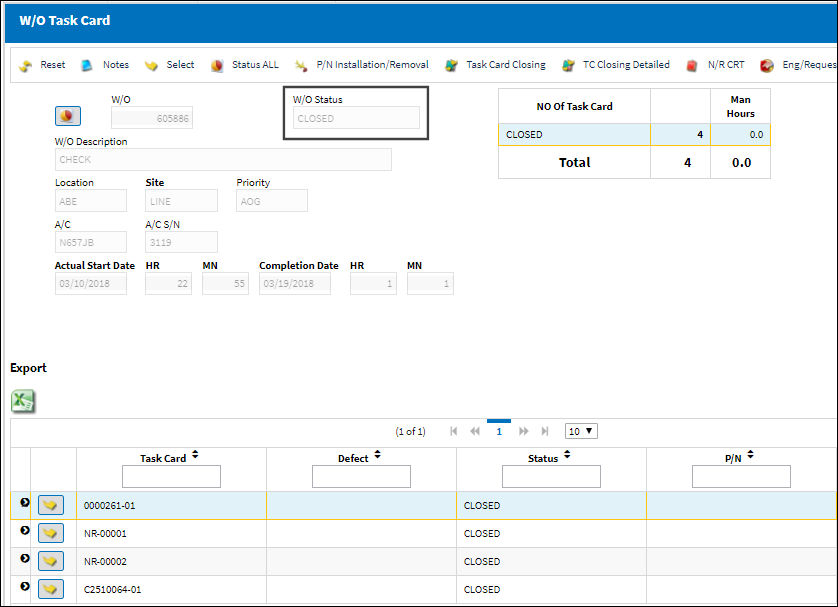
Note: If Production Switch  WOPOSTCM is set to Yes, then the W/O status will change to Post Completed once the Close W/O button is selected. The Post Completed status allows the aircraft to be returned to regular service but gives other personnel the time necessary to return a Work Order's unused parts to stock (RTS) before officially closing the Work Order. If the switch is set to No, then the W/O will go to Closed status when the Close W/O button is selected. For detailed information on this functionality, refer to Switch WOPOSTCM via the Production Switches Manual.
E/C P/N Warning:
If a Work Order has multiple P/N E/Cs for the same existing P/N and from the list of P/N E/Cs one has a modified P/N, then a soft warning will display upon W/O Closing.
For additional information on the P/N Modify To field refer to P/N Control Button, via Engineering Control in the Engineering - E/C Training Manual.
Download Online Help
Print
|
©1997-2018 Trax USA Corp. All rights reserved. This manual may not be copied, photocopied, reproduced, translated, or converted to any electronic or machine-readable form, in whole or in part, without prior written approval from Trax USA Corp. |
 |