 Download Online Help
 Print
|
|
|
|
|


Closing a Work Order
To 'Close' the Work Order, go to Production/Update/Work Order Closing. Enter the Work Order number then select the Find  button. If a specific W/O is not entered, all W/Os with a completed status will appear in this window.
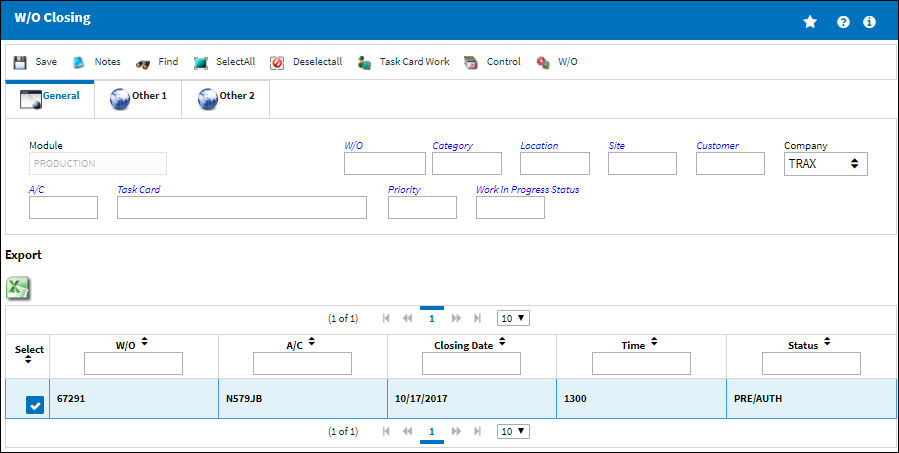
Select a Work Order by marking the 'Select' checkbox next to the desired one.. Once chosen, select the Save  button.
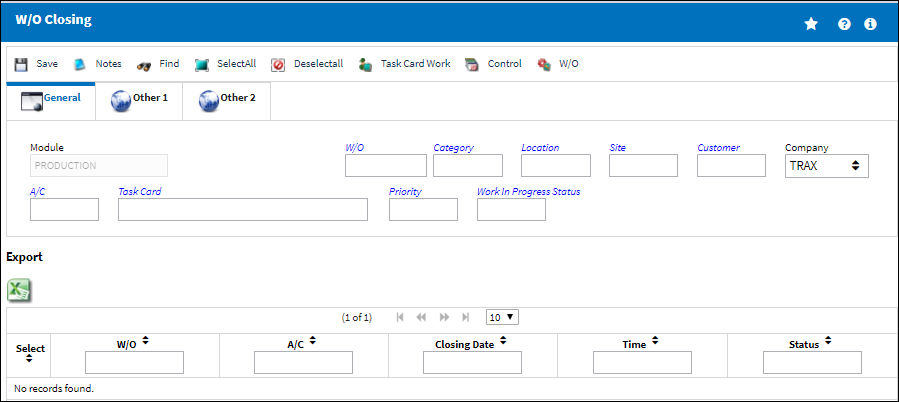
Once saved the Work Order is Closed. Notice when searching for the same Work Order, no records are found.
Download Online Help
Print
|
©1997-2018 Trax USA Corp. All rights reserved. This manual may not be copied, photocopied, reproduced, translated, or converted to any electronic or machine-readable form, in whole or in part, without prior written approval from Trax USA Corp. |
 |