
 Share
Share
 Print
Print
|
|
|
|
|


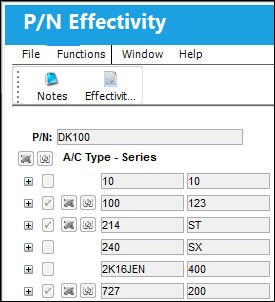
Select the Effectivity  button to view previously set up effectivity information regarding the P/N associated with this order. The effectivity for a part is defined in Settings/Update/P/N/Effectivity button. Users will view any effectivity which maybe overridden to the a specific tail where applicable; this will only allow the user to query the Part Numbers' Aircraft Effectivity. All effectivity changes will need to performed in P/N Master.
Share
Print
|
©1997-2026 Trax USA Corp. All rights reserved. This manual may not be copied, photocopied, reproduced, translated, or converted to any electronic or machine-readable form, in whole or in part, without prior written approval from Trax USA Corp. |
 |