Download Online Help Print

Previous Topic

Next Topic

Book Contents

Book Index

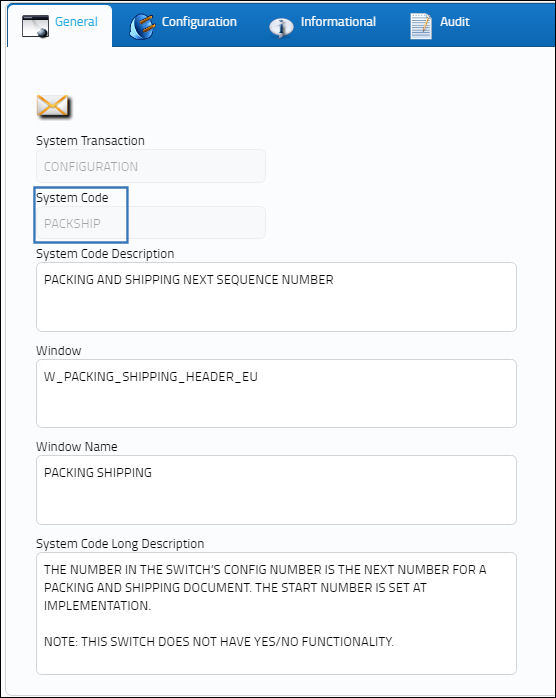
PACKSHIP - Packing and Shipping Next Sequence Number

Packing and Shipping Next Sequence Number

Affected Window: w_packing_shipping_header_eu

The number in the switch’s Config Number is the next number for a Packing and Shipping document. The start number is set at implementation.

The following Packing and Shipping document has been created. Notice the Packing and Shipping Number is set to that of the Config Number field.

Note: This switch does not have Yes/No functionality.

See Also

Packing and Shipping Switches

ACTSECOST - Omit Packing and Shipping Prompt from the One Step Transfer

AWBMAND - AWB (field) Mandatory on Packing and Shipping Header

AWBORFLT - AWB or Flight Mandatory

PACEXPOP - Default Status to 'Open" in Packing and Shipping Express

PSCOPIES - Packing and Shipping Proforma Invoice Number of Copies to Print

PSFOOT - Packing and Shipping Footer

PSFOOTTWO - Packing and Shipping Footer NON-ITAR

PSHBOXPRINT - Auto Populate the Number of Print Copies of Label Print

PSHIPEXP - Link Order To Packing/Shipping Record At Detail Level Via Express Option

PSNFBED - Prevent Shipped Packing/Shipping Notes From Being Edited

PSPRINT - Print Packing and Shipping Document According To Printer Configuration

PSSTATUS - Prevent Status Change to Shipped for Inactive Vendors

PSTOORDERAWB - Packing and Shipping Information is Populated in the Order AWB Window

PSVALUE - Packing and Shipping Use Average Cost in Value field

PURGEUNASSIGN - Enables a Daily Job to Purge Unassigned Packing & Shipping Records

SHDFDG - Packing & Shipping Override Checkbox Selected for Hazardous Materials

SHIPTOREPAIR - Populate the Ship To from Repair Order for Express Shipping

Top of Page Download Online Help Print